MidDroid GFX Tool Online
Tools
2026-11-04
6.44MB
11.16
Android
519
Screenshots
Introduction
MidDroid GFX Tool Online is a powerful game-tweaking tool. It features a clean, minimalist interface and is very easy to pick up, offering intuitive functions along with detailed, step-by-step instructions. Users can leverage this tool to adjust resolution and image clarity, resulting in a better visual experience. It also includes robust customization options, allowing users to tailor parameters and resolution settings to their specific needs. Furthermore, the app has a small footprint, ensures fast downloads, and runs smoothly and reliably across a wide range of Android devices—even on older versions of the Android operating system.
Features:
The process is very simple.
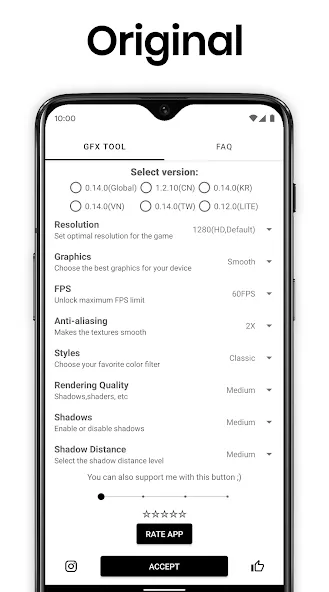
First, select the version of the game you want to play—whether it’s the Global, Taiwan, Korea, or China version. Next, choose your desired resolution. You’ll have plenty of options to pick from, ranging from settings optimized for mid-range smartphones to those designed for high-end tablets.
Graphics Settings
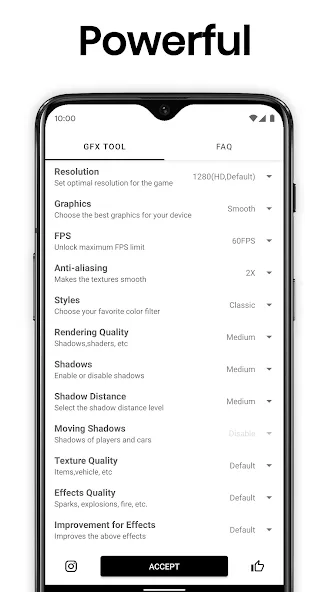
Adjust the in-game graphics quality, select the frame rate best suited for your device, and toggle shadows or MSAA anti-aliasing on or off. Naturally, you should also take your smartphone’s memory (RAM) capacity into account when configuring these settings.
Useful Features
Regardless of which version you choose, this app allows for comprehensive customization of your PUBG Mobile experience. It’s a highly practical tool for all users—from those with high-end Android devices seeking the ultimate PUBG experience, to those with mid-range phones who simply want the game to run smoothly without any lag.
Highlights:
Change resolution
Unlock HDR graphics and all FPS levels
Take full control over anti-aliasing and shadows
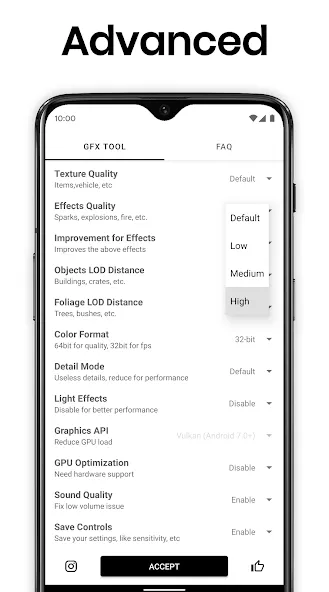
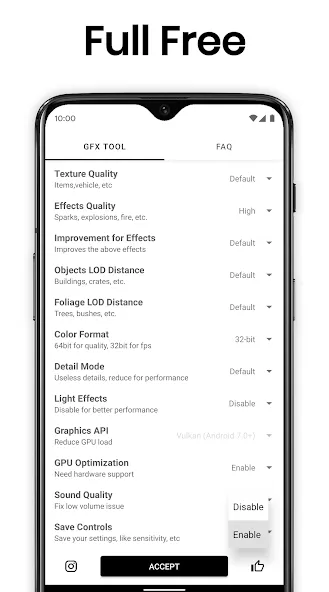
Access many other useful options
Close any currently running game before launching GFX Tool
Select your game version
Customize graphics based on your needs and device capabilities
Once everything is set, click Accept and Run Game
Advantages and disadvantages:
Pros
Adjust game resolution
Unlock HDR and FPS levels
Control anti-aliasing and shadows
Cons
Can result in getting banned
Conclusion:
MidDroid GFX Tool Online provides a comprehensive suite of tools for customizing your Android games. It unlocks the full potential of your device, giving you complete control over every aspect of your gameplay. By utilizing these customization options, you can achieve optimal gaming performance—including the ability to enable or disable specific features that might otherwise hinder your game's performance. Download it today and experience the difference!





-
Latest Updates
-
Featured Apps