PojavLauncher
Tools
2026-09-21
132.32MB
gladiolus-202501
Android
164
Screenshots
Introduction
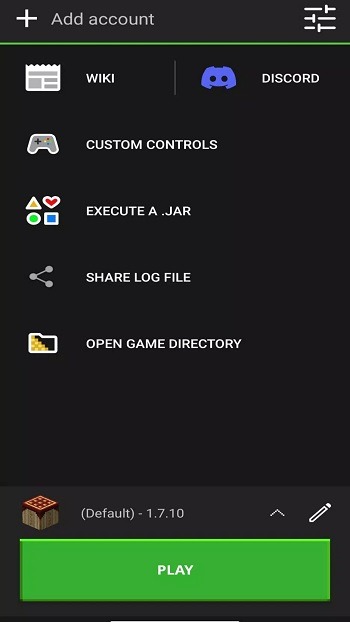
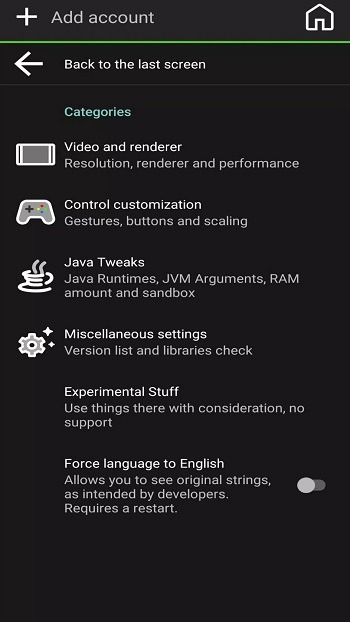
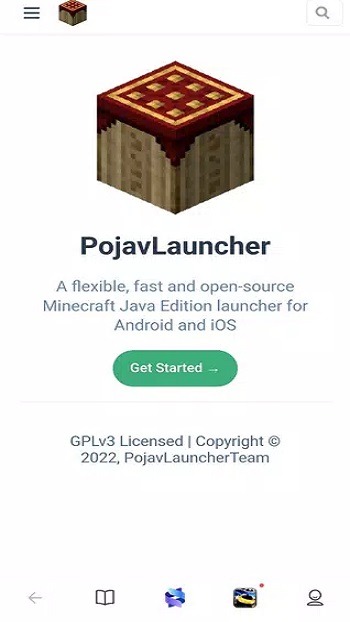
PojavLauncher is a launcher designed for the Android operating system that enhances the experience of playing games and using applications. It features a user-friendly interface and simple controls, allowing users to get started easily and launch Microsoft applications without complex procedures. Highly flexible and compatible with a wide range of versions, the launcher adapts seamlessly to user settings. Users can customize their experience by adding mods, creating backups, and adjusting various parameters. With powerful customization capabilities—including the ability to modify shaders and tweak internal settings—it allows users to create a unique gaming style tailored to their preferences, whether on a mobile device or a computer.
Features:
Privacy-First
PojavLauncher encrypts your login data and local files, ensuring the security of your Minecraft account and personal information.
Lag-Free Experience
Optimized for low-end hardware and slower network connections. Enjoy smooth gameplay thanks to specialized performance tuning.
Dynamic Interaction
Featuring a clean user interface, it allows you to easily switch versions, manage skins, and customize game modes with just a few taps.
Continuous Bug Fixes
The development team actively addresses critical issues, including input handling, hardware mouse support, and keyboard compatibility.
Performance Optimization
Includes optimizations specific to Android hardware to improve Minecraft's performance and ensure the best possible frame rates on your device.
Completely Free
PojavLauncher is open-source and free to use. There are no hidden fees, no subscriptions, and no third-party advertisements.
Highlights:
Desktop Technology Adapted for Android
This setup enables the Java Edition to run on Android, delivering an experience that closely mirrors what you would expect on a PC. You can launch official releases, snapshots, and older versions while enjoying a consistent interface and menu experience.
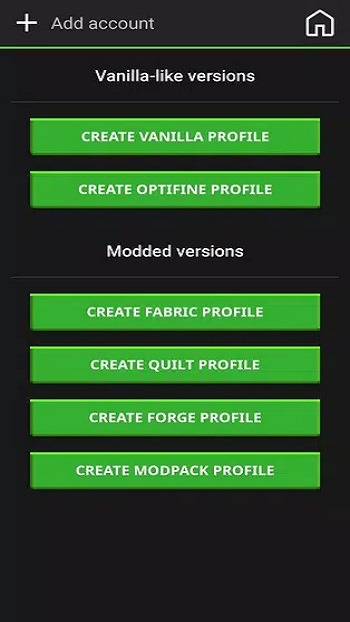
Mod Loader and Plugin Support
To ensure a smooth gaming experience, make sure your mod loader is fully compatible with your chosen game version.
Version and Profile Management
Profiles store distinct game and mod configurations, helping to prevent conflicts during testing. This structure is particularly useful when experimenting with new content without affecting your main save files.
Flexible Controls and Peripherals
You can customize on-screen button mapping to suit your playstyle and switch layouts as needed. The launcher also supports Bluetooth or USB controllers, as well as keyboards and mice.
Multiplayer Ready
Server rules and mod requirements still apply, so please use profiles that align with the specific settings of the communities you join.
FAQs:
What is PojavLauncher?
PojavLauncher is an Android app that lets you run the full Minecraft: Java Edition on your phone or tablet, including mod support and version selection.
How do I install Minecraft on my phone using PojavLauncher?
Download the PojavLauncher APK, install it on your Android device, log in with your account or play locally, then select a version and hit play.
Can I use Minecraft mods with PojavLauncher?
Yes, PojavLauncher supports mod integration, allowing you to load custom modifications, shaders, and tweaks just like you would on a PC.
Does PojavLauncher work on all Android devices?
It works on most Android phones running 5.0 or higher, but performance varies depending on your device’s specs and how you configure settings.
Advantages and disadvantages:
Pros
Can run older versions of Minecraft
Compatible with Microsoft accounts
Can store more than one account
Allows mods
Cons
Sometimes stops your game abruptly
Conclusion:
Download PojavLauncher to enjoy your favorite version of Minecraft on your Android device anytime, anywhere. This essential app for the classic game is packed with features yet remains simple to use and configure; once installed, you can immediately start mining diamonds and dodging Creepers.
-
Latest Updates
-
Featured Apps