Buildings for Minecraft
Tools
2026-09-24
64.45MB
4.6.1
Android
459
Screenshots
Introduction
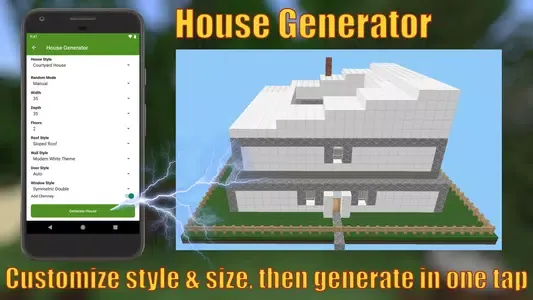
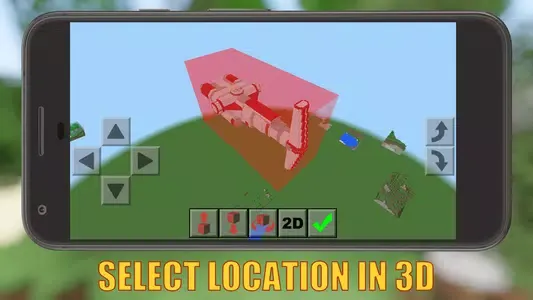
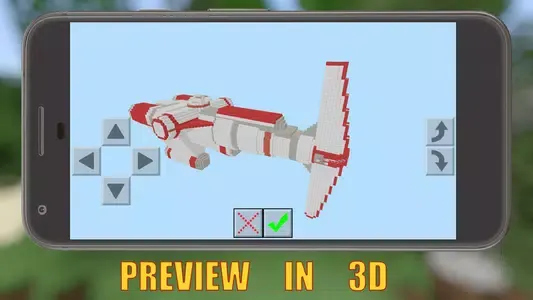
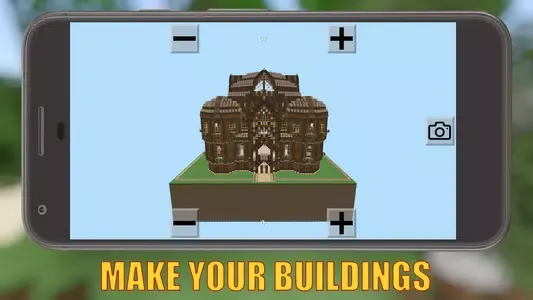
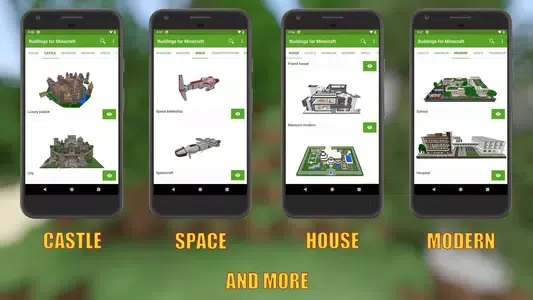
Buildings for Minecraft is a modding tool designed specifically for the mobile version of Minecraft. It offers a vast library of pre-built structures that players can import into the game with a single tap, making the process incredibly quick and convenient. The app provides three creative modes—House Generator, Color Studio, and Photo Generator—allowing users to create their own custom building mods. Users can share their creations with the community or download mods shared by others. Additionally, the app features a 3D viewer, enabling users to easily preview how a building will look once placed and make precise adjustments.
Features:
10,000+ structures, constantly growing
Three ways to create: house generator, color studio, and photo maker
Instant installation with 3D preview
Online + offline modes
Active global community
Auto backups, safe & secure
Free with full features
Highlights:
Ease of use is a key advantage, enabling placement of complex 3D objects within your Minecraft environment exactly where you desire, without any additional equipment required. Ideal for players aiming to craft their dreamscapes quickly, the app supports all versions of Minecraft, ensuring compatibility and user-friendly interaction.
One of the standout features is the ability to create and integrate your own unique buildings into the game, providing a personal touch to your virtual world. With new structures added daily, this resource promises a fresh, evolving experience, allowing you to share your creations with friends and draw inspiration from the best builds across other maps.
Pros and Cons:
Pros
Free-to-use companion app for Minecraft Pocket Edition
Wide variety of pre-built structures, from small houses to castles, ships, and skyscrapers
Includes fun character statues like Spider-Man and SpongeBob
Simple category-based browsing
3D viewer helps preview and adjust structure placement
Cons
Requires Minecraft Pocket Edition to be installed
Correct access to game data can be confusing for less technical users
Changelog:
What's new
New Color Studio in Photo Maker: take or pick a photo, turn it into a fill-in template, choose a block for each color, and generate your own building
Fixed known issues to improve stability and user experience
Conclusion:
For Minecraft enthusiasts looking to spice up their worlds without having to break a sweat, Buildings for Minecraft is a great tool to have. It houses a ton of pre-made building assets that you only need to launch into the game — no extra mining and crafting needed.
-
Latest Updates
-
Featured Apps