DO Multiple Accounts
Tools
2026-08-05
12.8MB
4.30.00.0601
Android
299
Screenshots
Introduction
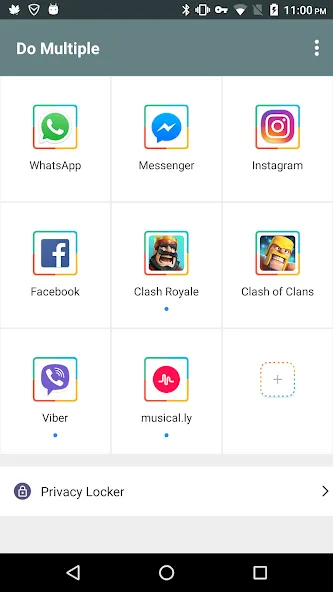
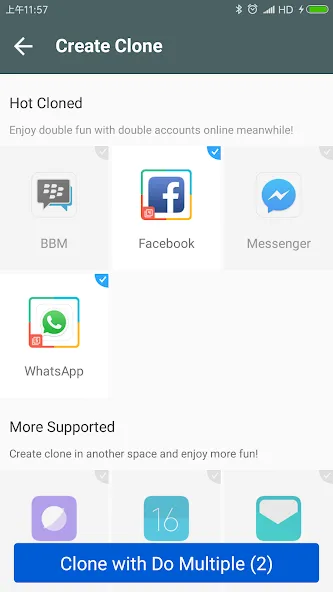
This is a cloning software that can clone your chat software, games, and system software. If you find it troublesome to frequently switch between work and personal accounts, you can use this software to clone multiple applications, allowing you to log in to both accounts simultaneously. This makes using the software more convenient. The software has independent data storage, so you don't need to worry about information overlapping with other accounts. If you have two game accounts and find switching back and forth cumbersome, you can also use this software to clone the same game, making it easier and faster to open the game you want. We hope every user can use this software to manage their accounts.
Function
TWO ACCOUNTS ON ONE DEVICE
The main role of the application is to maintain two accounts on the same device, and this eliminates the need for users to switch or log in to another account. Users will be able to maintain two accounts and be able to use both at the same time, and this both saves time and minimizes unwanted risks.
NEWS UPDATES, QUICK ANNOUNCEMENTS
Although managing two accounts, the ability to update news and notifications of two accounts is highly appreciated. There is no loss of notice as well as the news is delivered in a comprehensive and timely manner. The application always turns on the fastest update mode to be able to promote all the effects for the needs of the user.
LIMIT THE ADS
The application will help you limit the ads. Limiting advertising in two new accounts is something worth mentioning in this application. Thanks to that limitation, we do not come across spam and advertisements that interfere with our work. And more than that, it minimizes the risks that arise.
EASY CONVERSION
The application will help us switch easily between the two accounts. The application will quickly help you switch to another account with just a few clicks. This gives users peace of mind in shortening the processing time and catching up with the important information we are dealing with.
STATE-OF-THE-ART BACKUP CAPABILITIES
The most modern backup application is available today. All the different information you want to save is clearly defined in the collection. Such demarcation helps you to compare the information of those two accounts. All the information you want is stored in the application’s memory.
TROUBLESHOOTING PROBLEMS
In addition to those outstanding features, the application can also fix the problem when we log in. Fix it quickly and effectively to help users keep up with the information and not worry about problems anymore.
Features
Log in to your multiple messaging, gaming, and social apps
Easily balance your life and work with multiple accounts.
Two gaming accounts and double the fun.
Data for cloned and original apps is separate.
Quickly switch between two accounts with just one tap.
Run two accounts simultaneously and create an icon with a clone tag.
Privacy lock to protect your cloned account.
Slim mode for optimal power and memory efficiency.
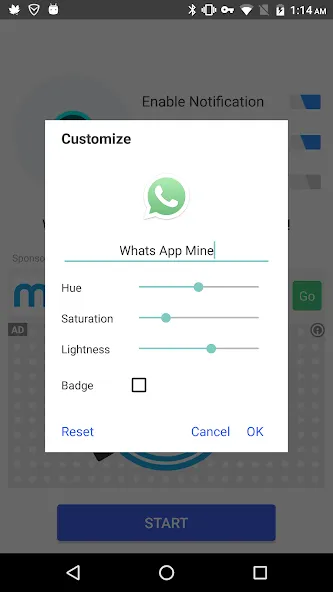
Notification settings for managing clone notifications.
Highlights
Separate data storage: All information and chat history of the clone are stored completely independently, ensuring no the overlap with original application.
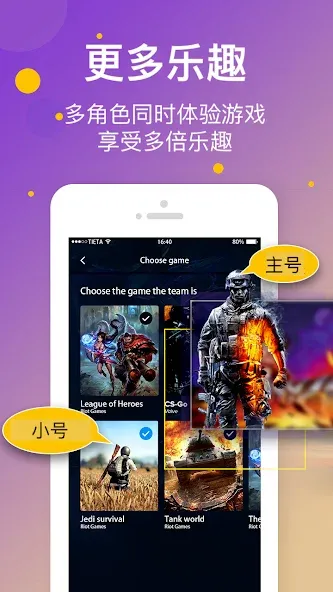
Dual gaming experience: You can plow two game accounts at the same time on one screen to optimize the support or increase power for your alliance.
Instant account switching: The switching between the spaces happens extremely fast with only one single touch, saving time significantly for busy users.
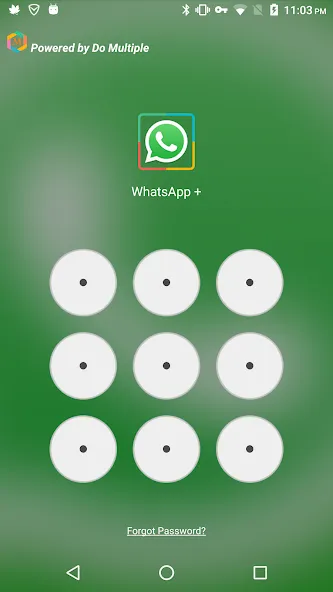
Built-in privacy locker: This feature allows you to set private protection password for the clones, preventing the curious eyes wanting to penetrate into the secret area.
Power saving lite mode: The shortened mode helps optimize RAM capacity and extend battery life when you are operating many heavy accounts.
Custom notification control: You completely have the right to decide which clone is allowed to push notifications, helping reduce the annoyance when needing to concentrate high level.
Advantages and disadvantages
Pros
Supports more than two accounts for many messaging, social, and game apps
Allows cloning the same app multiple times in a separated parallel space
Lightweight clone engine with Lite Mode aimed at better memory and battery use
Privacy Locker and notification controls for cloned apps
No separate 64bit add-on required and ads are relatively unobtrusive
Cons
First-time loading of some cloned apps can be very slow
Clones may occasionally fail to open and return to the home screen
Potential device freezes that can require a restart
Broad permissions needed for cloned apps may concern privacy-focused users
Summarize
DO Multiple Accounts offers strong flexibility for anyone who needs more than two accounts for messaging, social networking, or games on one Android device. Features like unlimited cloning, clear account separation, Privacy Locker, Lite Mode, and notification controls add real value.At the same time, the experience is not flawless. Some devices encounter slow first launches, failed openings that jump back to the home screen, or even temporary freezes that require a reboot. If your needs are modest and your device is older or more finicky, you may want to test with just a few clones first and see how it behaves.If multi-account management is central to how you use your phone, and you are willing to live with occasional quirks, DO Multiple Accounts is a capable and relatively lightweight choice.
-
Latest Updates
-
Featured Apps