Auto Clicker ProAuto Tap
Productivity
2026-10-31
13.72MB
3.3.4
Android
275
Screenshots
Introduction
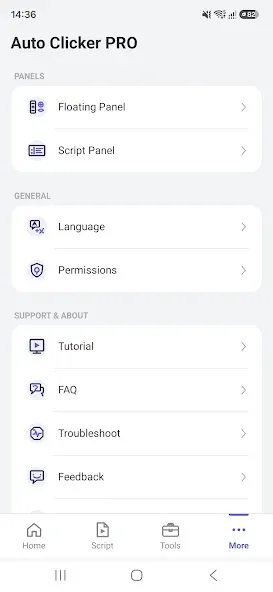
Auto Clicker ProAuto Tap is an auto-clicking tool designed for the Android operating system. It helps users save time by offering flexible, highly customizable modes—including configurable floating controls and launch triggers—that eliminate the need for tedious manual input. The app boasts excellent compatibility across a wide range of Android devices and includes features such as action recording and playback. It prioritizes user privacy and data security while enabling the rapid completion of repetitive tasks, thereby boosting overall efficiency. With a wealth of flexible options, it maximizes device performance and streamlines workflows. Furthermore, the app features a compact file size, ensures fast downloads, and consumes minimal memory.
Features:
Fast and Precise Auto-Clicking:
Create accurate, controlled auto-clicks. Choose your preferred clicking speed and intervals to ensure smooth, consistent operation.
Multi-Action Automation:
Build personalized click patterns and execute a sequence of actions automatically. Make repetitive processes faster and more convenient.
Adjustable Click Speed and Delay:
Control the pace of your clicks. Customize delays, repetition intervals, and click frequency for maximum flexibility.
Gaming Assistant:
Enhance your mobile gaming experience by automating repetitive tasks. Save time spent on constant tapping so you can focus more on strategy and gameplay.
Efficient Performance:
Designed for smooth operation and reliable automation. Optimize your clicking experience and leave unnecessary complexity behind.
Smart Auto-Click Control:
Manage your auto-clicks with intuitive controls—start, pause, and adjust your actions whenever you need to.
Highlights:
Multi-Point Control
Automate multiple taps or swipes based on your configuration—execute them simultaneously or in a specific sequence.
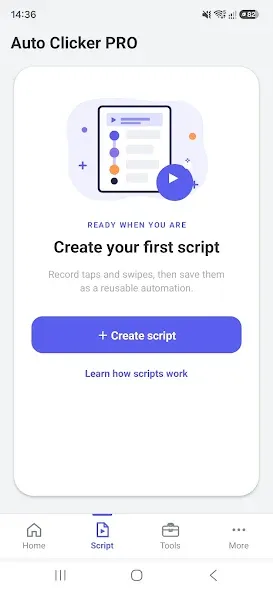
Gesture Recording
Record on-screen actions—such as taps, swipes, and long-presses—and replay them whenever needed.
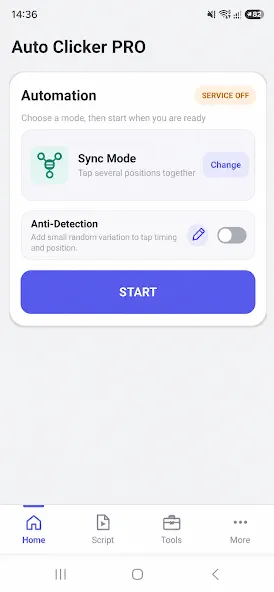
Sync Mode
Trigger multiple tap points simultaneously for coordinated input.
Curved Swipe Support
Create fluid, curved swipe gestures that more closely mimic natural touch interactions.
Scheduled Auto-Start
Set a timer to launch your automation sequences at a specific time, giving you full control.
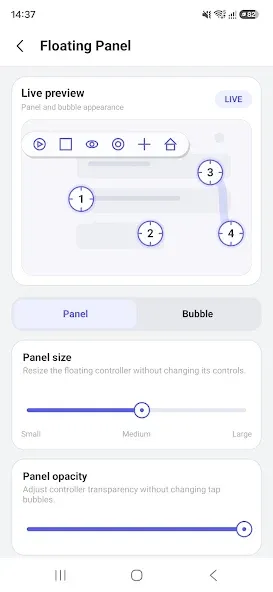
Customizable Floating Panel
Adjust the size, transparency, and position of the floating control panel for convenient access.
Save and Load Settings
Store multiple automation configurations and switch between them with ease.
FAQS:
Can I use this app to play games?
Yes, Auto Clicker ProAuto Tap can be used to automate repetitive tasks in games, such as tapping to collect resources.
Can I set up multiple click points?
You can set up and customize multiple click points within the app settings.
Is there a limit to the number of clicks?
No, there is no limit to the number of clicks.
Is there an iOS version of this app?
Currently, Auto Clicker ProAuto Tap is only available for Android devices.
Advantages and disadvantages:
Pros
Automation features
Two modes
High level of security
Cons
Android only
Conclusion:
Auto Clicker ProAuto Tap stands out for its user-friendly design, rich feature set, and powerful automation capabilities. Capable of handling multiple click points, swipe gestures, and scheduled actions, it serves as an invaluable resource for anyone looking to boost their efficiency when using an Android device. Users can confidently download Auto Clicker ProAuto Tap and leverage its extensive functionality to enhance their productivity.





-
Latest Updates
-
Featured Apps