Dual Camera
Productivity
2026-10-26
61.17MB
1.13
Android
139
Screenshots


Introduction
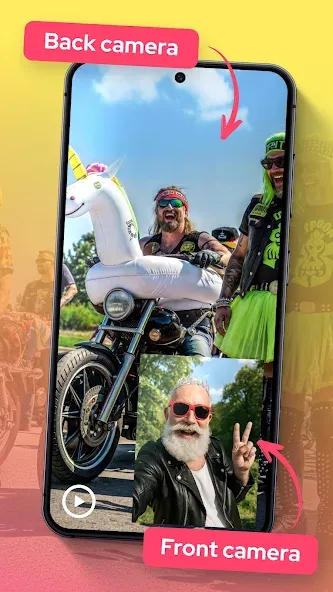
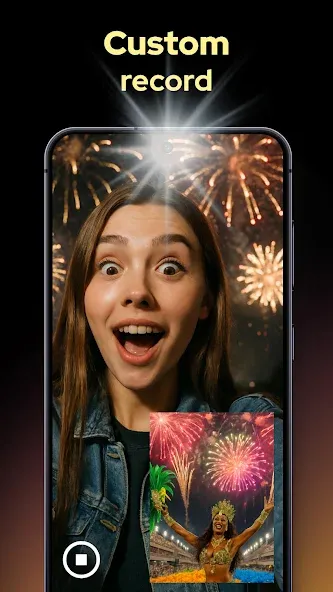
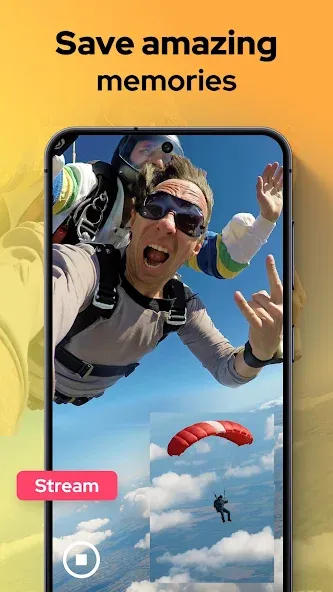
Dual Camera is a camera application that integrates both front and rear-facing cameras. Featuring a clean, minimalist interface and intuitive controls, it is easy for users to get started right away. The app allows for simultaneous recording from both the front and rear cameras. It offers excellent compatibility, supporting a wide range of Android devices and managing the necessary permissions to access the camera and microphone. Recorded videos can be saved and backed up to your device's storage. With its small file size, the app downloads quickly and runs efficiently—making it a highly practical tool for photography and videography.
Features:
Capture two perspectives in a single take:
With dual-camera recording, you can seize every exciting moment from multiple angles. Designed for storytellers, vloggers, and anyone who loves sharing great content, it offers the sophisticated control of high-end gear—all while remaining intuitive, with simple buttons and a clear, real-time preview.
Complete Dual-Angle Capture:
Never miss a moment or leave half the action out of frame again! Dual-camera recording ensures that both your reactions and your movements are fully captured. By combining front and rear camera feeds, you can transform everyday clips into compelling, engaging stories.
Creative Storytelling:
Dual-camera recording gives you the freedom to customize your layout—choose from side-by-side, top-and-bottom, or a floating window view. It’s perfect for tutorials, unboxing videos, interviews, or daily vlogs. Whether you’re out on an adventure or relaxing at home, you can capture every angle, anytime.
Dual-Camera Recording:
Need a still shot while filming? With dual-camera recording, you can snap photos—including selfies—without ever pausing your video. Keep the action flowing seamlessly as you blend both perspectives into a polished final video, ensuring the footage looks just as wonderful as the moment itself felt.
Highlights:
Dual-camera support (front + rear) – capture photos and videos using both cameras simultaneously
Real-time reaction recording – record your facial expressions alongside the events unfolding around you
Picture-in-Picture (PiP) mode – overlay one video onto another, with easy options to reposition and resize
Shapes and borders – customize the appearance of your PiP overlay
Delay control – set the timing for when the second video appears
Music and sound effects – add music and manage audio settings
Text overlays – add text with customizable styles
Video trimming – quickly trim clips to keep only the parts you need
Photo rotation – easily rotate photos to adjust their angle
Advantages and disadvantages:
Pros
Records front and rear camera feeds simultaneously
Focused tool for capturing subjects and reactions together
Cons
Requires a Snapdragon processor
Conclusion:
If you are looking for a versatile camera app capable of capturing moments from multiple angles simultaneously, this dual-camera app is worth a try. It supports background recording, allowing you to keep capturing footage even when the app is minimized or running in the background. Download it today and start shooting with both cameras at once!
-
Latest Updates
-
Featured Apps