Image to PDF: PDF Converter
Productivity
2026-08-05
29.52MB
3.2.0
Android
179
Screenshots
Introduction
Image to PDF: PDF Converter APK is a highly efficient office suite. It can process PDF documents and convert Word documents to PDF format. If you have a very large Word document, you can use this software to compress it, saving extra memory space. This software supports modifying the PDF document format. Users can change the page size, orientation, margins, etc., to their desired length and width. Users can also use the same keyboard shortcuts as with Word documents. Hopefully, this software will help users edit newly converted PDF documents, making it easier and simpler for them.
Features
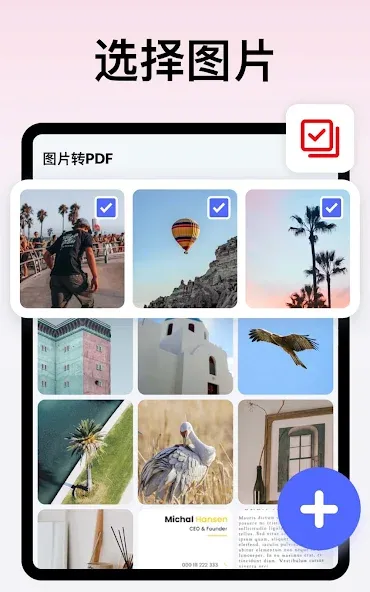
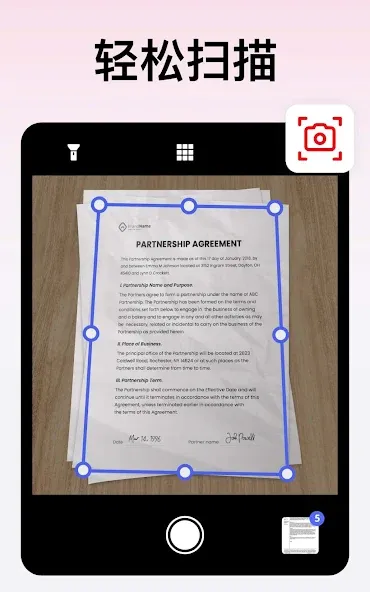
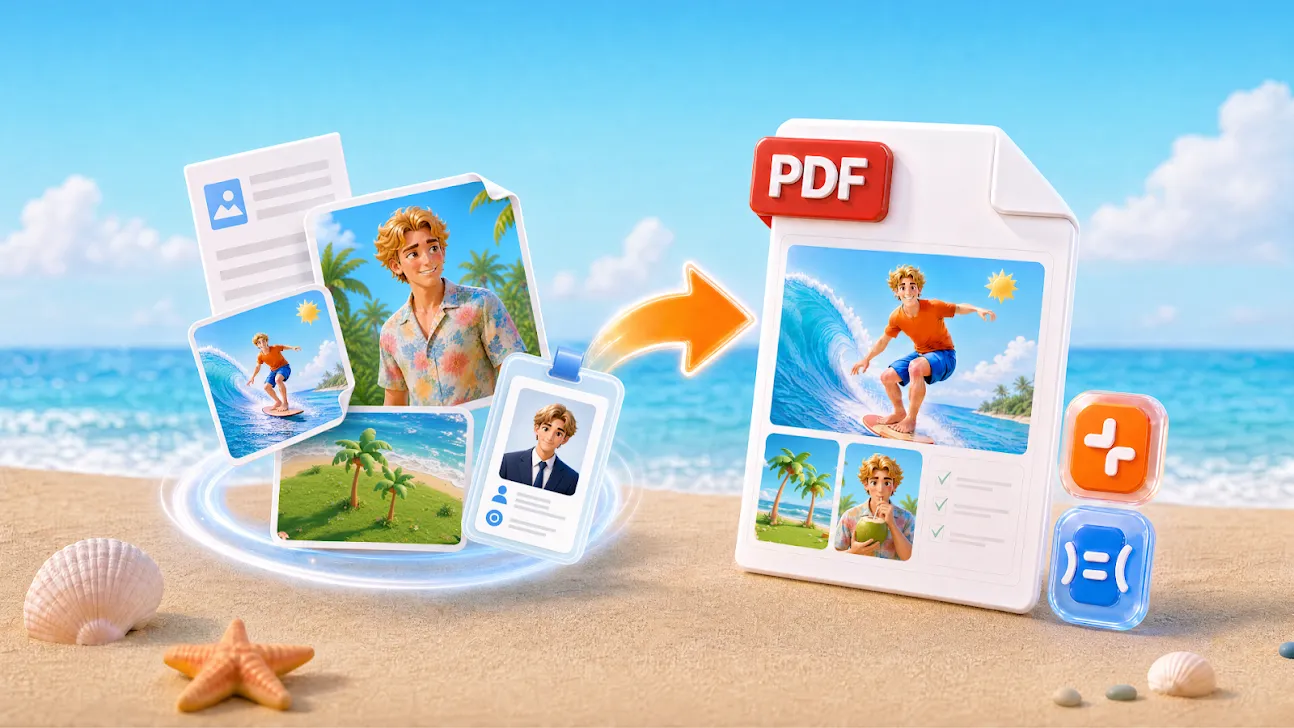
Convert all kinds of images to PDF. Import photos or scanned paper documents using your camera and convert them to PDF files—notes, receipts, invoices, forms, business cards, certificates, whiteboards, ID cards, and more, supporting all formats.
Resize Images. Resize, crop, annotate, and rotate images as needed. Optimize images for clearer PDF documents.
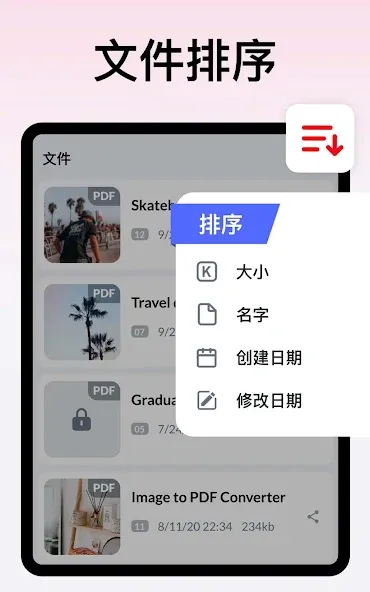
Automatic Sorting. Automatically sort images and PDF files by name, size, creation date, modification date, etc. Of course, you can also manually sort them as needed.
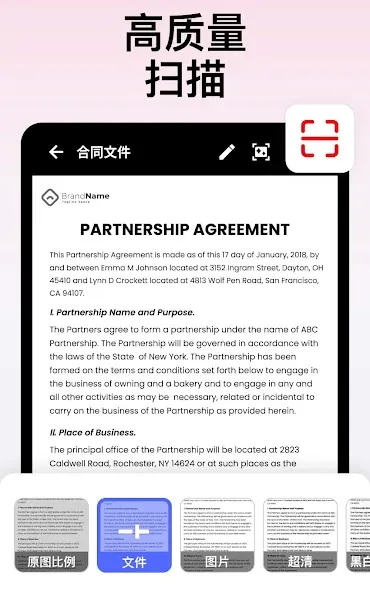
Compress PDF Files. Supports compressing PDF files to reduce their size. Image quality can be set as needed—low, medium, high, and original quality.
Set Password. Set a password to protect your PDF files and encrypt confidential files to prevent others from snooping.
Offline Available. Easily convert images to PDF offline without sending data to the cloud.
Share Converted PDF Files. Easily send and share converted PDF files via social media, Bluetooth, email, and more.
Quick Search. Try the quick search function; you'll find finding the files you want is incredibly easy! Simply enter the keywords and the results will be displayed automatically.
Highlights
Multiple Format Support: You can quickly convert files from JPG, PNG, Excel to PDF file format quickly and easily without any difficulty or having to perform any cumbersome operations.
Two-Way Text Conversion: You can also use this application to convert PDF files into text. With this feature, you can edit the contents of the file quickly and conveniently without having to use a desktop or personal computer.
Smart Document Scanning: The application also provides you with an extremely convenient tool, which is the scanning tool. With this tool, you can scan everything you want and the application will recognize the text extremely quickly.
Comprehensive Markup Tools: The application will provide you with a complete and accurate keyboard. This keyboard has all the languages in the world, and no matter what country you are in, you can use it.
Advanced Security Options: You can also set a password to protect your important PDF files. No one will be able to access them without the password you provide.
Advanced PDF Manipulation: The application allows you to insert images and adjust text directly on the file without having to go through a third device or application.
Advantages and disadvantages
Pros
Converts PDF files to a wide range of other common document formats
Free to use with no limitations on the number of files converted
Converts files quickly
Automatic mode converts all files in a specific folder
Cons
Has a few glitches when handling large PDF files
Q&A
What is Image to PDF: PDF Converter?
Image to PDF: PDF Converter by Tracker Software is a powerful PDF editor, viewer, and converter that allows users to view, edit, annotate, and digitally sign PDF documents with ease.
What file formats can be edited in Image to PDF: PDF Converter?
Image to PDF: PDF Converter can open and edit PDF files as well as other popular file formats such as Microsoft Word documents, images, and text files.
Does Image to PDF: PDF Converter support OCR?
Yes, Image to PDF: PDF Converter has built-in OCR (optical character recognition) technology that allows it to convert scanned paper documents into searchable and editable digital files.
Can digital signatures be added to PDFs with Image to PDF: PDF Converter?
Yes, Image to PDF: PDF Converter has complete digital signature support and users can sign their documents using password-protected certificates or handwriting signatures.
Is Image to PDF: PDF Converter compatible with cloud services like Google Drive and Dropbox?
Yes, Image to PDF: PDF Converter integrates with various cloud services allowing users to directly open, edit, save and share their files from cloud-based platforms such as Google Drive, Dropbox, SharePoint and OneDrive.
Conclusion
Image to PDF: PDF Converter is more than just a simple utility app—it is a productivity powerhouse designed to simplify your digital life and streamline your workflow. With its intuitive interface and professional-grade tools, managing documents has never been faster or easier. Join thousands of users who have optimized their document management. Download Image to PDF: PDF Converter today and experience the future of mobile document productivity!
-
Latest Updates
-
Featured Apps