Zapya
Tools
2026-10-22
25.19MB
7.0.8
Android 6.0 and up
220
Screenshots
Introduction
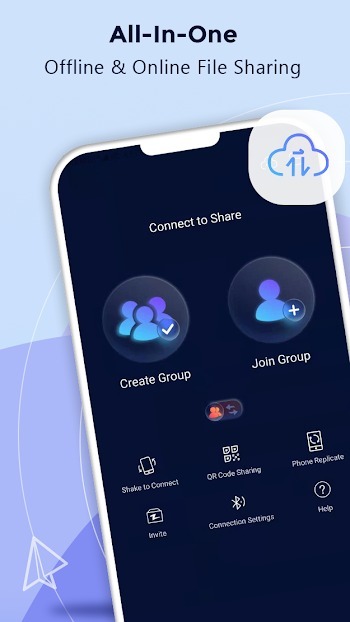
Zapya is a powerful file-sharing platform that enables users to transfer files between mobile devices and computers. The app supports offline file sharing, allowing users to send files at close range without the need for an internet connection. It makes transferring files between Android devices and iPhones incredibly simple. With support for batch transfers, users can share multiple large files at once, significantly streamlining the data transfer process. Additionally, the app includes a replication and transfer tool, which allows users to migrate data from an old device to a new one—ensuring that no data is lost when switching devices.
Features:
Offline Sharing Methods: It provides four convenient offline sharing methods. Users can create groups, generate personalized QR codes, establish connections through a simple device shake, or utilize the radar to send files to nearby devices. These methods cater to various preferences and situations, offering flexibility in file sharing.
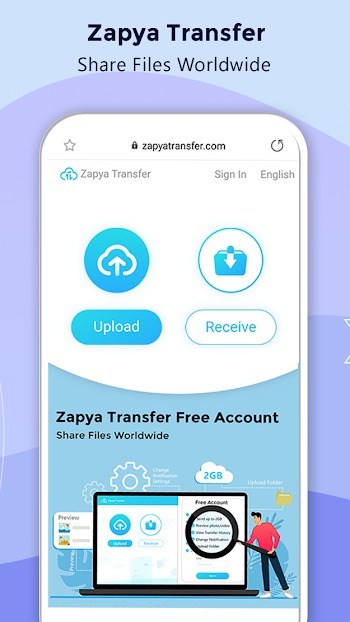
Zapya Transfer for Online Sharing: The platform extends its functionality by allowing online sharing. By leveraging the Zapya Transfer icon on the Transfer page, users can effortlessly share files with individuals across the globe, leveraging a web browser. This feature is free to use and supports multiple languages, facilitating global connectivity.
Expand Storage with USB Drives: It introduces the novel capability to connect USB drives, enabling users to view, save, and transfer files conveniently. Whether a single USB drive or multiple drives connected through a hub, this feature enhances file management options.
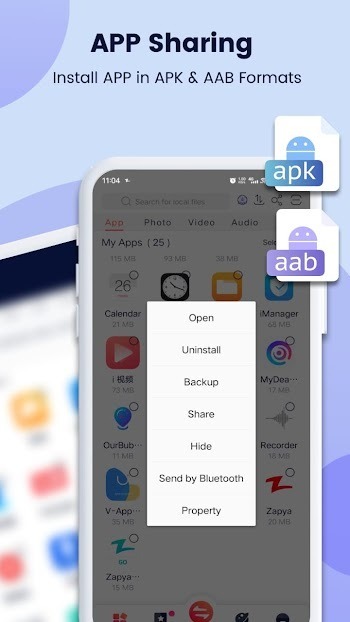
Enhanced App Sharing: Users can share and install apps in .apk and .aab formats, extending the capability of side-loading apps to friends nearby or through social media. This upgraded support for app sharing enhances the overall user experience.
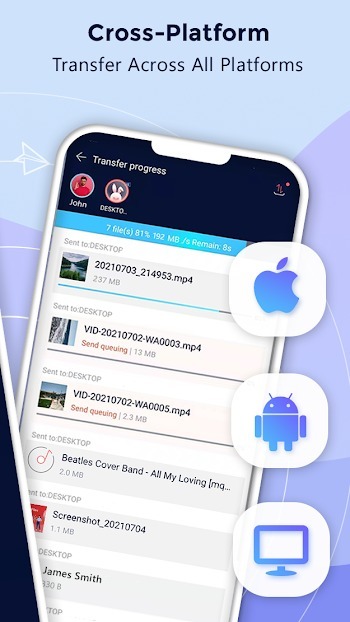
iOS to Android Sharing and Phone Replication: The platform streamlines the connection between iOS and Android devices, simplifying the process of searching groups created on an Android device. Furthermore, it offers phone replication, enabling effortless data transfer from an old device to a new one.
Bulk File Transfer: Users can share entire folders or multiple large files in a single click, simplifying the process of sharing extensive data.
Usage:
Open Zapya. Grant storage and nearby access permissions if prompted. Then tap Create Group or Join Group to prepare a local session.
To add a nearby device, scan the peer QR code, use Shake to connect, or select the device from radar. Wait until both devices confirm the connection.
Select photos, videos, music, documents, or apps from the file picker. Tap Send. The recipient accepts the request and the transfer begins.
For phone migration, open Phone Replication. Choose old and new phone, then follow the on screen prompts to move folders and many files. If you sent apps, use Install All on the receiving phone.
To share remotely, open Zapya Transfer in a browser. Choose send or receive, then follow the displayed code or link. Share the code with your contact to complete the transfer.
Pros and Cons:
Pros
Simple and clean user interface
Fast and efficient wireless file transfers
Cross-platform compatibility
Unlimited file transfers
Integrated media player
Easy installation and connection
Cons
Limited to 5 members allowed in a user group
Requires both devices to be on the same network
FAQs:
What is Zapya used for?
Zapya is used to transfer files like photos, videos, apps, documents, and folders between phones, tablets, and computers, often without using mobile data.
Can Zapya transfer files without internet?
Yes. Zapya supports offline file sharing, so you can send files nearby without relying on Wi-Fi internet or mobile data.
Does Zapya work between Android and iPhone?
Yes. Zapya supports sharing between Android and iPhone, and it is designed to make cross-platform transfers easier with simple connection options.
Can Zapya help when moving to a new phone?
Yes. Zapya includes phone replication and transfer tools that help move content and data from an old device to a new one.
Is Zapya good for sending large files?
Yes. Zapya is useful for large files and full folders because it is built for bulk transfers and quick device-to-device sharing.
Conclusion:
It is a versatile and user-friendly file-sharing platform catering to the diverse needs of individuals seeking efficient file transfer solutions. Its innovative features, seamless offline and online sharing capabilities, and support for various devices make it a go-to choice for individuals looking to share files effortlessly.
-
Latest Updates
-
Featured Apps