Xiaomi Screen Recorder (MIUI)
Tools
2026-10-09
4.39MB
4.15.2.9.1
Android 10.0 and up
535
Screenshots
Introduction
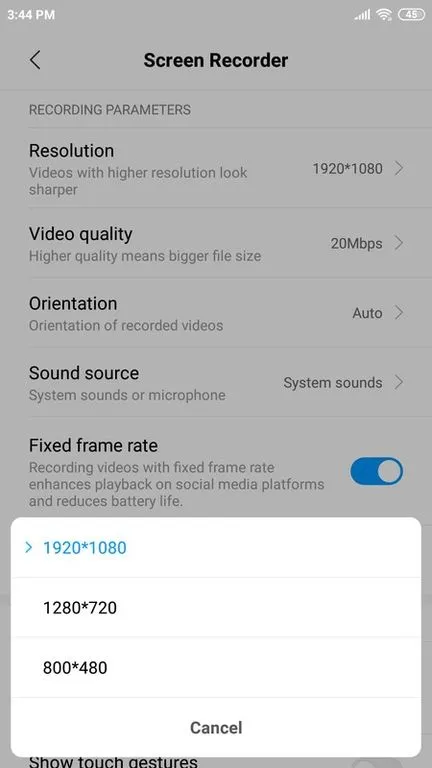
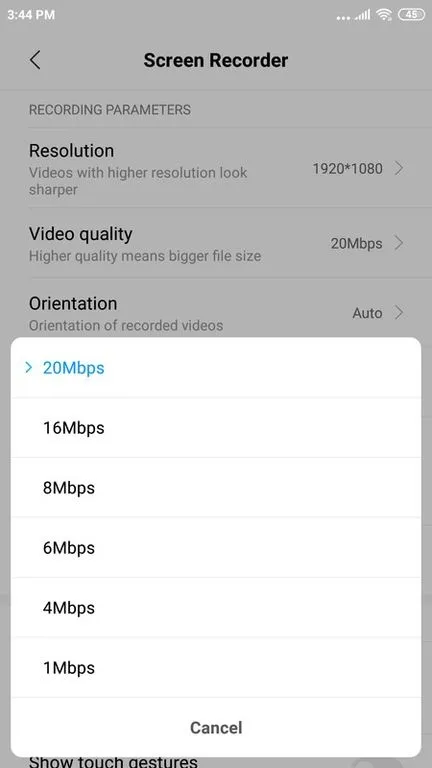
Xiaomi Screen Recorder (MIUI) is a screen recording tool designed specifically for Xiaomi users, allowing them to easily capture their most exciting moments. The app is incredibly simple to use; users can start recording on-screen content with just a tap of the button in the bottom-right corner. It also offers a range of customization options, enabling users to adjust the size and opacity of the floating control window and drag it anywhere on the screen. Additionally, the app features a countdown function for precise control over video duration, as well as adjustable settings for resolution and image quality, helping users create high-quality videos.
Features:
Controls your recording without showing anything on the screen
You can record your face and your emotions in a small overlay window, which can be dragged freely to any position on the screen and customized to any size and opacity
Countdown timer to start and snap at the moment you want
Emphasize, draw a symbol, or mark something with any chosen color directly on your screen
Trim the parts you don't want to make your videos even more impressive
Highlights:
The app offers various features such as video resolution adjustment, audio recording options, and customizable frame rates. Users can also choose to record system sounds or external audio via the microphone while recording their screens. Additionally, the app supports both portrait and landscape modes, making it easy for users to capture any type of content they want.
One unique feature of this app is its ability to pause and resume recordings at any time. This means that if you need to take a break during your screen recording session, you can simply pause the recording and pick up where you left off later without having to start over from scratch.
Tips and Tricks:
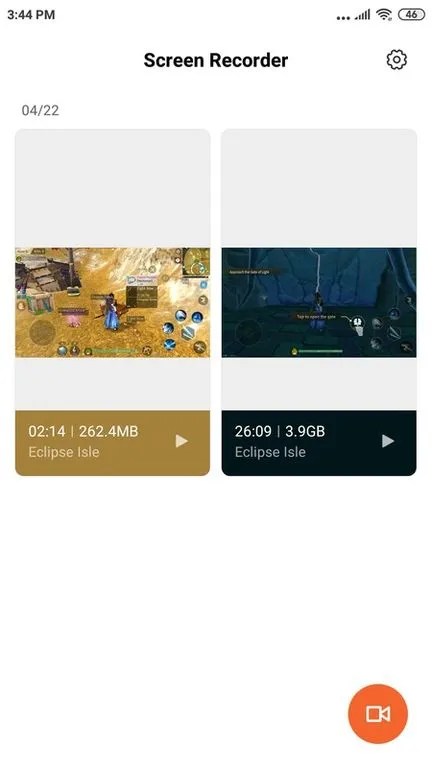
Starting to capture everything on your smartphone or tablet screen is as simple as tapping the button at the bottom right corner. That done, a floating window gets superimposed so you can start recording whatever you want.
Xiaomi Screen Recorder (MIUI) window is never displayed in the output video and you can control the length of the clip at all times. Besides being able to pick the resolution, quality, and frequency of the video frames.
When screen recording keep in mind that for security and legal reasons, some apps don’t allow you to screen record their content. This may result in your recording having a black video or no audio.
To start screen recording swipe down to open Control Center. Swipe down again to access more options, and Tap on ‘Screen recorder’. It’s as easy as doing that when using the Xiaomi Screen Recorder (MIUI).
FAQs:
What is Xiaomi Screen Recorder (MIUI)?
Xiaomi Screen Recorder (MIUI) is an Android screen recording app used to capture phone activity with audio, video settings, editing tools, screenshots, and streaming support.
What can I use Xiaomi Screen Recorder (MIUI) for?
You can use it to record gameplay, app tutorials, video calls, reaction videos, live broadcasts, online classes, and step-by-step phone guides.
Does Xiaomi Screen Recorder (MIUI) record internal audio?
Yes, it can record internal audio on supported devices, usually depending on the Android version, app permission, and the source app being recorded.
Who should use Xiaomi Screen Recorder (MIUI)?
It is useful for mobile gamers, content creators, teachers, app reviewers, students, and anyone who needs to save or share clear phone screen videos.
Conclusion:
Overall, Xiaomi Screen Recorder (MIUI) is a great tool for anyone looking to create instructional videos, tutorials, or just wanting to share their gaming experience with friends. With its user-friendly interface and advanced features, this app makes it easy for everyone to record their device’s screen activities effortlessly.