Pixel Launcher
Tools
2026-10-10
13.16MB
14
Android 5.0 and up
147
Screenshots
Introduction
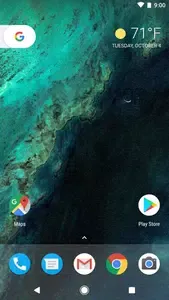
Pixel Launcher is a customization tool for Android devices. It integrates a wide range of wallpapers from the Google Wallpapers app, allowing users to easily select their favorites to decorate their home screens. The app is packed with features, including various personalized cards; simply swiping right on the home screen reveals news and dynamic updates, making it easy to stay informed. It provides instant access to the Google Search bar directly from the home screen and allows users to add various widgets to enhance their daily mobile experience.
Features:
Swipe for personalized cards
Swipe right from your home screen to view cards with news and other personal updates at the right time. This keeps important information one move away, then you can return to your apps quickly.
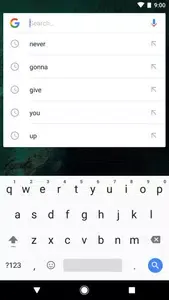
Search on the main screen
Pixel Launcher places Google Search on your primary screen for immediate queries and actions. A simple weather widget can also appear for a quick glance at conditions.
Find apps with gestures and suggestions
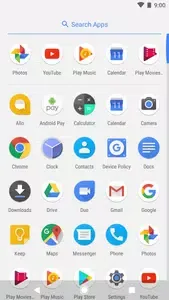
Swipe up on the bottom favorites row to open the app drawer and browse apps from A to Z.
App Suggestions place likely matches at the top of the list to speed up launches.
Jump into app shortcuts
Long press supported app icons to go straight to common tasks, or drag those shortcuts onto your home screen for one tap access. Availability depends on app support and the Pixel Launcher latest version on your device.
Highlights:
Google Now cards (Swipe Left from the Home Screen to open Google Now Cards)
Swipe up to access the menu drawer.
Bottom placed Google Search widget on Home Screen.
Frequently opening apps are placed at top of your menu drawer separately.
Wallpapers from Google Wallpapers app can be integrated.
Pros and Cons:
Pros
Official Google launcher that provides the standard Pixel look and feel
Tight integration with Google Search, Assistant, and card-based news updates
Clean, stock-style interface that is easy to use and organize
Useful built-in widgets for time, weather, and calendar
Ability to hide rarely used apps in the app drawer to reduce clutter
Cons
Compatibility is only guaranteed on Google Pixel devices, with potential errors on others
Fewer customization options than many third-party launchers
Possible crashes or “keeps stopping” issues when conflicting apps are installed
Conclusion:
Download Pixel Launcher now to transform your Android home screen with unparalleled customization and performance enhancements. If you want to enjoy the best Android Stock experience on your Android device, downloading the Pixel Launcher APK is one of the best options.