Win7 Simu
Tools
2026-10-24
54.84MB
4.7.1
Android 6.0+
576
Related Apps
Screenshots
Introduction
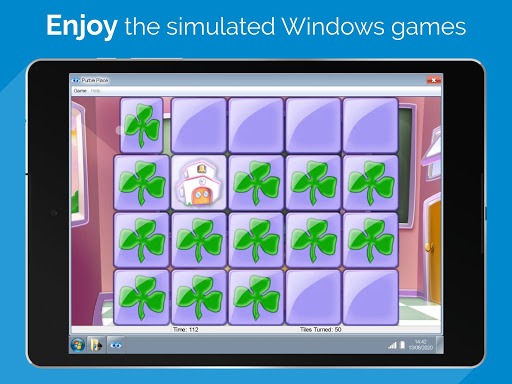
Win7 Simu is a game launcher designed for the Android operating system. Featuring an intuitive and user-friendly interface, it allows users to get started quickly and easily. The app includes a variety of efficient tools, enabling users to launch applications rapidly within a virtual environment. It also comes with a large collection of classic games, all presented in a nostalgic, retro-style interface. Furthermore, it offers robust customization options, allowing users to tailor settings to their specific needs and preferences. The app is highly feature-rich: users can manage files, change wallpapers, and personalize their virtual desktop. It also supports multi-window functionality, enabling seamless switching between different open windows.
Features:
An Authentic Desktop Experience
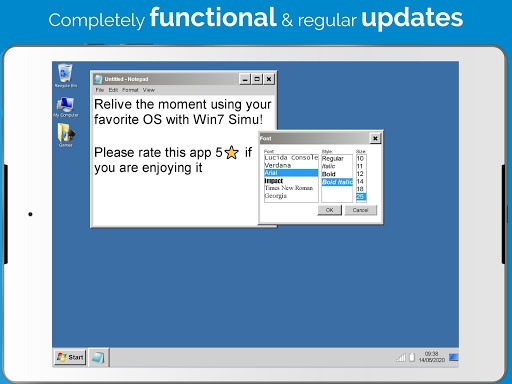
You can open menus, launch programs, and switch between simulated applications via the taskbar. Window borders, icons, and interface elements have been meticulously designed to ensure a familiar, intuitive experience.
Classic Applications
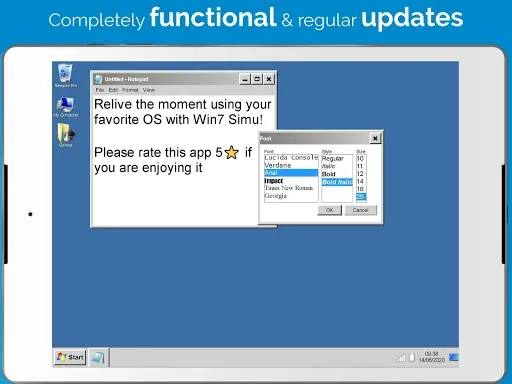
Within this simulated environment, you can access classic tools such as the Calculator, Notepad, WordPad, Media Player, and the Snipping Tool. These applications open in their own individual windows and function exactly as you would expect.
Themes and Customization
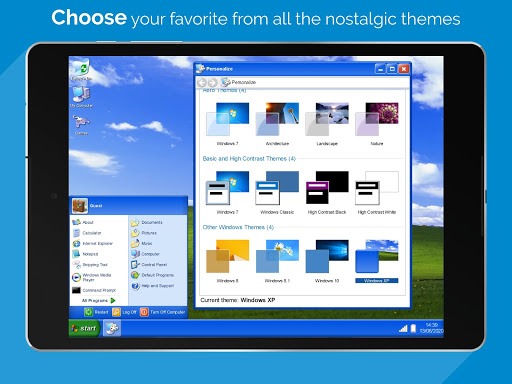
Keep your desktop feeling fresh by switching between different themes to suit your personal taste. The "Theme Studio" allows you to freely select colors and elements, enabling you to create a unique, personalized look.
Touch-Optimized and Offline-Ready
The entire simulated system is optimized for touch interaction; menus and window controls are carefully sized to ensure a comfortable user experience. Once installed, you can use Win7 Simu offline—perfect for casual exploration and practice.
Privacy and Scope
The application does not collect or share any user data, and all data transmission is encrypted. Users may also request the deletion of their data if desired. This information is provided to help you set clear expectations before you begin using the software.
Highlights:
Use apps naturally: The app also supports multi-touch, allowing you to zoom in, zoom out, and scroll pages easily.
Iconic visual style: It accurately recreates the signature Windows 7 visual style with familiar icons, wallpapers, and visual interface. Components such as the taskbar, Start menu, application windows, and notifications are designed with a native interface.
Familiar elements: We can easily recognize the familiar features of the old Windows 7 operating system. This helps us reminisce about the time when we used Windows 7.
Authentic experience: Not only does it recreate the interface, but the app also brings a realistic user experience when users can fully use the functions available on the app with interactive features such as opening, closing, moving, and resizing the window.
Optimized touch targets: Imagine how interesting it would be to operate on a Windows 7 operating system but on a phone or tablet.
Intuitive gestures: You will replace mouse operations with just one finger.
Advantages and disadvantages:
Pros
Customization options
Fully optimized for mobile devices
A sense of nostalgia
Cons
No data collection or sharing
Summarize:
All in all, Win7 Simu offers users a fun way to relive the glory days of the Windows 7 era while experiencing modern gaming technology on their mobile devices. With its user-friendly interface and customizable features, it is no wonder that this Android game has become so popular among tech enthusiasts worldwide.
-
Latest Updates
-
Featured Apps