Video Downloader
Entertainment
2026-11-06
49.36MB
2.7.3
Android
381
Other versions





Screenshots
Introduction
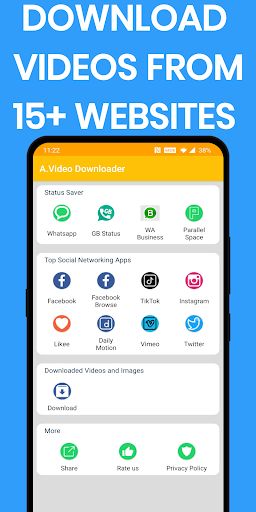
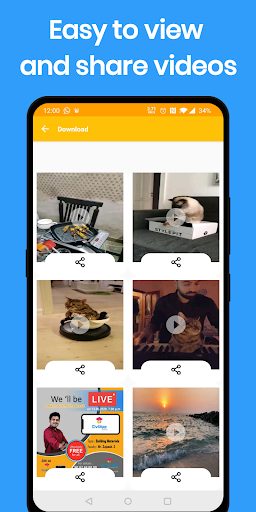
Video Downloader is a powerful application designed for downloading videos. It boasts excellent compatibility, supporting a wide range of Android systems and enabling users to download videos from various websites and platforms. The app also supports the downloading and saving of videos and images in a variety of formats. It offers a comprehensive suite of tools and allows for the simultaneous downloading of multiple videos—all it takes is a single click on the download button. The app features a vibrant community where users can interact, learn from one another, and leave comments. Regular updates introduce new features and improvements, ensuring a consistently fresh and engaging user experience. Furthermore, the app has a small footprint and delivers fast download speeds.
Features:
Built-in Browser and Simple Download Steps
Download and open Video Downloader. Use the built-in browser to visit your favorite websites, play the videos you want to watch, and tap the download icon to begin. The app features automatic video detection.
As you play a video
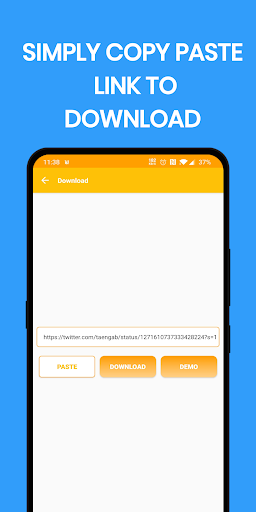
Video Downloader automatically detects it and displays download options. This eliminates the need to manually copy and paste links, allowing the entire process to take place within the app. You can initiate a download directly from the player without having to switch screens.
Progress, Resumption, and History
You can clearly track the progress of each download. If a download is paused due to a network issue, it will automatically resume once the connection is restored—no need to start over. The history view lists both completed and past downloads, making it easy to locate your saved content later.
Privacy Settings for Downloaded Videos
You can control the visibility of your saved videos by toggling privacy settings on or off. This is particularly useful for managing access to downloaded content when sharing a device. You can adjust these options whenever you like.
Highlights:
Ability to download videos from various websites, including YouTube.
Easy and intuitive user interface for downloading videos quickly and efficiently.
Support multiple video formats such as MP4, AVI, MOV, etc.
Option to pause or resume downloads in case of network issues/interruptions during the process.
Automatically detect downloadable content on a web page with one click option available for a quick selection of desired files before initiating the download process.
Capable of recognizing different types of streaming protocols (HTTP/HTTPS) used by most popular sites like Vimeo & Dailymotion while downloading online media content without any hassle.
The built-in search feature allows users to find their favorite movies or TV shows directly within the app instead of having them browse through external sources first and then initiate file transfer afterward.
It supports batch processing which allows simultaneous downloads at once, saving time significantly compared to other apps that can only handle single files.
FAQS:
What is Video Downloader?
It is an excellent online video downloading tool.
Which formats are supported?
Video Downloader is more than just a tool for downloading videos; it also supports a wide range of other file types, including audio, documents, and more.
Can I play videos offline?
Once you have successfully downloaded a video using Video Downloader, you can open and play it directly within the application. This minimizes unnecessary steps, ensuring an efficient experience for both downloading and watching your files.
Advantages and disadvantages:
Pros
Supports multiple formats
Supports HD video downloads
Offers fast download speeds
User-friendly interface
Cons
Requires permission and access to the network
Conclusion:
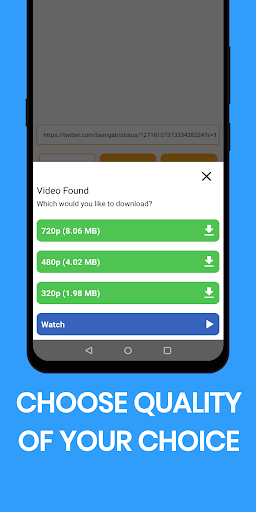
In summary, the Video Downloader app supports a variety of video formats and offers options to adjust the quality of downloaded videos. It is an ideal choice for users who wish to access multimedia content offline, providing a convenient solution for storing videos on mobile devices.