
Unicorn HTTPS
Tools
2026-11-09
11.39MB
2.4.58
Android
161
Screenshots

Introduction
Unicorn HTTPS is a utility app designed for the Android operating system. Featuring a user-friendly interface, it allows users to get started quickly and effectively protect their internet activity and personal privacy. The app offers powerful features and services that enhance both the browsing experience and overall network performance. It boasts excellent compatibility, supporting a wide range of browsers and running smoothly and reliably across various Android devices. Furthermore, the app receives regular updates to introduce new features, ensuring an optimal user experience. It also fosters a vibrant community where users can engage with one another, share diverse perspectives, and contribute to a more harmonious online environment.
Features:
Bypass HTTPS Filtering and DPI/SNI Blocking
Circumvent filters that inspect or block encrypted traffic. By managing how secure connections are established and how data is transmitted, the application effectively counters Deep Packet Inspection (DPI) and SNI-based restrictions. This allows users to access otherwise blocked websites and applications through standard browsers and clients, ensuring your tasks remain uninterrupted by network policies.
Localized Speed Optimization
Optimize data packets directly on your device rather than routing traffic through a remote server. This approach reduces overhead and often shortens the data transmission path, facilitating fast page loading and smooth application sessions under standard network conditions. Because traffic is handled locally, your everyday browsing experience remains seamless.
Privacy-Focused with No Logging
Protect your privacy—no activity logs are collected. The application minimizes risks associated with DNS operations and packet inspection, limiting the information exposed to third parties. It does not track user activity, ensuring a private browsing experience with no records generated during your sessions.
No Speed or Data Limits
Enjoy unrestricted browsing and downloads with no speed caps or data quotas. Whether you are streaming content or downloading large files, your connection speed remains unthrottled, ensuring consistent performance and preventing sudden interruptions during long-running tasks.
Customizable DNS and App-Level Controls
Take control with flexible settings for DNS behavior and the ability to select which applications receive protection. You can tailor rules for specific apps that require enhanced privacy or stricter access controls, striking a balance between performance and security for sensitive tasks—all managed via simple, intuitive toggles.
Easy Activation, Ad-Free Experience
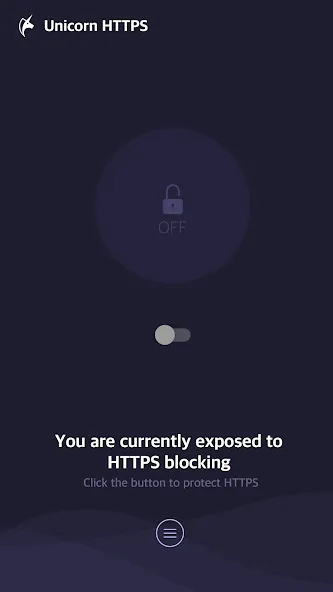
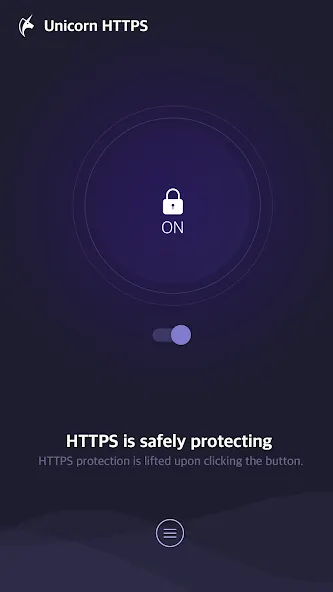
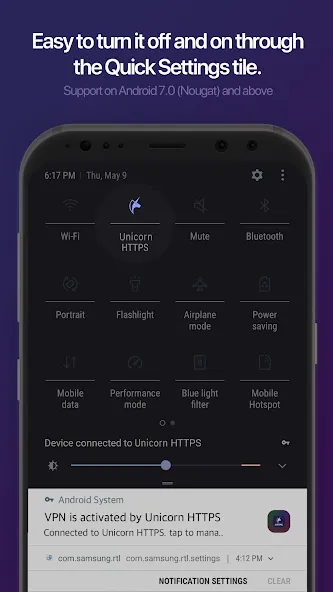
Enable protection with a single tap. The clean, straightforward interface allows you to toggle security on or off instantly. The application is completely free and contains no advertisements, keeping your screen clutter-free and distraction-free so you can focus on your browsing and work without the nuisance of pop-ups.
Highlights:
Easily and securely bypass DNS-based blocking of websites and applications.
Optimize data packets locally within your applications—without routing traffic through external servers—for a fast, seamless browsing experience with minimal buffering, low latency, and no data usage restrictions.
Complete privacy: your app usage and website visits are neither logged nor tracked.
Customizable DNS providers: set your own or choose from a selection of trusted, popular providers.
Per-app settings: selectively disable the service for specific applications.
User comments:
This app is absolutely perfect! I love everything about it—unlike other VPNs that always charge a fee, this one is completely free, which I really appreciate. I recommend it 100%!
Works great. I stumbled upon this app by chance and decided to give it a try. It’s just as good as advertised, and it’s very easy to use. Thanks to the developers for creating such a simple, user-friendly, and excellent app. Well done!
A really great app, though there’s still room for improvement! I look forward to seeing more updates, features, and options added in the near future.
Advantages and disadvantages:
Pros
Targets SNI-based HTTPS filtering directly
Avoids routing traffic through distant VPN servers
Supports Chrome, Samsung Internet, Firefox, and Opera
Free and ad-free according to the developer
Cons
Does not replace a full VPN or ad blocker
Conclusion:
Unicorn HTTPS ensures unrestricted access to the World Wide Web. Even when visiting sites that are otherwise blocked or monitored, you will experience no slowdown in connection speeds. Enjoy a seamless browsing experience, free from the concerns of external surveillance. It is the top choice for users seeking a reliable service—download it today!




-
Latest Updates
-
Featured Apps