UltData
Tools
2026-10-14
109.45MB
3.5.15
Android 5.0 and up
295
Screenshots
Introduction
UltData is an exceptionally powerful data recovery application that allows users to recover data accidentally deleted from their mobile phones. It also supports the recovery of deleted WhatsApp messages and media files. With its built-in preview feature, users can view files before recovery, making the process faster and more convenient. The app offers robust functionality and ensures safe, risk-free data recovery without compromising the data itself. Designed with simplicity and an intuitive, user-friendly interface, it is easy for anyone to use.
Features:
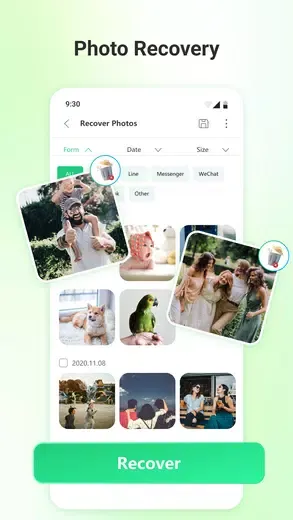
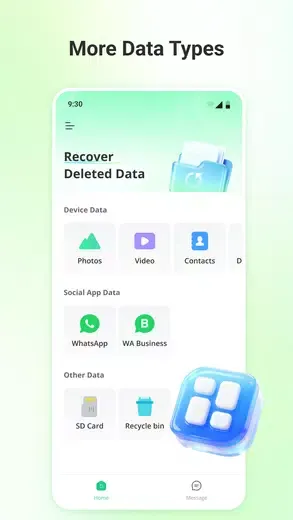
Photo Recovery: UltData is recognized for its effectiveness in recovering deleted photos. It allows users to scan for lost images and provides a preview-based selective recovery option for an effortless restoration process.
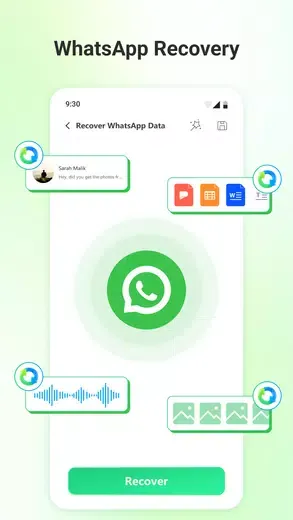
WhatsApp Recovery: This tool excels in recovering deleted WhatsApp messages and media. It facilitates the retrieval of various media types—including photos, videos, voice notes, and documents—without necessitating root access or prior backups.
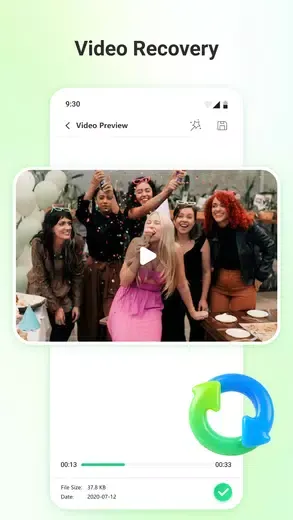
Video Recovery: UltData is capable of recovering deleted videos in multiple formats, such as MP4, AVI, and MOV. The software enables users to restore videos lost from both internal storage and SD cards within minutes.
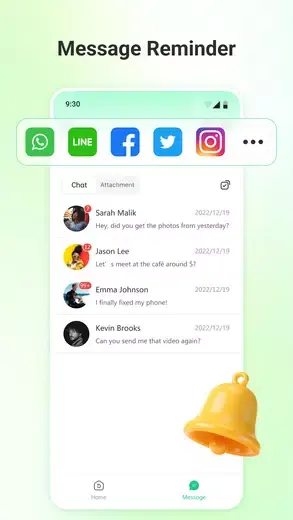
Message Recovery: Users can efficiently recover deleted messages across different platforms, including SMS and social applications. UltData simplifies the retrieval process for WhatsApp messages without requiring root access.
Audio Recovery: With robust algorithms in place, UltData makes audio file recovery straightforward by retrieving lost audio from third-party applications like WhatsApp and LINE.
Document Recovery: This application effectively manages document recovery for files such as PDFs and Word documents through a simple click-based mechanism.
Contact Recovery: UltData quickly scans for recently deleted contacts and allows users to preview and restore them within seconds.
Highlights:
Deep Scan Technology: Thoroughly scans your device to find deleted and lost files
Photo & Video Recovery: Restore precious memories in high quality
Multiple File Types Supported: Recover photos, videos, contacts, messages, and documents
Preview Before Recovery: View files before restoring to ensure accuracy
Fast & Easy Recovery: Simple steps with quick processing speed
Safe & Secure: Protects your privacy with secure recovery methods
User-Friendly Interface: Clean, intuitive design for effortless navigation
Recover from Various Scenarios: Accidental deletion, system crash, device issues, and more
Pros and Cons:
Pros
Easy to use
Supports all media types
WhatsApp recovery
Cons
No 100 percent guarantee of recovering files
FAQs:
Q: Can it recover deleted photos without root?
A: Yes, the app supports photo recovery without requiring root access.
Q: Does it work for recovering WhatsApp messages?
A: Yes, it can restore deleted WhatsApp messages, media, and documents.
Q: Can I preview files before recovering them?
A: Yes, the app offers preview and selective recovery features.
Q: Does it support SD card recovery?
A: Yes, it can scan and recover data from both internal memory and SD cards.
Q: Is the recovery process safe?
A: Absolutely. It ensures risk-free recovery without harming your existing data.
Conclusion:
The application offers multiple scanning modes for different file types, including a dedicated feature to recover WhatsApp data, which encompasses media, documents, and chat logs. Users can preview recoverable files before committing to recovery, which helps save time and storage space. Despite its capabilities, it is important to note that successful recovery is not guaranteed, as outcomes may vary based on several factors. UltData stands out as a reliable option for those needing to retrieve lost data on their mobile devices.