RAM Manager Pro
Tools
2026-10-14
4.10MB
1.0
Android
409
Screenshots
Introduction
RAM Manager Pro is an application designed to optimize system performance. It features a user-friendly interface that allows users to get started quickly. The app helps resolve common issues on smartphones and tablets, such as sluggish performance, by clearing memory and reducing app cache, thereby significantly boosting operating speeds. It also manages applications to ensure stable, efficient operation and minimize unnecessary battery drain. Regular updates and maintenance keep users at the forefront of technology while ensuring continuous improvements in quality and innovation. Additionally, the app has a small footprint, allowing for quick downloads, and includes an advanced locking feature that prevents apps from restarting unnecessarily. It is a highly practical, modern application.
Features:
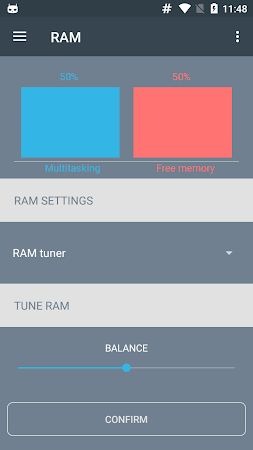
It helps resolve common issues faced by smartphone and tablet users, such as sluggish performance, lag when switching apps, and interference with existing processes when launching new ones. By intelligently managing device memory, the app significantly boosts overall speed, making task execution faster and more efficient.
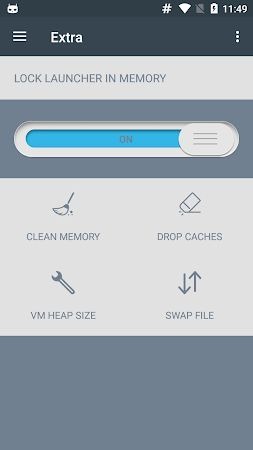
It features a user-friendly interface with a comprehensive dashboard that displays key memory statistics, allowing you to monitor your device's memory usage in real-time. This empowers users to make informed decisions regarding resource management. The Lock Launcher function ensures your launcher stays active and prevents unnecessary restarts, enhancing overall convenience.
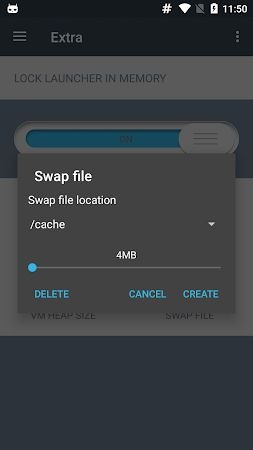
For advanced users looking to expand their device's virtual memory capacity, the app offers tools to manage and create swap files. This feature virtually increases RAM capacity, enabling more efficient handling of resource-intensive applications without the need for physical hardware upgrades.
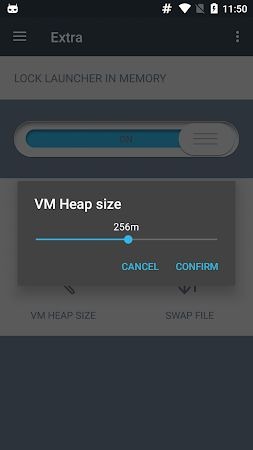
Additionally, the app allows users to customize the virtual machine heap size, giving them control over the data volume available to each application and ensuring optimal performance across all tasks.
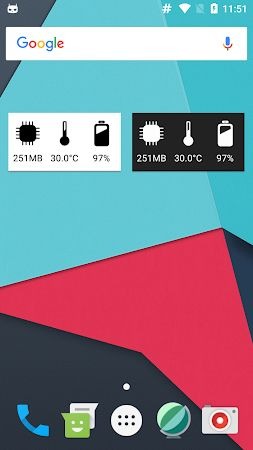
It includes a range of extra features, such as widgets for quick access and functions to clear memory, wipe the cache, and manage virtual machine heap sizes. Together, these tools create a smooth user experience and ensure your device operates at peak efficiency.
Users benefit from faster customer support and more frequent updates and bug fixes. Your purchase directly supports the app's ongoing development and improvement, fostering a virtuous cycle of innovation and quality enhancement.
Highlights:
Memory Graph
Memory Info
Locking the launcher in memory
Clearing the memory
Clearing the cache
Advantages and disadvantages:
Pros
Clean interface
Feature-rich
Frequent updates
Ample available memory
Cons
Advanced features require payment
Conclusion:
In short, RAM Manager Pro is a powerful performance optimization tool for Android devices. Its intuitive, user-friendly interface makes it easy for even non-technical users to get started. If you are looking for a way to boost the speed and responsiveness of your phone or tablet, give this app a try!
-
Latest Updates
-
Featured Apps