Tik Tok Downloader
Entertainment
2026-11-04
40.60MB
2.2.4
Android
487
Screenshots


Introduction
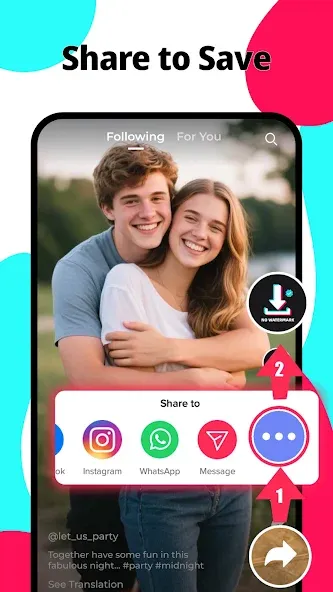
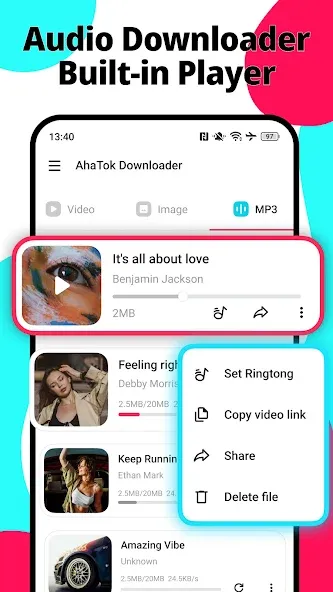
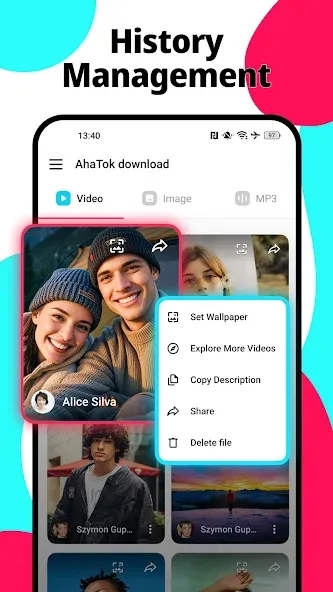
TikTok Downloader is a powerful application designed for downloading short-form videos. It features a clean, minimalist interface and an intuitive layout, allowing users to get started quickly and easily. The app is completely free to use and boasts a large user base; it also offers excellent compatibility, supporting a wide range of Android devices as well as various video and image formats. Users can download high-definition, high-frame-rate videos and images. The app includes robust customization features, such as the ability to merge music with videos. It is lightweight, delivers fast download speeds, and supports simultaneous downloads of multiple files. Furthermore, users can customize download locations and switch between different server routes. Even new users will find it simple and straightforward to use.
Features:
No Watermark
Remove watermarks from TikTok videos for higher quality—a feature that most other tools currently cannot provide.
All Devices
Download TikTok videos on any device, including mobile phones, computers, and tablets. No app installation required.
Browser-Based
Use the TikTok Downloader directly in your desktop or mobile browser—it’s simple, with no need to download or install any software.
Always Free
Completely free, forever. We only display a minimal number of ads to keep the service running.
Slideshow to MP4
Convert TikTok photo slideshows into MP4 videos, combining the images and music.
HD Quality
Download the highest-resolution version available, up to Full HD or even higher.
Highlights:
Includes many additional customization options.
Change region.
Remove watermarks from downloaded GIFs and videos.
Download videos without audio (muted).
Block all types of advertisements.
Options for dual-user and multi-user modes.
Fast-forward.
Custom playback speed.
Disable looping.
Remove captions from posts.
Remove live streams.
Hide long-form text.
Block specific phrases and words.
Customize interface design (colors and fonts).
Change download paths for videos and GIFs.
FAQS:
How can I save only the audio from a TikTok video?
Use the "MP3" tab to access the dedicated audio tool, paste the link to the public post, and retrieve the available audio options. Once saved, check the playback. The audio quality depends on the original source track; please note that downloading an audio file does not grant you the right to reuse copyrighted music in other videos or projects.
Where will the downloaded files be saved?
The file save location is determined by your browser and device settings. Saving a file does not necessarily add it automatically to your photo gallery.
Do I need to log in to my TikTok account to use this TikTok downloader?
You simply need to submit the post link through this website; there is no need to log in to your TikTok account.
Advantages and disadvantages:
Pros
Clean interface
Fast speed
Powerful features
Cons
Contains ads
Conclusion:
In short, TikTok Downloader is an essential app for any TikTok user who wants to save their favorite videos to watch later. The app is simple and easy to use, requiring no technical knowledge. Just copy the link to the TikTok video you want to save, paste it into the app, and tap download. The video will then be saved directly to your phone's photo gallery.





-
Latest Updates
-
Featured Apps