TickTick
Productivity
2026-09-27
47.48MB
8.2.2.0
Android
167
Screenshots



Introduction
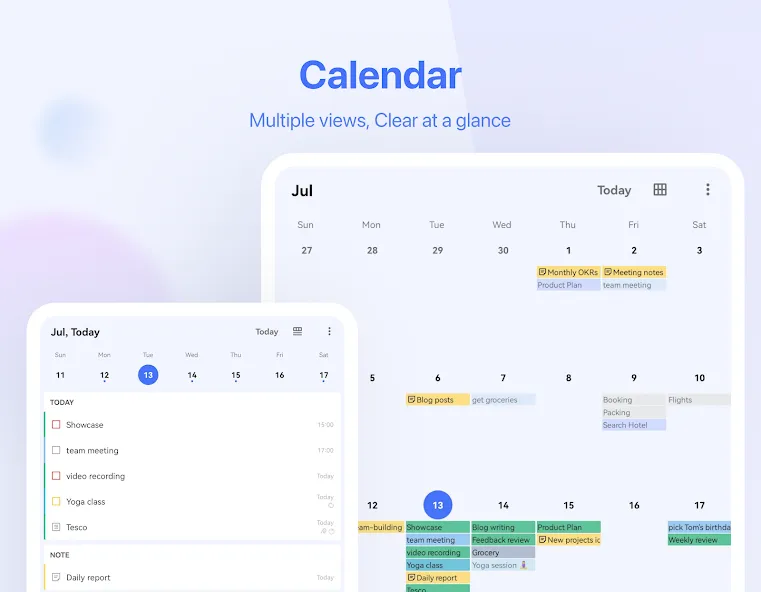
TickTick is a productivity app for Android devices that enables efficient task management and note-taking. It allows users to set reminders for specific dates, significantly boosting productivity and serving as a reliable personal assistant. The app features a simple, intuitive calendar and convenient widgets, while also making it easy to set up recurring tasks. It supports seamless collaboration—such as assigning tasks to family members—and allows tasks to be sorted by date or priority. Additionally, it offers cross-platform data synchronization.
Features
Create tasks and notes faster
Quickly generate tasks and notes with typing or voice in TickTick. Our Smart Date Parsing auto-sets due dates and alarms from your input, maximizing your productivity with our efficient time manager and to-do checklist.
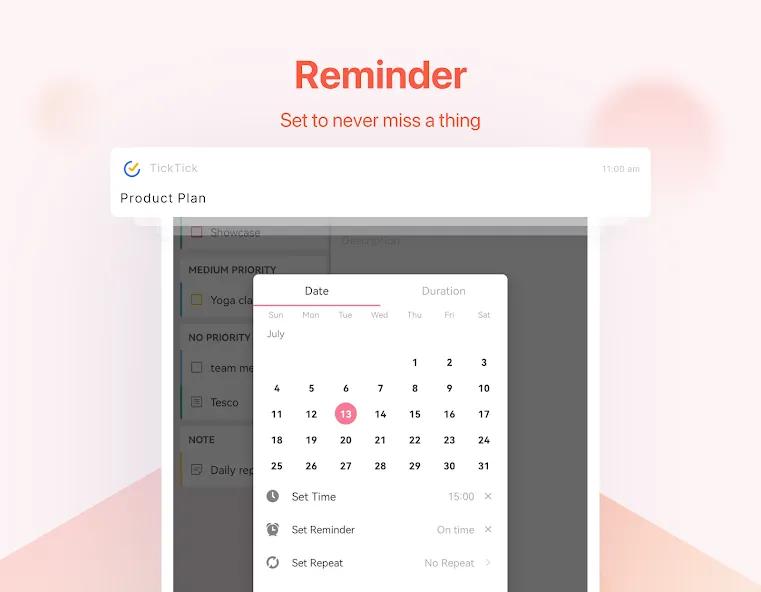
Instant task to-do list reminder
Delegate your memory to TickTick. It records all your tasks, providing immediate to-do list reminders to help you get things done. With multiple alerts for vital tasks and notes, you'll never overlook a deadline again
Sleek calendar
Enjoy a clean, easy-to-navigate calendar with TickTick. Visualize your schedule weeks or months ahead with our free Day Planner. Integrate third-party calendars like Google Calendar and Outlook for maximum efficiency
Handy Widget
Get easy access to your tasks and notes by adding widgets to your home screen.
Schedule recurring tasks effortlessly
Whether it's daily, weekly, or monthly, you can tailor the repetition, such as “every 2 weeks from Monday to Thursday”, or “project meeting every 2 months on the first Monday”
Seamless collaboration
Share lists and assign tasks to family, friends, or colleagues, reducing time spent in meetings or emails and enhancing productivity in teamwork.
Function
Keep it all organized and know what to do in todo list
Classify your tasks and todos with list maker, folders and tags.
Make checklists and notes.
Prioritize goals and focus on the what really matters to do it tomorrow.
Sort goals by date, priority, and title.
Attach photos, records and other attachments.
Swipe a task to quickly edit, long press to batch edit.
Advantages and disadvantages
Pros
Flexible recurring schedules and multiple reminders
Calendar, Pomodoro timer, and habit tracking built in
Syncs across Android, Wear OS, desktop, web, and iOS
Shared lists and task assignment suit households and small teams
Cros
No visible countdown linked to a task
Several advanced calendar and collaboration options require Premium
User comments
Before using this app, I would struggle a lot with remembering things I had planned for the day, and it would always cause me to get into some trouble later because I just forget really important things. After a couple of days of using this app, I can definitely say a lot of stress has been taken off my shoulders. The only thing I have to remember now is to check the app daily, which is easy since you can set a specific notification sound for the tasks. Highly recommend this one
Digging this app! I like the habit tracking and countdown features. Those are what set this app apart from competitors like Todoist. The only feature that I wish was there but isn't is automatic backups. Right now, as far as I know, you have to manually backup and save the file somewhere. Still a great app though!
Fantastic app for helping you remember all those little things that need to be organised and completed. You can set reminders for things like watering the plants, paying the rates, changing the water filter, and so much more. Life can be busy, and it’s easy for those small but important jobs to slip your mind. TickTick makes it so much easier to stay organised and on top of everything. I find it incredibly useful and highly recommend it!
Summarize
TickTick is an agenda app for organizing all the things you need to do on a daily basis. Its interface is elegant and easy to use, so you can tackle your day-to-day tasks – including appointments, meetings, deadlines, etc. – with ease.
-
Latest Updates
-
Featured Apps