Document Scanner
Productivity
2026-09-24
107.24MB
6.9.9
Android
387
Screenshots
Introduction
Document Scanner is a powerful document scanning tool. It allows users to convert documents into images or compressed files through scanning. Featuring a user-friendly interface, the app is easy for both beginners and experienced users to master. It includes helpful features and system prompts that ensure clear document capture and easy uploading. The app offers excellent compatibility, supporting a wide range of Android devices and various document formats. Its scanning function works offline—requiring no internet connection—and imposes no usage limits, making it a comprehensive document management tool.
Features:
Best Document Scanner It has all of the features that a scanner should have.
Portable Document Scanner By having this document scanner in your phone, you can save your time and efforts by quickly scanning anything on the fly.
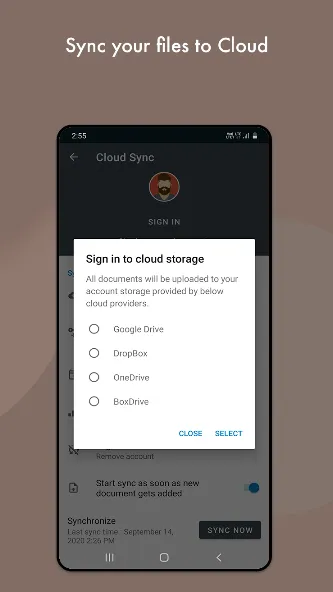
Paper Scanner The app offers third party cloud storage(Drive,Photos) where you can scan papers and save on cloud storage.
Best Document Scanner Lite Scans are saved to your device in image or PDF format.
PDF Document Scanner Scans PDF with edge detection feature additionally.
All type of Doc Scan Scan in color, Grey, Sky Blue.
Easy Scanner Scan and Instant print out documents in any size like A1, A2,A3,A4… etc.
Portable Scanner The Doc scanner once installed can turn every smartphone into a portable scanners.
PDF Creator Convert scanned images to the best quality PDF file.
QR Code Scanner This app also have QR Code Scanner feature.
Bar-code Scanner Another great feature Bar-code scanner is also integrated in this app.
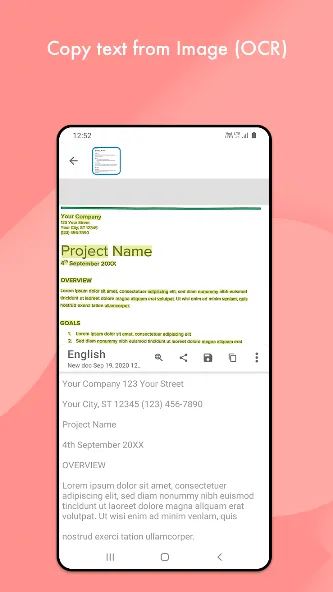
OCR Text Recognition (Upcoming Feature in Next Update) The OCR Text Recognition let you recognize text from images then edit texts or share text to other apps.
High Quality Scans The scan quality is of no match, You just get your documents digitally original.
Images to PDF Converter You can select some image from Image Gallery and convert it into a PDF file as document.
Cam Scanner Take a picture of the whiteboard or blackboard and produce it exactly same with the help of Doc Scanner at home even if you're offline. No internet required for the app to function.
Remove grain/noise from old document/picture Remove Noise from old image Using various advanced filter techniques and make it more clear and sharp than before.
Flashlight This scanner app also have Flash light feature that helps you in taking scans in low-light environment.
A+ Document Scanner This App is rated A+ by users based upon multiple ratings and reviews.
Highlights:
Lightning-Fast Scan to PDF with Auto-Detection
Professional Document Camera Scanner with Real-time Optimization
PDF Scanner with OCR for Searchable Documents
Secure PDF Protection
Seamless Cloud Integration for your PDF Document Scanner
FAQs:
What is Document Scanner?
It is a scanning tool that allows you to digitize any printed document.
Can I use Document Scanner for free?
Yes, you can download it from this website for a free trial.
Advantages and disadvantages:
Pros
Free with unlimited scans
Offline functionality
Versatile format conversion options
Simple and intuitive interface
Cons
Occasional bugs
Conclusion:
Document Scanner offers a range of filters to enhance document clarity and readability. This is particularly useful when original lighting is poor or the ink on the paper has faded; if you wish to manage your documents digitally for sharing, download the Document Scanner APK here.
-
Latest Updates
-
Featured Apps