Syncler
Entertainment
2026-09-16
88.54MB
1.3.5.1
Android 5.0+
141
Screenshots
Introduction
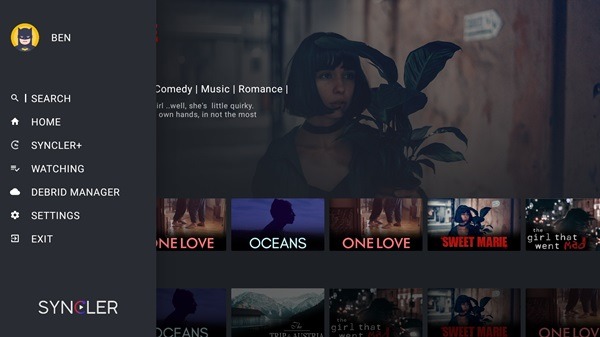
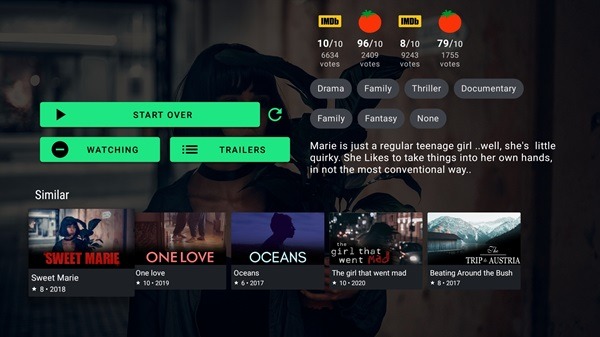
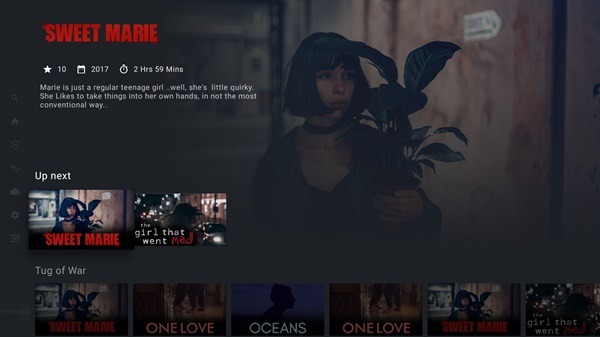
Syncler is a video streaming app designed for Android devices. It integrates multiple services, allowing users to watch TV series, movies, and anime directly within the app. It offers a vast library of video content spanning a wide range of genres. The app also features voice search, enabling users to find content simply by speaking the title—eliminating the need for manual input. Compatible with various devices, it works seamlessly on both Android phones and Android TVs. Additionally, the app boasts a beautifully designed user interface, providing a clean and smooth user experience.
Features:
Track and sync:
Syncler automatically tracks and syncs your movies and shows history and progress by integrating seamlessly with Trakt. Log in to your Trakt account to get started.
Voice search:
Search content from different services with voice search. Supports Android TV home voice search.
External Players and Chromecast:
Syncler integrates seamlessly with external players such as MX Player, VLC and Kodi. Use Chromecast to cast your content to other devices in your home.
Cloud account integration:
Syncler integrates with several cloud providers (Real-Debrid, Premiumize, All-Debrid) to help you access your cloud in app seamlessly on your TV, phone or tablet.
Access your own media:
With Syncler you can access your own media collection in app seamlessly by developing your own provider package. For full developer documentation please visit the official website.
Highlights:
Sync Everything
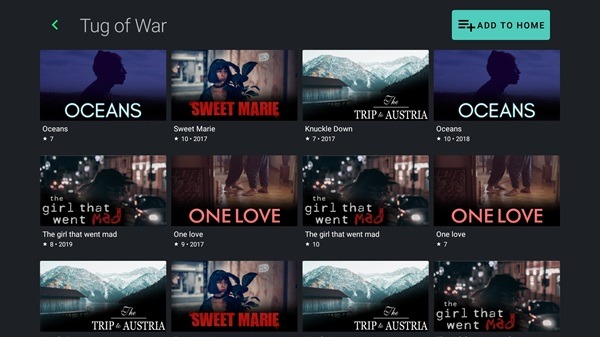
With the Syncler app, you can combine various sources and sync all of the movies, shows, and documentaries on your app home screen. This is quite an amazing feature that helps you watch all the content on a single app without needing to switch to the various apps. Also, you can add new sources as you require and watch content hosted on the sources.
Perfect for Smart TVs
The watching experience is perfect on the Android Smart TVs. With the big screen, you can have the best possible viewing experience. As this app is made for the Android ecosystem, you can use it directly on the Android TVs without any issues. Not just the TVs, the Amazon FireTV Stick and Chromecast are supported for convenient installation and usage.
Sleek UI
The User Interface of this is quite a feature, and it comes with a sleek UI. Unlike other OTT apps that have cluttered UI, you will not face any issues with this sleek UI. With this UI, the app runs smoothly on all Android TVs without any kind of input or output lag.
FAQs:
What is Syncler?
Syncler is an Android streaming app that lets users access TV shows, movies, and anime by connecting to third-party sources using add-ons and cloud services.
How do I install Syncler on my Android device?
You can install Syncler by downloading the APK from its official site or trusted sources, then enabling “Install unknown apps” in your device settings.
Do I need a subscription to use Syncler?
No, Syncler is free to use, but it works best with services like Real-Debrid or Premiumize, which may require a separate subscription.
Can Syncler stream content directly?
No, Syncler doesn’t host or provide content. It acts as an interface that organizes and presents streaming links from external providers.
Is Syncler safe and legal to use?
Syncler itself is safe and legal as an app. However, the legality of streaming depends on the sources you choose and the services you integrate with.
Conclusion:
The app's interface is user-friendly, allowing for easy searching and browsing of categories. It includes features that let users keep track of what they have watched and what they intend to watch next. With Syncler, the hassle of juggling multiple apps is eliminated, making it an efficient tool for entertainment enthusiasts seeking to streamline their viewing experience.



-
Latest Updates
-
Featured Apps