
VivaCut
Entertainment
2026-08-21
215.67MB
4.5.3
Android
143
Screenshots
Introduction
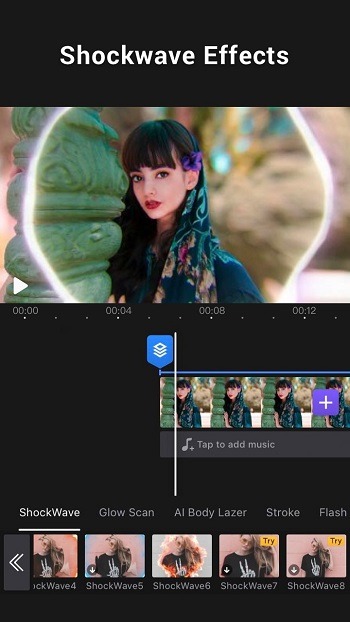
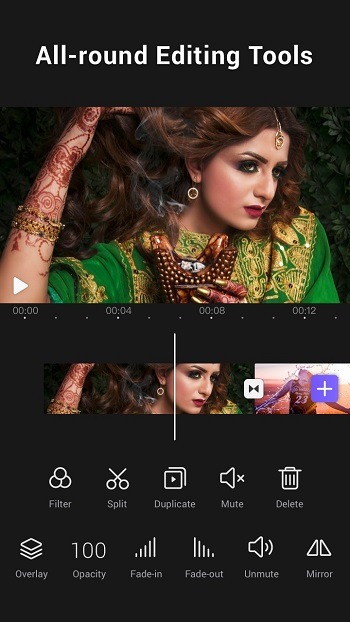
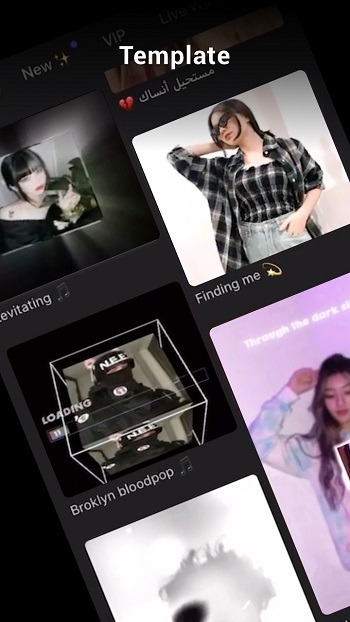
VivaCut is a video editing application that allows users to create videos on their Android devices. This app offers a wide range of video editing features, allowing users to change layers, effects, music, and text. It also allows users to adjust the contrast, saturation, and hue of their videos. The app provides many music templates, and users can import their own music if needed. The app has an extremely simple editing interface, making it easy for even video editing beginners to use.
Features:
Multi-layer timeline: An intuitive and sleek editing interface with zoom for frame-by-frame precision with the overlay video editor
Text: Edit, duplicate, and modify styles (variety of fonts & emoji, color, opacity, shadow, stroke)
Video Transition: Create extraordinary with cinematic overlay video editor with transitions in Viva Cut
Video Adjustment: Control Brightness, contrast, saturation, hue, color temperature, and vignetting and enhance video quality
Canvas & Ratio: Optimize your videos for YouTube, Instagram, TikTok, and other popular social media
Filters: Edit unique videos with adjustable filters and effects
Music: Add a soundtrack or sound effects to your video and use an overlay video editor with transitions for it
Picture in Picture: Combine clips to create double exposures and eye-catching YouTube videos with transitions for free
Collage: Add photos to your clips and edit videos that will go viral with Viva Cut
Overlay options: Customize layers with tools such as opacity and blending
Highlights:
Precise editing settings: All operations are related to the timeline, which helps the elements of each frame be accurate.
Use different layers: Each layer takes on a specific role to help users quickly search and edit.
Add more new content: Make the most of the app’s available trending resources instead of new updates.
Quality options: A series of options appear before you, and you usually choose HD or higher.
Links with social networks: Most editing apps have strong links with apps like Facebook, TikTok, etc.
Share or store videos: Share instantly or store them in the library for future use.
Edit the name for easy search: A common mistake users make when editing is not clearly stating the version and number of edits.
Pros and Cons:
Pros
Amazing features
A lot of tools and effects
Easy to use
Cons
Occasional freezing, lagging, and crashing.
FAQs:
What is VivaCut APK?
VivaCut APK is a video editing app, designed for creating edited videos with layers, effects, music, text, and export tools on Android.
What is VivaCut used for?
It is used for editing short videos, social media clips, slideshows, fan edits, promo content, and other mobile projects that need transitions, audio syncing, and visual effects.
Does VivaCut APK support green screen editing?
Yes. VivaCut is known for chroma key and green screen tools, which help users replace backgrounds and combine subjects with different images or video layers.
Who should use VivaCut APK?
It suits beginners who want a simple mobile editor and creators who need more control through multi-layer editing, music timing, text, overlays, and high-resolution export.
Conclusion:
Download the VivaCut APK and discover a comprehensive video editing tool, thanks to which you can create high-quality videos directly from your Android device. Whether you simply want to cut and combine videos, add music to a scene, or create something much more complex, this app will allow you to do so quickly and conveniently. What's more, although the app is especially recommended for content creators, you can also save all your creations directly to your device's gallery.
-
Latest Updates
-
Featured Apps









