Send Files To TV
Tools
2026-10-09
18.08MB
1.4.22
Android 5.0 and up
165
Screenshots
Introduction
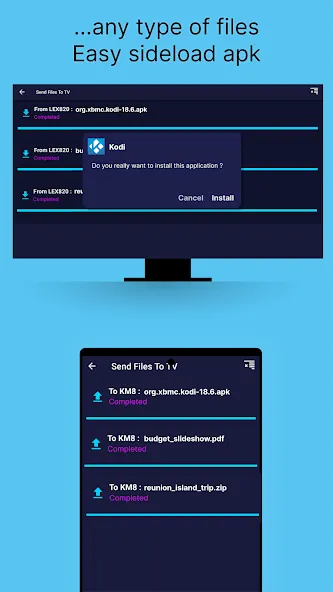
Send Files To TV is a powerful file transfer tool that operates over your local network, allowing you to transfer files without an internet connection while ensuring data security and maximum transfer speeds. It features automatic device discovery to scan for Android TV units, eliminating the need to manually enter IP addresses. The app supports automated transfers and offers cross-platform compatibility, enabling transfers across various operating systems. With its intuitive interface, users can quickly master the software, while also benefiting from features that allow for the management of large media libraries and the rapid organization of files on their mobile phones.
Features
Seamless Local Networking
This solution operates entirely within your local network, meaning it does not rely on an active internet connection to function at its best. By bypassing external servers, the tool ensures that your data remains private and transfers occur at the maximum speed supported by your router. You can move massive 4K movie files or entire photo albums in seconds rather than minutes. This local-only architecture is particularly beneficial for users with data caps or unstable internet providers who still want a reliable way to sync their devices.
Automated Device Discovery
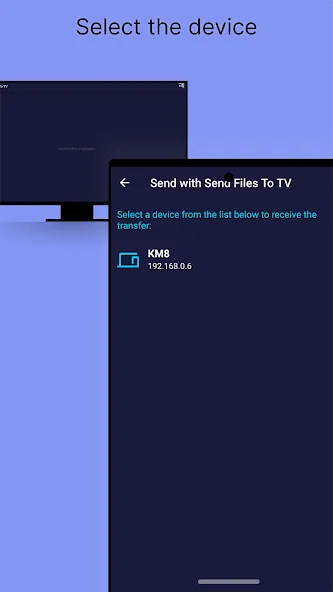
One of the most impressive aspects of the experience is how it eliminates manual setup through an intelligent discovery feature. Once the software is running on both your mobile device and your Android TV, they find each other instantly without needing manual IP entries. This automation makes it incredibly accessible for non-technical family members who just want to view their phone photos on a bigger screen. It creates a plug-and-play environment that feels modern and intuitive from the very first launch.
Cross Platform Compatibility
Beyond just connecting phones and televisions, Send files to TV extends its functionality to personal computers, creating a truly unified file-sharing hub. Whether you are running Windows, macOS, or Linux, this platform allows for bi-directional transfers across all your hardware. You could easily send a downloaded TV show from your laptop directly to your living room screen while simultaneously pulling a document to your tablet. This versatility makes it an essential tool for anyone managing a diverse range of digital devices in a modern household.
Intuitive User Interface
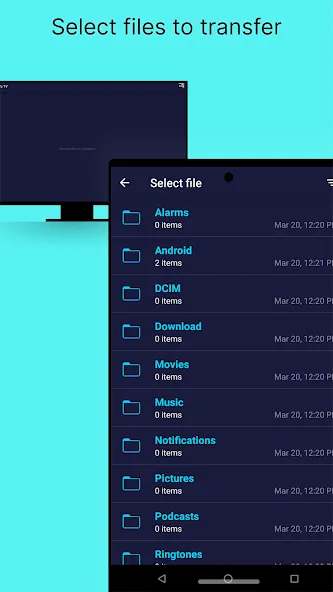
The design philosophy behind this utility focuses on simplicity and speed, avoiding cluttered menus or unnecessary bloatware. Users are greeted with a straightforward choice to either send or receive, which keeps the workflow focused and efficient. Navigating through internal storage to find specific files is handled through a clean file browser that feels familiar to anyone used to modern operating systems. This minimalist aesthetic ensures that the technology never gets in the way of the actual task at hand, making file management a breeze.
Advanced File Management
For those who like to stay organized, the settings panel offers granular control over where your incoming media is stored. You can easily check or change the download path to ensure that movies go to an external hard drive while documents stay in internal memory. This level of customization is perfect for power users who manage large libraries and need to keep their storage optimized. It transforms a simple transfer tool into a more robust management system for your entire digital media collection across your home network.
Advantages and disadvantages
Pros
Fast and secure transfers
Requires no internet connection
Easy-to-use
Connect devices seamlessly
Cons
No delete option
Intrusive payment prompts
How to Use
Connect your phone and TV to the same Wi‑Fi or LAN and open Send files to TV on both devices.
On your phone, grant storage permission if asked, then open Settings to choose your receive folder if you plan to receive files later.
Tap Send on your phone, browse with the file explorer, and select the items to move. Long press to multi select, or zip a folder first if you need to send it as one file.
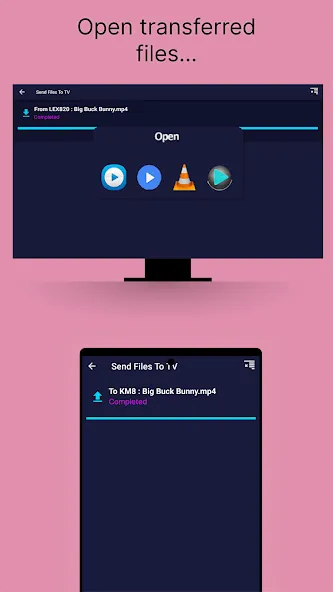
Choose your TV from the discovered devices list. On the TV, select Receive and confirm the incoming transfer if prompted.
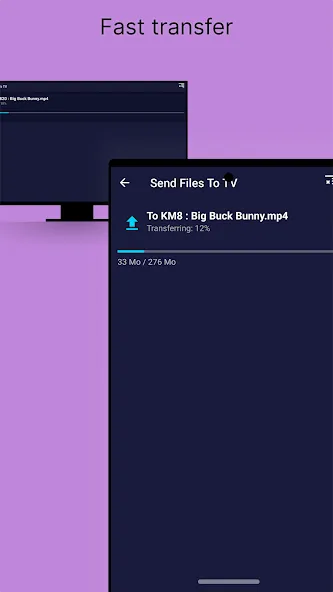
Watch the progress indicator until it completes. If your PC or TV is not discovered, allow the app through the firewall and check that UDP or TCP port 45001 is open, then try again.
User comments
Super easy to use and very very fast. It does exactly what it says it does. My only criticism is that while it allows to send multiple files at once, it does not allow sending folders, so you have to use a file manager app on the tv to organize stuff into folders after sending the files over. I'm hoping that I'm a future version, support for sending folders will be added
Great app. I use it to transfer files to my shield tv. It works brilliantly. To those complaining about the pop ups asking for donations...make the donation then it won't happen! Ads are really minimal, could be much more intrusive considering it is a free download. If you use it, support the developer by paying 2.99 and you have a perfect app with no ads or pop ups. Keep up the good work.
This utility makes it easy to transfer one or more files from one device to another. I used it between my phone and android tv box, both in the same wifi connection, to batch transfer 2 config files, which happened almost instantly (only a few Kb). I don't anticipate hedging the utility often, but it really simplifies a basic file transfer.
Summarize
The Send files to TV app is a freemium Android application that lets you share files between your phone and an Android Smart TV. You can do this through your local Wi-Fi network, with Send files to TV installed on both devices. The app discovers other devices on the same network, so files can be transferred without an Internet connection. It also runs on Windows, macOS, and Linux, allowing transfers with personal computers. The Send files to TV app has many features, but there are some drawbacks as well.