Phoenix Browser
Tools
2026-10-21
47.06MB
22.5.1.6785
Android 5.0 and up
269
Screenshots


Introduction
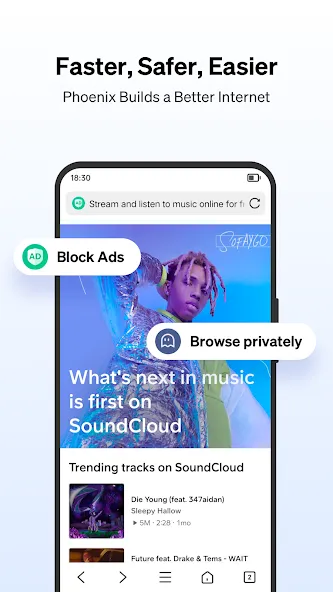
Phoenix Browser is a powerful web browser designed to reduce data consumption while delivering fast browsing speeds. It performs smoothly even under poor network conditions. The browser supports high-speed downloading of various media, such as images, and can automatically detect and download media resources found on web pages. It also features a built-in ad blocker that automatically filters out advertisements. With its simple and efficient interface, users can get started quickly, all while enjoying robust privacy protection.
Features
Fast Browsing
With low data consumption, Phoenix Browser gives the speediest browsing. Make sure you have a good network before testing the browser. Even with the low network, there are higher chances that this app is going to work.
Fast Downloads
We usually use browsers to download movies, songs, Gifs, and Images. Most browsers make us wait for minutes to even download 50MB files. But on Phoenix Browser, fast downloading, you can easily get bigger files in less time. Besides downloads, the Upload also works smooth and fast.
Safe Whatsapp Status
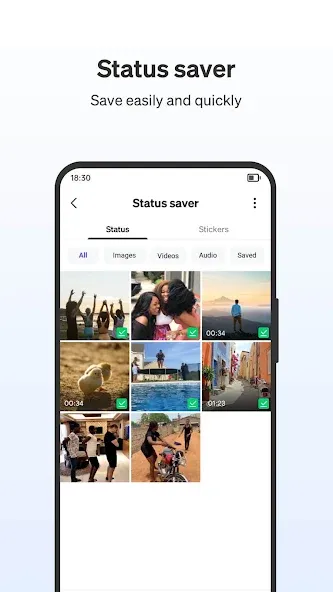
It’s embarrassing to ask for Whatsapp stories all the time from the same person. Screen recording doesn’t help as it also records the name of that person. That’s where Phoenix Browser comes as a saviour to help you out. All you have to do is just open the WhatsApp saver, and that will let you download the stories of anyone you want on WhatsApp.
Advantages and disadvantages
Pros
Automatically detects videos on supported pages
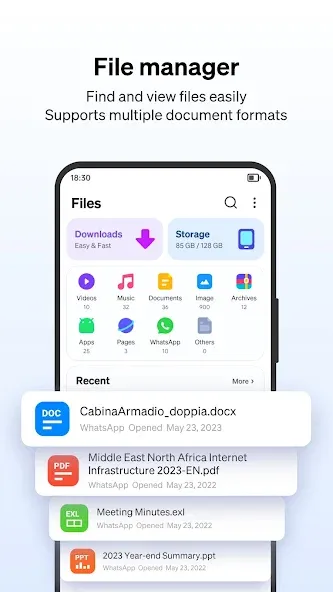
Integrates downloads, playback, and file management
Data Saver helps reduce cellular use
Includes ad blocking and WhatsApp status saving
Cons
Personalized feed and internal ads clutter the home screen
Privacy controls are fairly basic
FAQS
Is Phoenix Browser free to use?
Yes, Phoenix Browser is a completely free application available for Android devices, offering all its features without any cost.
Does this app help save mobile data?
Absolutely. Phoenix Browser includes advanced data-saving features that compress web pages, significantly reducing your mobile data consumption while browsing.
Can I download videos directly through the browser?
Yes, the application comes with a powerful built-in downloader that allows you to easily download videos and other media content from various websites.
How does Phoenix Browser protect my privacy?
It offers a private browsing mode that ensures your browsing history, cookies, and site data are not saved, providing a secure and confidential online experience.
User comments
An excellent browser. I have two suggestions for improvement: 1. Videos cannot be viewed in landscape mode (this should be a simple feature to implement, right?). 2. Could you add a feature to cast online videos to a TV? (QQ and UC browsers both have this.) I hope this great browser continues to get even better.
I’m not sure why the Baidu search engine has stopped working, which makes it impossible to browse domestic (Chinese) websites. Could the developers please fix this? Thank you very much! Overall, it’s a really good browser—definitely worth recommending.
It’s great—lightweight and packed with useful features. However, it doesn’t support Chinese. When used for the first time in mainland China, the app might crash/exit, but it works fine if you just reopen it.
Summarize
Download the Phoenix Browser APK for Android and enjoy fast and secure browsing from your smartphone. Browse any website without compromising your privacy and avoid annoying ads thanks to a powerful built-in ad blocker. You can even access a screen that displays content related to your interests, which the AI will select for you.
-
Latest Updates
-
Featured Apps