DMSS
Tools
2026-10-21
94.30MB
1.99.203
Android 5.0 and up
191
Screenshots
Introduction
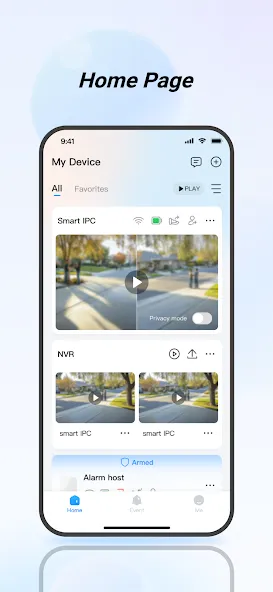
DMSS is a surveillance management tool designed for Android devices. It allows you to add surveillance equipment and access it from anywhere, at any time. You can play back recorded footage and quickly locate specific historical recordings by filtering through dates and times. The app also enables you to subscribe to various types of alarm events based on your personal preferences, and you can share device feeds with family members. Furthermore, it supports a range of peripheral accessories, including cameras, alarm sirens, and doorbells, and facilitates visual video calls. With its intuitive interface, the app is easy to learn and use.
Features
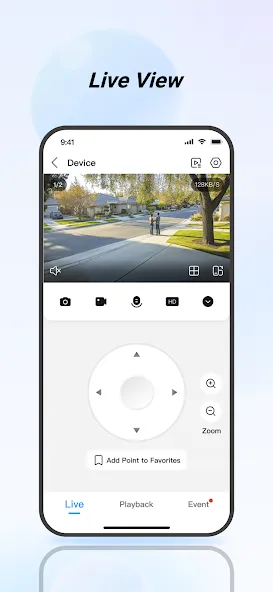
Real-time Live View
You can view real-time surveillance videos from the added devices anytime, anywhere, to help you better monitor the safety of your home environment.
Video Playback
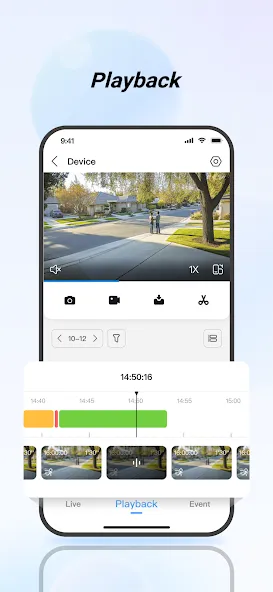
You can quickly find the events you care about by date and event category, and playback the required historical video footage.
Instant Alarm Notifications
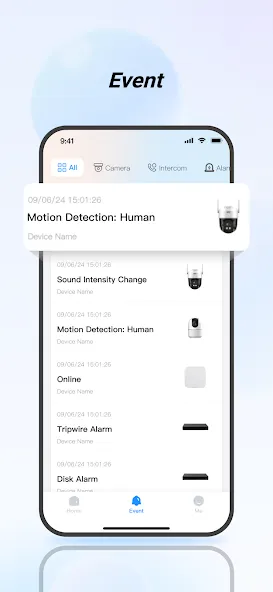
You can subscribe to different alarm events according to your needs. When an event is triggered, you will immediately receive the message notification.
Device Sharing
You can share the device with family members for shared use and assign them different usage permissions.
Alarm Hub
You can add a variety of peripheral accessories to the alarm hub to provide warnings for potential theft, intrusion, fire, water damage, and other situations. In case of an unforeseen event, DMSS can immediately activate alarms and send out danger notifications.
Visual Intercom
You can add visual intercom devices to engage in video calls between the device and the DMSS, as well as perform functions like locking and unlocking.
Access Control
You can add access control devices to check the current status of doors and view unlock records, as well as perform remote unlocking operations on the doors.
Advantages and disadvantages
Pros
Supports cameras, alarms, doorbells, intercoms, and access controls
Live view and recording work over Wi-Fi or cellular networks
Device sharing includes adjustable permissions
Cons
Motion notifications may fail or open without useful camera feedback
Multi-camera playback and timeline navigation can be awkward
How to Use
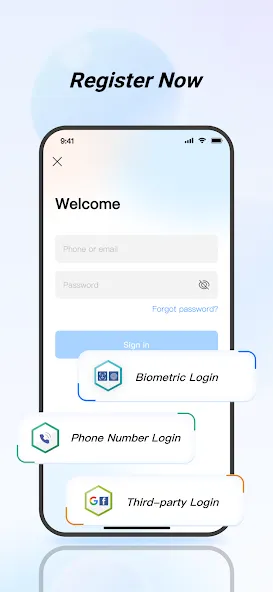
Install DMSS on your Android phone, open the app, then sign in or create a DMSS account. Allow the requested permissions so notifications and local discovery work correctly.
Go to the Devices section and tap the add button. Scan the device QR code or enter the serial or IP details, then choose the connection method that matches your network.
Open a camera to confirm live view and adjust video quality if needed. For past footage, go to Playback, pick a date or event filter, and review the timeline.
Set up alerts by opening the device settings and selecting event subscriptions. Choose the event types you want, enable push notifications, and set quiet hours if required.
Share devices with teammates or family from the device management screen. Select recipients, assign permissions such as view only or control, and confirm the share to apply changes.
FAQS
What is the difference between adding a device to an account versus adding it locally?
When you add a device to an account, you get access to more features. You can use device sharing, cloud server recording, etc. When you add devices locally, you can only use limited features of the application.
How can I receive alarm notifications through the DMSS on my mobile device?
Ensure that your device supports alarm notifications and is connected to the network correctly. Verify that live view is available and that alarm notifications are subscribed to within the app.
What devices can I add to the DMSS app?
You can add Dahua security surveillance devices like IP cameras, HD cameras, DVRs, and NVRs with the app.
Is there cloud storage available in DMSS?
Yes, DMSS offers cloud services, including cloud storage, when devices are added to your account.
Summarize
With DMSS, you receive a multi-faceted tool that not only fortifies your surveillance resources but also integrates swift communication and access management, all through the convenience of your mobile device. Enjoy the confidence that comes from advanced control and instantaneous notifications, keeping you alert and in charge no matter where you are.
-
Latest Updates
-
Featured Apps