PdaNet+
Tools
2026-10-14
1.68MB
5.32
Android 4.1 and up
179
Screenshots
Introduction
PdaNet+ is a network tethering application designed for Android systems. It features a user-friendly interface that allows users to get up and running quickly. The app offers flexible connectivity options—including Bluetooth and USB—enabling users to connect to the internet with ease. Using PdaNet+ can enhance browsing speeds and overall utility. It boasts excellent compatibility with a wide range of Android devices and hotspots, ensuring consistently high performance. Furthermore, it requires no registration, allowing for immediate, seamless connectivity. With robust security features that protect user privacy and data usage, it is an indispensable tool.
Features:
Easy Data Sharing
The setup process is similar to enabling a standard mobile hotspot. However, once the app is installed, you simply need to adjust the settings to ensure a stable connection across multiple devices.
Fast Downloads
Speeds remain high even when multiple devices are connected. While the app supports up to 12 simultaneous connections, we recommend limiting this to 3 or 4 devices for optimal performance.
Reliable Uptime
You won't lose your connection, regardless of signal strength; simply keep your device powered on to maintain connectivity.
Secure Connection
Once connected to the app's network, you don't need to worry about your virtual identity. The app masks your IP address, allowing you to browse the internet without revealing your real-time location.
No Root Required
There is no need to root your device; this app is compatible with all Android smartphones, giving you full access to all features without requiring root privileges.
Highlights:
Hotspot Mode
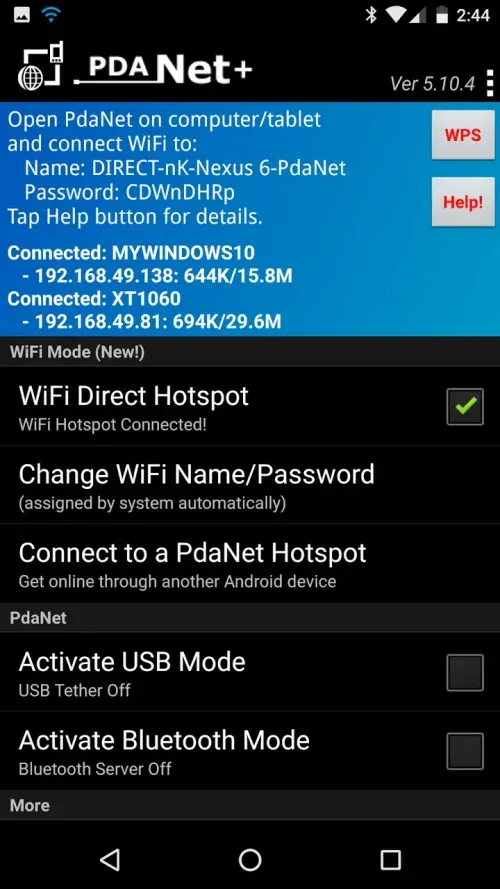
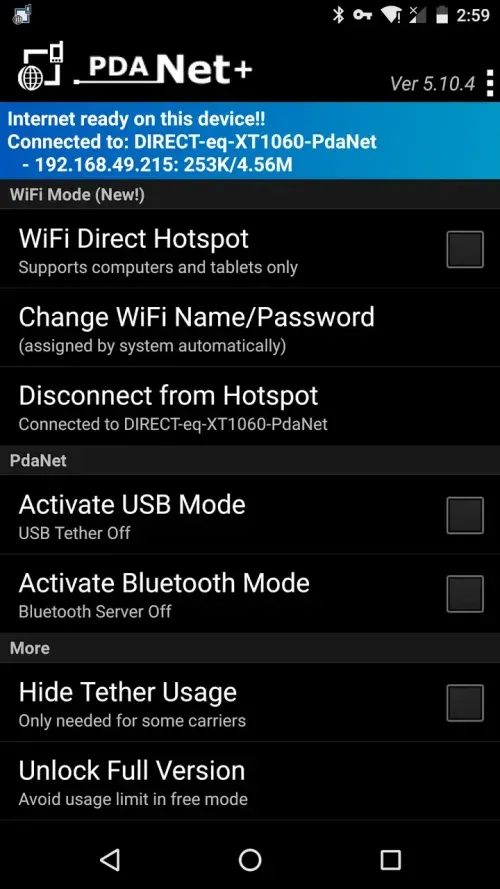
This feature provides hotspot functionality, allowing you to connect laptops and tablets even if standard hotspot tethering is blocked. You can join the hotspot using the companion client app or by configuring proxy settings as described in the Help section.
Wi-Fi Sharing via USB
You can establish a fast, stable network connection to a Windows or Mac computer using a USB cable. Once the USB connection is active, PdaNet+ enables Wi-Fi sharing on your computer, allowing you to turn the computer into a hotspot and share the internet connection with other devices.
Bluetooth Tethering Option
Bluetooth tethering allows you to connect to Windows systems without cables while maintaining a stable and reliable internet connection. In-app help documentation guides you through the pairing and connection process.
Guided Setup and Easy Troubleshooting
The Help section provides clear, step-by-step instructions for setup and troubleshooting common issues. The app also explains procedures such as client installation, proxy configuration, and connection checks, making it easy for new users to get started.
FAQs:
What is the main advantage of PdaNet+?
It allows you to create a Wi-Fi Direct hotspot, providing a faster and more stable Wi-Fi connection for your laptop or tablet.
What is PdaNet+?
It is a Bluetooth tethering tool.
Is it safe to download PdaNet+?
You must download it from this website to ensure it is safe and reliable.
Advantages and disadvantages:
Pros
Wide range of applications
Massive user base
Free use of data
Allows network sharing
Cons
Contains advertisements
Conclusion:
If you are traveling and cannot find a café with a strong Wi-Fi signal, studying in an area with poor reception, or simply need an extra connection due to a network outage, then downloading the PdaNet+ APK is definitely your best choice. It is the ideal way to stay connected to the world and the best solution for accessing the tethering services you need while on the go.
-
Latest Updates
-
Featured Apps