
PanoCut
Tools
2026-10-31
89.70MB
3.7.5
Android
465
Screenshots


Introduction
PanoCut is an image-editing tool designed specifically for Instagram users. It allows you to split a single panoramic image into up to 10 separate parts, perfectly tailored to Instagram’s aspect ratio requirements. The app offers a wide range of customization options, enabling you to adjust grid dimensions and composition to your liking. A built-in preview feature lets you see how the final result will look before exporting, ensuring high image quality. Additionally, PanoCut includes AI-powered features that can enhance photo resolution and fill in backgrounds, helping your images truly stand out.
Features:
Panorama split for swipeable carousels
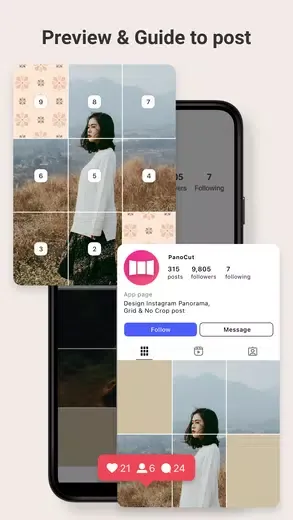
In the PanoCut latest version, you can split a panorama into up to 10 slices and set an aspect ratio that suits Instagram. A preview shows the exact swipe order before saving, so you can confirm alignment and sequence in advance.
Grid and square cutter
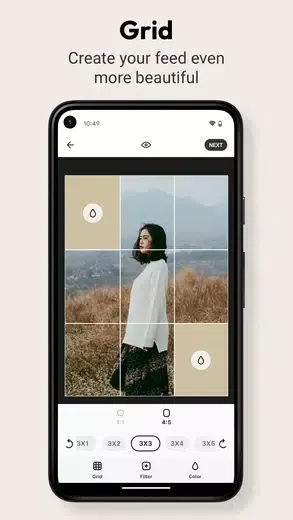
When you want a tidy profile layout, format a single image into a grid or convert a wide photo into a square without trimming the subject. You can choose the grid size, adjust framing, and review the layout before export for consistent tiles.
AI upscaling and expand
If a photo looks soft or needs extra background to fit a chosen frame, AI Upscale increases resolution and AI Expand adds sky, wall, or ground to balance the composition. Processing time can vary with image size, and results are designed to blend naturally.
Editing, preview, and export
You can adjust brightness, contrast, and saturation and apply simple filters for a consistent look.
The preview confirms order and alignment before saving to files.
Exports save in a clear sequence for manual upload to Instagram.
Free outputs may include a watermark depending on your settings.
Highlights:
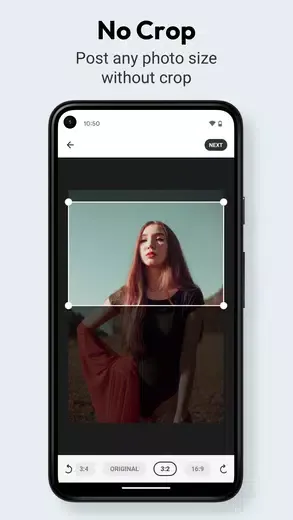
The app stands the advantage by enabling you to split a single panoramic photo into up to 10 individual segments ideally suited for Instagram's format, without losing crucial details in the cropping process. It preserves the original aspect ratio of images, ensuring that each segment of your panorama remains visually cohesive and is displayed as intended on your profile. This feature prevents the common issue of important photo elements being trimmed out, thus maintaining the aesthetic integrity of your photographs.
One of the key advantages of this tool is its user-friendly interface. You can easily select a photo, choose the desired aspect ratio and number of splits, and save your new posts—all within a minute. This makes it accessible even to those who may not be technologically adept. Additionally, to cater to a global audience, the game supports multiple languages, thereby broadening its accessibility.
Before finalizing your edits, there is a preview option available, allowing you to see how your posts will appear on Instagram. This ensures that you are satisfied with how each segment will look when viewers swipe through the photo series on your profile.
Pros and Cons:
Pros
Fast panorama splitting with up to 10 slices
Multiple aspect ratios for Instagram-friendly layouts
AI Upscale and Expand improve image quality
Clear preview to confirm swipe sequence
Simple editing tools and multilingual interface
Cons
Free outputs may include watermarks
Manual uploading required for carousels
FAQs:
Q: Do I need to create an account to use the app?
A: No, creating an account to use the app is unnecessary.
Q: Can I edit my photos after merging them?
A: The app has editing tools that adjust the final panoramic image.
Q: Can I save my edited photos to my device?
A: You can save your edited photos to your device or share them directly on social media.
Conclusion:
It is an essential tool for anyone who loves taking panoramic photos. With its user-friendly interface and impressive features, this app makes it easy to create beautiful panoramic images that will impress your friends and followers. PanoCut provides an invaluable service to enhance your social media outreach, all from the convenience of your smartphone.





-
Latest Updates
-
Featured Apps






