OpenVPN Connect
Tools
2026-10-30
40.69MB
3.7.2
Android
72
Screenshots
Introduction
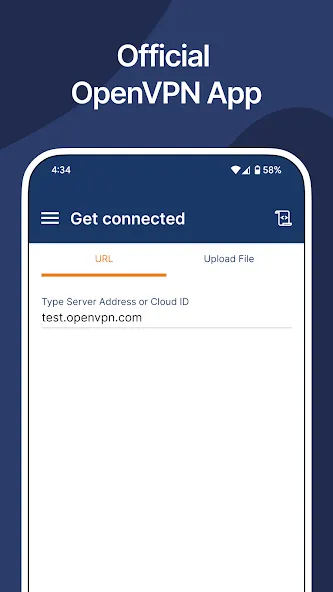
OpenVPN Connect is a VPN tool for Android devices that utilizes the OpenVPN protocol to ensure data security. It allows for the import of configuration files via URL or in .ovpn format. The app supports split tunneling, enabling you to route specific traffic through the VPN, and features an "always-on" mode with automatic reconnection. It also supports single sign-on (SSO). OpenVPN Connect offers fast, smooth, and responsive connections to VPN servers abroad. With its simple interface, it is easy to get started right away.
Features
Secure tunneling and encryption
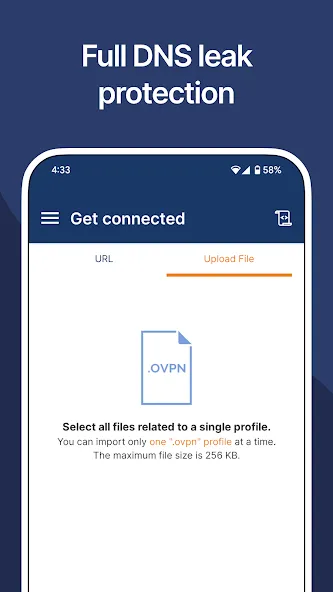
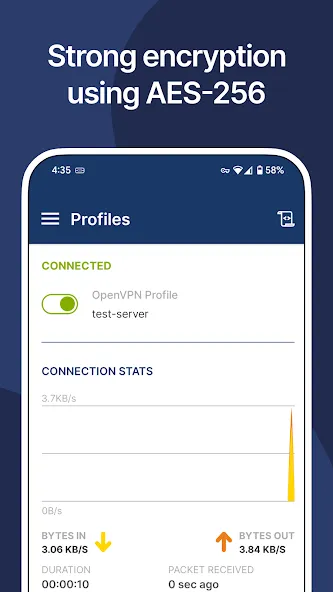
OpenVPN Connect establishes a secure tunnel using the OpenVPN protocol with AES 256 and TLS 1.3. This setup protects data between your device and the server. DNS leak protection helps keep name lookups inside the tunnel on untrusted networks.
Profile import and authentication
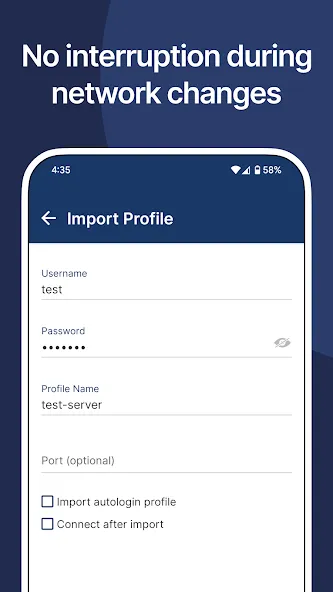
You can import a connection profile by URL or with a .ovpn file. If your organization uses SAML single sign on, the app redirects to your identity provider. When multi factor authentication is required, prompts appear before connecting. Before you download OpenVPN Connect, confirm a compatible server and profile are available.
Connection controls for daily use
OpenVPN Connect offers split tunneling so selected apps or destinations use the VPN while other traffic stays local. Auto reconnect helps sessions recover after brief network changes. The kill switch blocks traffic if the tunnel drops, and Android Always on VPN can keep connectivity active according to device settings.
Enterprise checks and managed setup
When paired with Access Server or CloudConnexa, device posture checks can verify compliance before access is granted. Administrators can push a global configuration through mobile device management to keep large deployments consistent. The app also works over WiFi, LTE or 4G, and 5G, with captive portal detection, HTTP proxy, and IPv6 support.
Advantages and disadvantages
Pros
Imports standard .ovpn connection profiles
Supports Always-on VPN, a kill switch, and automatic reconnection
Works with certificates, MFA, and SAML SSO
Includes MDM and device posture options for business deployments
Cons
Does not include a VPN service or server locations
Connect switch may not always register correctly
User comments
I don't know why they make this app, but I'm glad they do. It works really well. I've had the official service-provider apps fail to connect to their own servers, then I've opened this app and it connected me to their servers with no problems at all, quickly and effectively. Very nice. And free. Ad-free too! 5/5 all day long. Thanks!
This app is pretty flawless on my Android devices. I never have any issues, and the connection is usually quick and very stable. I've been using OpenVPN Connect for a few years now to connect to my home network remotely, with the server hosted on a Synology NAS, and I have stuck with it since it just works, every single time.
I've never had a problem using this app connecting to my home network (Synology NAS). The app looks great, had good statistics and logging, and even pauses while my screen is off to save battery. Thanks for creating and maintaining this for free!
Summarize
OpenVPN Connect is the official OpenVPN application designed to allow users to connect to VPN servers using one of the industry's most respected protocols. It aims to provide a secure and reliable experience for both individual users and professional environments seeking high-quality, encrypted connections. The application combines ease of use with robust technical options, allowing you to fully utilize the features of the OpenVPN protocol without sacrificing accessibility and security. From





-
Latest Updates
-
Featured Apps