Motion Ninja Video Editor
Tools
2026-11-02
161.88MB
4.1.8
Android
385
Screenshots
Introduction
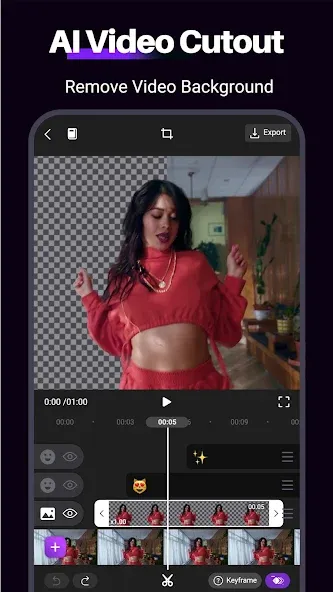
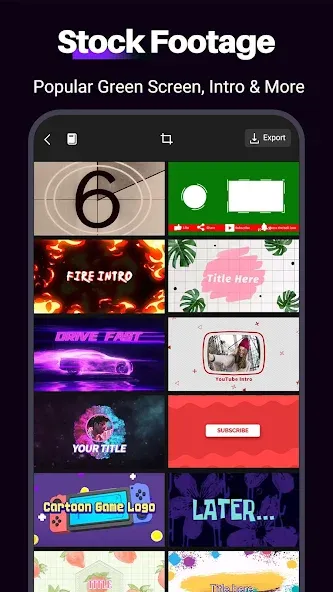
Motion Ninja Video Editor is a powerful video editing tool. It features a layer-based workspace that allows for the efficient management of visual elements, while its multi-track timeline supports the addition of video clips, audio, and special effects. The software offers customizable animation paths, with effects that can evolve over time. It also includes one-click export options for sharing directly to social media platforms. Furthermore, it provides robust audio editing and mixing capabilities—ensuring perfect synchronization between sound and visuals—along with professional-grade built-in tools for background removal (chroma key/matting).
Features
Layer-based workspace for stacking and managing visual elements.
Multitrack timeline for arranging clips, audio, and effects.
Keyframe-driven animation to define motion paths and parameter changes over time.
Masking and motion-tracking utilities to isolate or follow subjects and apply localized adjustments.
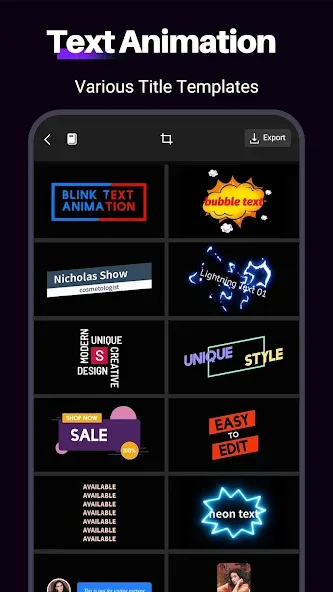
Libraries of ready-made animations and motion graphics elements you can drop into projects.
Built-in visual enhancements such as particle effects, filters, and overlay options.
Audio editing and mixing features so sound and image remain synchronized.
One-tap export and sharing options to publish to social platforms or save to common file formats.
Advantages and disadvantages
Pros
Keyframes work across effects, text, filters, and other elements
Multilayer timeline supports detailed compositing
Strong masking, speed control, and chroma-key tools
Useful free feature set
Cons
Steep learning curve for motion-design newcomers
Complex projects can lag or slow down
How to Use
Open Motion Ninja Video Editor, create a project, then import your video clips, photos, and audio. This gives you a clean timeline to work from.
Add elements to separate layers and arrange their order. Next, adjust basic trims and placements so the sequence flows.
Set keyframes on motion, opacity, and effects. Then choose transitions or apply masks to blend elements where needed.
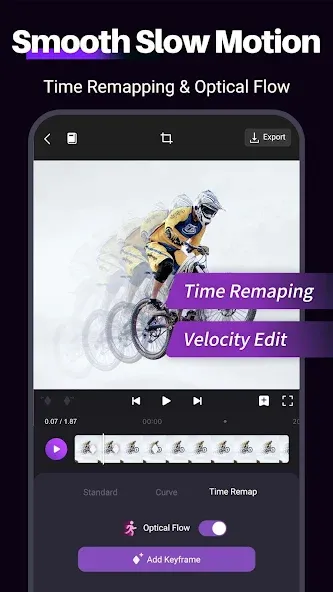
Change speed with optical flow or time remapping when the beat or action calls for it. Use custom curves to fine tune timing.
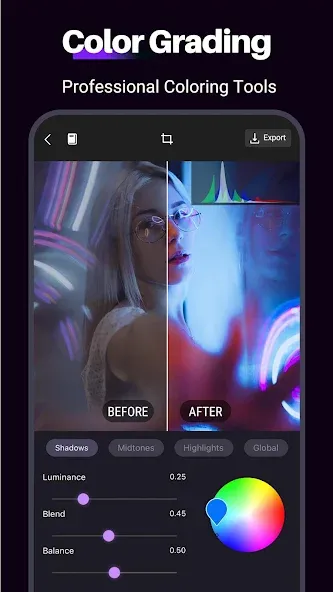
Finish by adding music and color adjustments. Finally, review the preview and export in your chosen resolution and format.
User comments
Amazing video editor with tons of features. I bought Cyberlink Powerdirector a while back, only to realize this does everything that app does and more for free. I literally have no idea how this is free, It's almost too good to be true. Edit: after weeks of use, I finally found where the paid options are. Even so, this app is extremely fair about what you get for free/what you need to pay for.
I love most of it. It's easy to add in music and the photo editing is easy to work with too. The only thing I would recommend is making it so the videos saved onto the app itself so if I delete the photos in my gallery, then it doesnt delete the photos in the video too. Otherwise, it's easy to maneuver and an overall great app for first-timers to get the hang of things.
The best video editor I've ever used on Android. It's only seconded by Power Director. Motion Ninja has ever single feature you would need, be it for a montage, presentation, lecture, green screen effect, and speed ramping. It's literally the best for mobile, I'll suggest you give it a try. Try using it on the free version, before you decide to remove the watermark.
Summarize
Motion Ninja Video Editor is an app that gives you an easy way to edit videos on your Android device. With a completely intuitive editing bar, it'll only take you a few minutes to get surprising results that you can then export to the gallery of your smartphone.




-
Latest Updates
-
Featured Apps