
PGT Free
Tools
2026-10-28
10.81MB
0.21.7
Android
286
Screenshots
Introduction
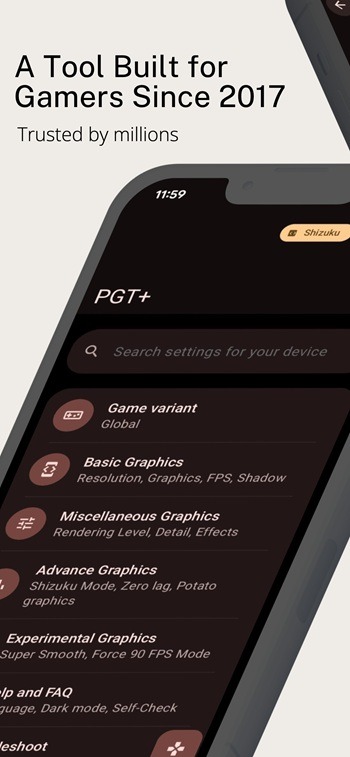
PGT Free is a powerful gaming tool designed to help users optimize their game's frame rate. It can clear background applications to free up memory, ensuring a smoother gaming experience and stable visuals. The app also allows users to make various adjustments to their in-game graphics; it offers a wide range of customization options, enabling fine-tuning down to the smallest detail so you can achieve the setup that best suits your personal playstyle. Additionally, the app includes a built-in FAQ section to help users get started and make the most of its features.
Features:
Frame rate and performance control
PGT Free lets you unlock and optimize FPS, with options that go up to 90 FPS where supported. You can also reduce lag by freeing memory with a background app killer. These tools work together to help stabilize gameplay during busy scenes.
Graphics presets and deep customization
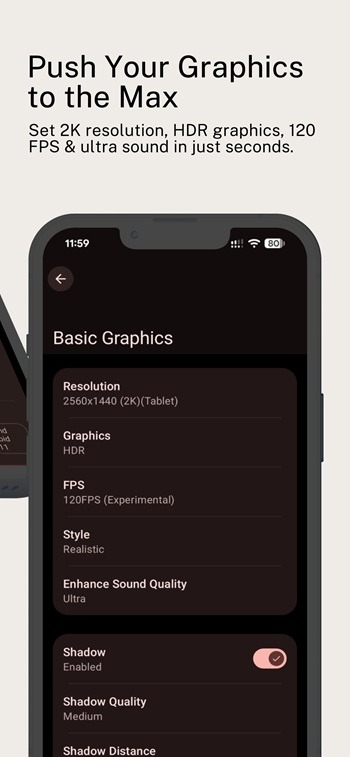
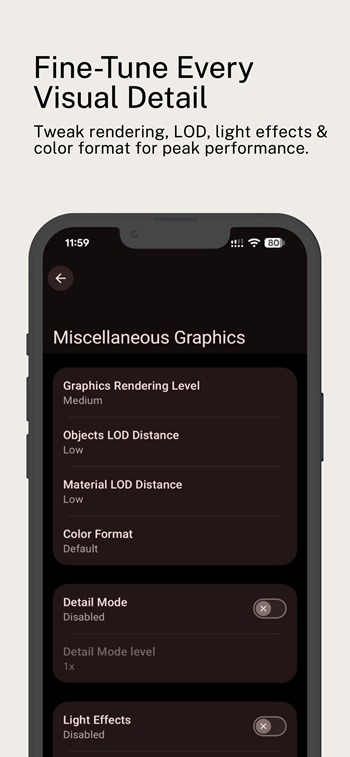
Alongside frame rate control, you get quick presets that simplify setup for different needs. Potato graphics lowers effects for speed, while Simple shaders targets a cleaner look with lighter effects. You can then fine tune details such as resolution, HDR or UHD on supported devices, shadows, and anti aliasing to reach a balance that fits your device and play style.
Audio tuning for clearer gameplay
PGT Free includes an Ultra Audio Quality option to improve in game sound. This setting focuses on clarity, which can help when listening for footsteps or directional cues. You can enable it alongside your graphics changes without extra steps.
Wide device and build support
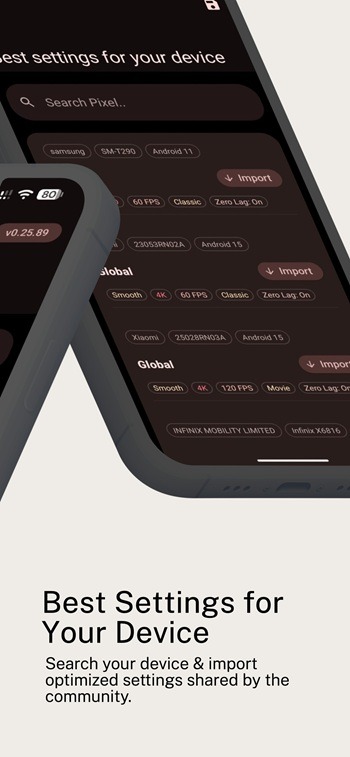
The app supports a broad range of Android versions from 7 through 16. It also works across multiple regional game builds, including Global, CN, LITE, KR, VN, TW, and BETA. This breadth helps keep your preferred setup portable and consistent if you move between versions or devices.
Help, guidance, and trust signals
A built in Help and FAQ section provides quick tips and answers for common questions, which reduces trial and error. The app has been featured on XDA Portal, and it states that data is encrypted in transit with no data collected. Requested permissions are limited to Storage for backup and restore, Internet for support content, and control of background apps to free memory.
Highlights:
Supports all major Android OS (4.3 to 17+)
Change resolution
Apply HDR and UHD graphics in low end devices.
Unlock all FPS levels( up to 120 FPS)
Сustomize your shadows
Enable Anti-aliasing
Set Ultra Audio Quality
Help & FAQ for useful tips
Pros and Cons:
Pros
Detailed resolution, frame rate, shadow, and shader controls
One-tap boosting alongside manual tuning
Support for major PUBG Mobile editions
Cons
Overheating has been reported on some devices
Android 13 optimization remains a concern
Performance gains vary considerably
FAQs:
What is PGT Free used for?
PGT Free is used to adjust graphics, frame rate, resolution, and other performance settings in supported mobile games so they can run more smoothly or look better.
Which devices can run PGT Free?
PGT Free is designed for Android devices and supports a wide range of Android versions, though actual results depend on your phone’s hardware and software.
Can PGT Free help reduce lag in games?
PGT Free can help reduce lag by lowering graphics load, changing resolution, and applying performance-focused settings, but the improvement depends on the device and game version.
Does PGT Free support different game versions?
Yes, PGT Free supports multiple game versions, including Global, CN, Lite, KR, VN, TW, and beta releases, which makes it useful for players on different servers.
Are there any risks when using PGT Free?
Some settings may cause overheating, battery drain, crashes, or unstable gameplay if pushed too far, so it is better to test changes carefully and save backups first.
Conclusion:
If you're experiencing some slow performance while gaming on your device, then PGT Free can help. It's easy to use for beginners but still offers plenty of options and control for power users. Aside from those, this is a gaming tool worth checking out and giving a try.
-
Latest Updates
-
Featured Apps






