
MobiPDF
Tools
2026-09-03
117.22MB
11.16.270809
Android 7.0+
447
Screenshots

Introduction
MobiPDF is an office software for format conversion. This software boasts powerful editing functions, capable of converting files to desired formats. Users can share files across platforms, including computers and mobile phones, facilitating workflows, saving time, and improving work efficiency. It features strong format compatibility, allowing users to adjust to the most suitable format. It supports various text formats and can also synchronously save files to the cloud for later storage. It is a powerful and functional software tool.
Features:
View and Comment
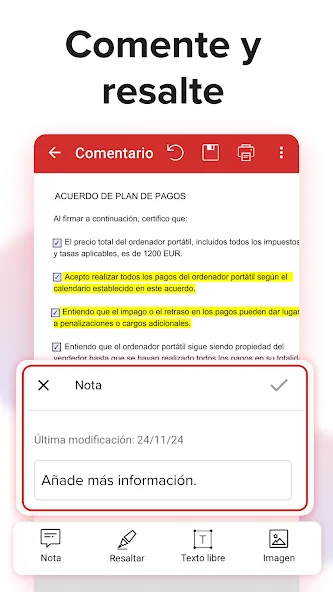
Modern office methods save you commuting time and make signing documents easier and more convenient than ever before. When you receive a PDF file from someone, you can instantly reply and send comments using this app.
Convert to PDF
Nowadays, if you want to convert documents via email or other similar tools but don't want font errors or other issues, I recommend converting the file to PDF format first before sending.
Unique eBook Reading Experience
Beyond the paper books you hold every day, this app can completely change your e-reading habits. Users can read anytime, anywhere, whether studying or working.
Export PDF as Image
This app promises to provide you with the most efficient workspace and offers many practical functions. With PDF Extra, users can convert PDF files to image files and share them with everyone in the highest quality.
Print PDF Documents
Users can easily print documents without spending time converting them. You can easily print PDF documents anytime, anywhere—it's all under your control.
Protect Files
In addition to providing a fast workspace, PDF Extra also offers the best protection for your information security. Now you can set your own password to protect them, so you can rest easy.
Highlights:
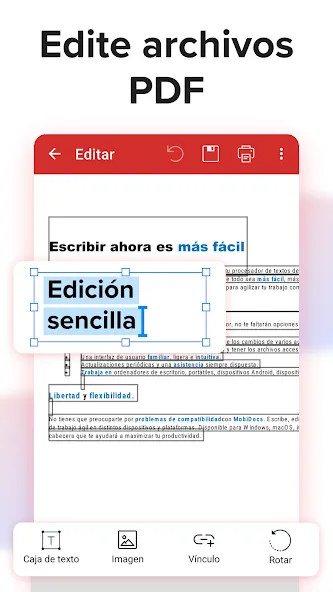
PDF Editing: Access and edit text, layout, and images in PDFs while preserving formatting.
Quick PDF Creation: Capture documents with your phone's camera to instantly obtain an editable digital version.
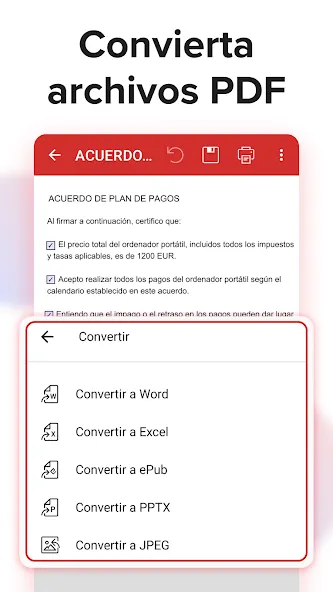
PDF Format Conversion: Convert files between PDF, Word, Excel, and ePub formats without data loss.
Digital Signature: Sign documents and fill out forms using your finger or stylus.
Annotation: Highlight, draw, and add notes. Annotate PDF files with all the tools at your fingertips.
Reading: MobiPDF eBook reader includes advanced features such as customizable themes, night mode, and text-to-speech for the best reading experience.
Encryption: Protect your files with advanced password protection.
FAQs:
Is this app free to use?
Yes, it offers a free version with basic functions.
Can I edit PDFs offline?
Yes, it supports offline editing, allowing you to use it anytime, anywhere.
How can I protect my PDF files?
It offers a password protection option to protect your PDF files.
Is there a limit to the number of documents I can scan?
No, you can scan any number of documents within the app.
Advantages and disadvantages:
Pros
Multi-platform use
Integration between PC and mobile phones
Platform sharing
Format compatibility
Cons
Advanced features require payment
Summarize:
MobiPDF Editor & Scanner is an essential PDF management app for Android devices. If you frequently work with PDF files, this app allows you to efficiently complete all PDF-related tasks without installing multiple apps or using complex software. Download now and streamline your PDF workflow on your Android device.




-
Latest Updates
-
Featured Apps






