Lumii
Photography
2026-09-12
28.60MB
1.551.124
Android
360
Screenshots

Introduction
Lumii is a powerful photo editor. This application boasts a vast library of carefully selected filters. With numerous built-in exclusive filters, it helps users solve color display issues in photos. Users can also easily separate the subject from the background to draw the viewer's attention. The application also offers advanced custom double exposure effects, allowing users to blend their photos with various photo effects to create even more outstanding works. In addition, this application can manage your photo library. Users can save pictures to albums and create various themed albums. The application's user interface is clean and simple, making it easy to create personalized photo effects.
Features
LOTS OF CHOSEN FILTERS
If your images always have color display problems and you don’t know how to solve them best. Then the filter feature of this application can help you to do image editing. Many of the application’s exclusive color filters, such as LOMO, Film, Retro, etc., can be applied flexibly in any situation.
EASILY SEPARATE THE SUBJECT AND BACKGROUND
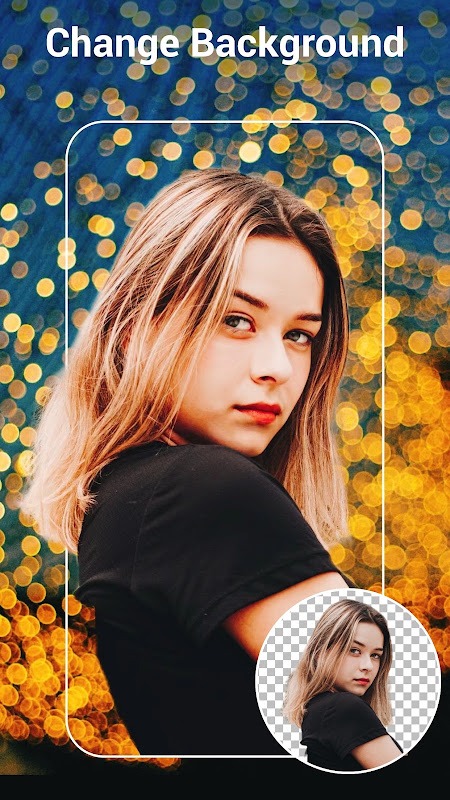
Your photo is intended to capture a portrait or an object, and you want the viewer to focus on the main subject. Your problem can be solved very simply by separating the background of the image and the subject, along with blurring the background.
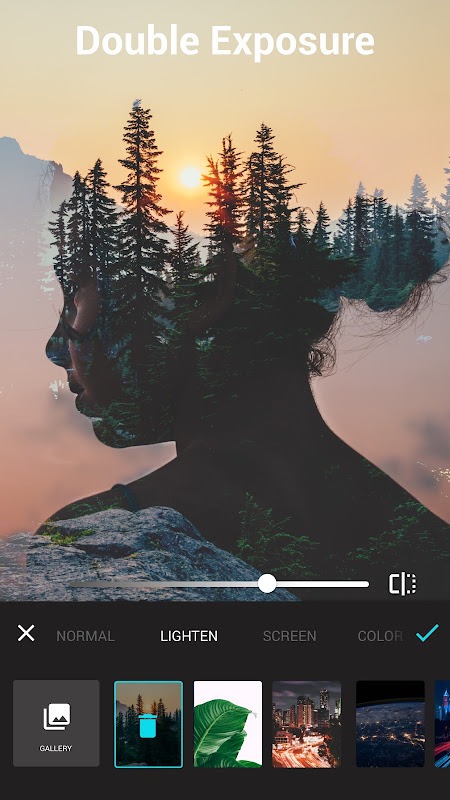
CUSTOMIZE DOUBLE EXPOSURE EFFECTS
In addition, if you are a professional photo editor and want to have advanced features to bring photos to life. Then try Lumii’s professional double exposure blend correction. Then, your photo will be mixed with a lot of photo qualities to create great work.
NEW HSL COLOR MODE
Besides, the application also allows users to experience unique color modes that you can rarely apply. One of them is the extremely special HSL color mode that can change your photos. You can use this feature with advanced modes that are completely free.
Highlights
ADD TEXT TO IMAGES
Moreover, if you wish to add some messages or feelings to the image, the text feature will be extremely suitable. This feature will allow you to type directly from your device’s keyboard with extreme ease. Along with that, the application will be able to support users with many different special fonts to be able to choose to suit their preferences.
IMAGE LIBRARY IS YOUR OWN
In particular, the application also supports exceptional storage features. Have you ever encountered a situation where you save your photos somewhere, and the next time we search, we can’t remember where to store them? With Lumii, you’ll be able to save your images to albums right in the app, which you can create with various themes.
SIMPLE AND EASY TO USE INTERFACE
Basically, the application interface is neatly arranged with different editing icons, so it is easy for users to reach. Users can touch those icons to use its features for editing. Besides, users can mix colors to match their images thanks to HSL mode and unique color filters.
Pros and Cons
Pros
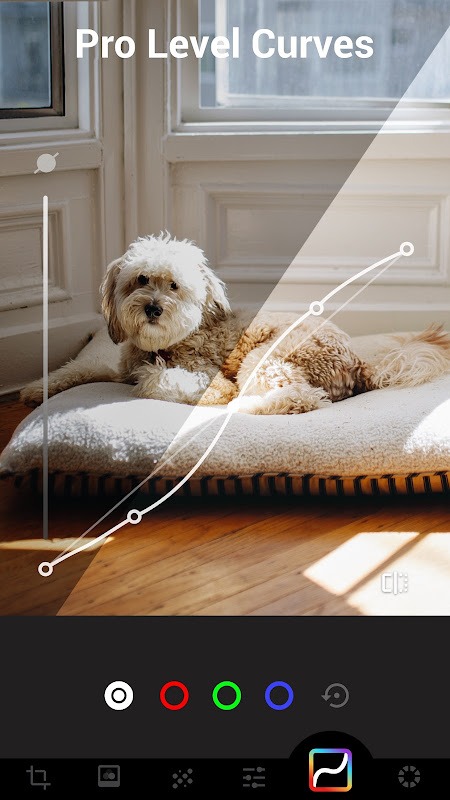
HSL, Curves, and channel controls support detailed color work
Broad selection of film, glitch, lighting, and texture effects
Double Exposure blending and reusable custom presets
AI tools cover object removal, portraits, enhancement, and backgrounds
Batch editing and multi-draft workspaces support larger projects
Cons
Precise targeted recoloring can be difficult
Undo and editing history may not feel clear in every workflow
Some content requires payment, and the free version may show ads outside editing
Conclusion
Lumii earns its place on an Android phone when creative effects matter as much as basic correction. Its combination of HSL and Curves, Double Exposure blending, analog defects, background work, and AI retouching provides unusual breadth. The interface may frustrate anyone attempting a narrowly targeted change, but photographers and social creators willing to learn its controls will find a capable mobile editor with plenty of room for experimentation.
-
Latest Updates
-
Featured Apps