iFake
Entertainment
2026-07-27
85.08MB
20.6.4
Android
97
Other versions

Screenshots
Introduction
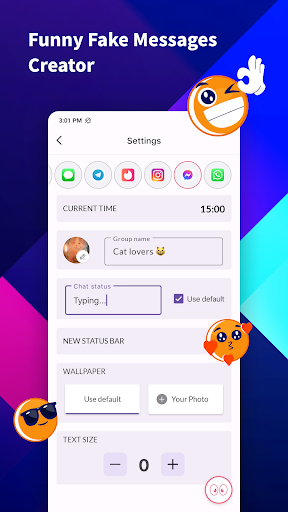
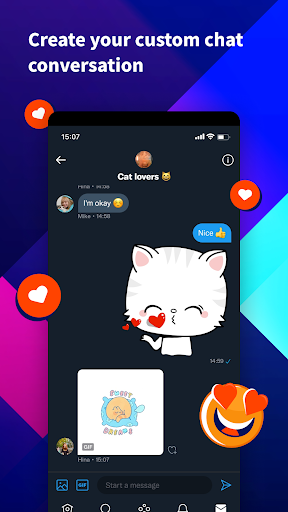
iFake is an app for Android devices that allows users to create fake conversations to prank their friends. The fake chat logs created by this app are incredibly realistic, and users can add various emojis or customize the background of their conversations to make them look even more authentic. You can also simulate posting on social media, adding various numbers to make your posts even more believable.
Features:
Create realistic chat screens and notifications in popular messaging apps like iMessage, WhatsApp, Telegram, Twitter, Messenger, Snapchat, Tinder, LINE, Instagram and more with iOS, iPhone style lock screen.
Enjoy support for iOS emojis and unlimited group chats.
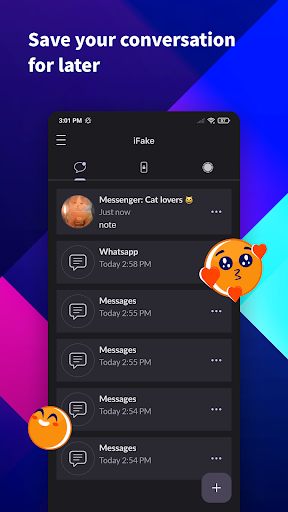
Save your projects on your device for later use.
Show off with an Instagram-verified icon and modify the fake chat background in Telegram or WhatsApp conversations.
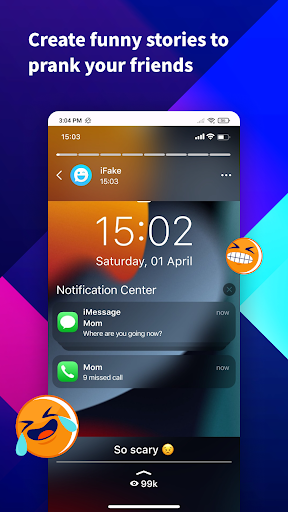
Create note stories and switch to dark mode.
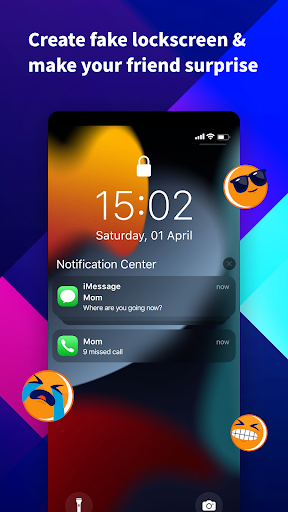
Impress your friends with fake notifications styled like the iPhone lock screen.
Create fake WhatsApp status notes and share with your friends.
Customize your Tweet post like Twitter
Highlights:
Generate fake chats
Its support for the iPhone-style lock screen and iOS emojis ensures that fake chats and notifications appear authentic and up to date. Users can create unlimited group chats, display an Instagram-verified icon, or customize the background of a conversation.
Simulate other messaging apps
Additional features include saving projects for future use, switching to a dark mode for lower light environments, and crafting fake note-style stories. Customization of tweet posts to resemble those on Twitter adds a layer of versatility to the pranks.
Generate fake notifications
Moreover, the capability to generate fake notifications styled to mimic the iPhone lock screen, and create and share faux WhatsApp status notes, can elevate pranks by adding a level of detail that closely mirrors actual user experiences on these platforms.
Tips:
Make fake chats: The application supports creating fake chats on popular applications for the purpose of teasing friends.
Fake chat is 100% accurate: To create a perfect fake product, you can use emojis to the corresponding interface.
Focus on teasing friends: This creativity should only stop at creating fun for friends.
Pretend to receive a notification: An image with a fake notification is very easy to make.
Make your friends confused: Your friends won't know why they received such a notification.
Customize carefully: In-depth customization is absolutely helpful in maximizing the teasing content you come up with.
Social network posts: Social networks like Facebook or Instagram can have fake posts.
Possessing unbelievable parameters: You can add numbers to increase your popularity many times compared to reality.
Change every detail: Every detail of a post or message needs to be edited and checked in detail before use.
Satisfy your curiosity: Whatever you need can be satisfied if you take full advantage of the application's features.
Save products: A library will be continuously expanded by fake posts or messages.
Continue to be creative: If you feel the products are not realistic enough, you should try to continue upgrading them to a higher level.
Usage:
Open iFake, then choose a chat or post template that matches your target platform.
Next, add participants, their display names, and profile images to define the characters.
Then write messages and switch senders as needed, adjusting timestamps and delivery indicators.
After that, toggle dark mode, select iOS emojis, and add a lock screen notification or status note if required.
Finally, save the project, export a high-quality screenshot, and share it with your chosen audience.
Conclusion:
Overall, iFake is an entertaining app that provides a fun way to play pranks on friends or create fictional conversations for personal reasons. However, it's essential to remember not to misuse the app by spreading false information or misleading others intentionally.