Video Downloader & Video Saver
Entertainment
2026-11-06
21.90MB
2.4
Android
451
Screenshots
Introduction
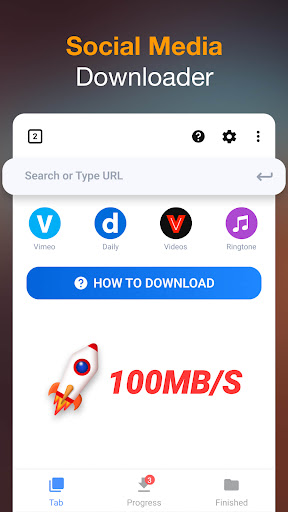
Video Downloader & Video Saver is a powerful application designed for downloading videos. Featuring a clean and intuitive interface, it is easy for users to get started right away. The app boasts excellent compatibility, allowing users to download videos, images, and audio from a wide range of popular platforms and media sources. It supports various output formats and resolutions, enables the simultaneous downloading of multiple files, and allows for background caching. With robust customization features, users can efficiently manage their downloads by categorizing files and organizing them into specific folders or collections. The app ensures high-quality downloads with fast processing speeds, making it a convenient tool for both work and daily life, while giving users greater control over their online content.
Features:
Automatic Video Detection
The application features a clean and seamless system design. As you browse the web, the video downloader automatically identifies video files; with just a single confirmation from you, it can...
quickly initiate batch downloads
This feature is especially convenient when you want to save tutorials, educational materials, or any other downloadable content to view later.
Streamlined Download Process
Integrating this application into your web browsing experience significantly simplifies the download process. Before performing a batch download, you simply follow a few straightforward steps: browse the content, preview it, select the desired files, and download—all within the same application.
Support for Multiple File Formats
The video downloader is more than just a tool for videos; it also supports a wide range of other file types, including audio, documents, and more.
Offline Video Playback
Once you have successfully downloaded a video, you can open and play it directly within the application. This minimizes unnecessary steps, ensuring an efficient experience for both downloading and watching your files.
Background Downloading and Storage Optimization
The background downloading feature is highly practical; it allows you to continue using other tabs or applications while your files download in the background, so you don’t have to wait for the process to finish.
Highlights:
Download videos from Instagram, IGTV, Facebook, Twitter, TikTok, WhatsApp, and Tumblr—stably, securely, and quickly.
Supports segmented downloading, which significantly boosts download speeds.
Choose from various resolutions: save storage space by selecting smaller file sizes, or enjoy high-definition viewing by opting for HD mode.
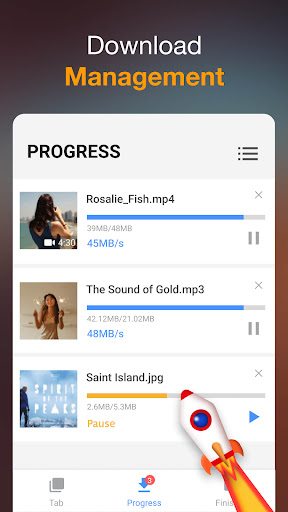
Download multiple files simultaneously, with support for background downloading.
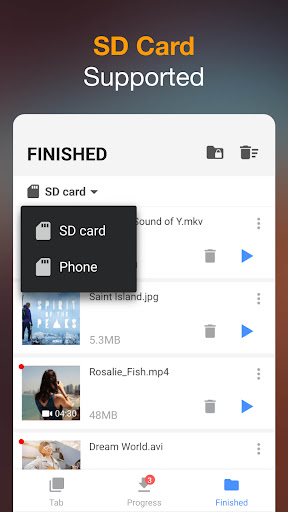
Includes a built-in browser and file manager. Pause, resume, or delete downloads; rename, play, share, and manage your files—all within a single app.
Dedicated private folders: create your own password-protected folders to keep your files and personal privacy secure.
FAQS:
What types of content can I download using Video Downloader & Video Saver?
You can download video and audio from a wide range of online platforms, including social media sites and video-sharing websites.
How does Video Downloader & Video Saver help me manage my downloaded files?
It features a built-in download manager that allows you to pause, resume, and cancel downloads, giving you full control over the download process.
Can I customize the quality of the videos I download?
Yes, Video Downloader & Video Saver allows you to select your preferred video quality and format before downloading, ensuring that the files meet your specific requirements.
Advantages and disadvantages:
Pros
Auto-detection and a built-in browser speed up downloads
Background and simultaneous downloads with pause and resume controls
Cons
Compatibility can vary by site and change over time
Conclusion:
Video Downloader & Video Saver serves not only as a platform for sharing information, but also as a space for expressing ideas, beliefs, and concerns. A single idea can be conveyed in various ways, with each approach appealing to a different audience and, consequently, fostering distinct audience groups.