Game Turbo
Tools
2026-10-10
1.62MB
2.0.1
Android 10.0 and up
151
Screenshots
Introduction
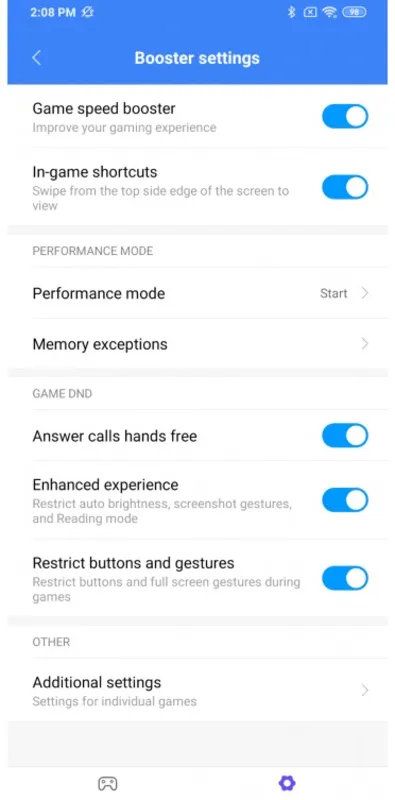
Game Turbo is a game accelerator designed specifically for Xiaomi users. It helps allocate more memory and processing power during gameplay, ensuring a smoother gaming experience. The app offers various game modes that can be activated based on specific needs, effectively catering to the preferences of different players. It also intelligently adjusts settings according to the game's demands to provide optimal performance support. With its clean interface and simple controls, the app is easy for anyone to use.
Features:
Focused resources for gaming
First, Game Turbo can allocate more memory and processing to the game you open so it runs more smoothly. This supports titles that may call for maximum RAM during play.
Simple interface
Next, after setup, you choose the performance settings you prefer and start your game. The layout is minimalist and easy to scan on a phone screen. If you plan to update, confirm the Game Turbo latest version matches your device model.
Game aware adjustments
In addition, the app identifies the technical requirements of different games and supplies the power that each one needs. This reduces manual changes when you switch between genres or titles.
Background continuity
Finally, other apps can keep running in the background so you can reply or check information without closing your game. When you return, your session remains in place.
Highlights:
In typical Xiaomi fashion, Game Turbo has a minimalist interface that makes the using the app quite simple. Basically, you just have to open the app and select the performance settings that you want to set to improve how your smartphone runs games.
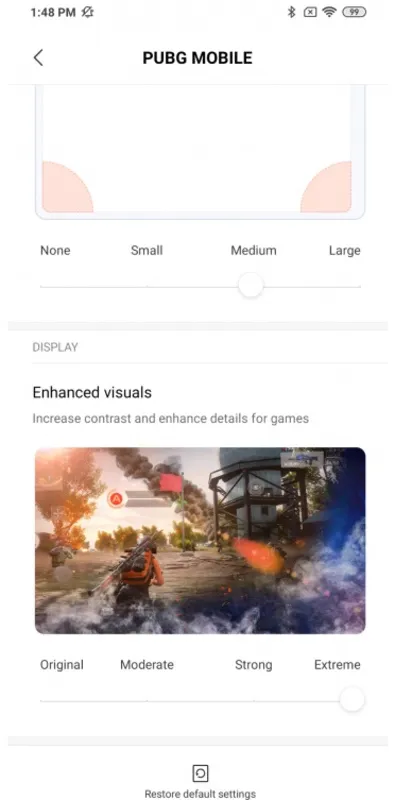
Depending on the type of game you're going to run, you'll need to have more or fewer resources available. In any case, the app itself is able to identify the technical requirements of the different games to give them the power needed to run each one.
Game Turbo is one of those system apps that Xiaomi incorporates in its devices to boost the performance of your favorite video games. It's essential to make the most of the technical capabilities of your smartphone if you want to play games without interruptions or annoying lag problems. In addition, this app allows the rest of your apps to continue running in the background so you can use them if you need them.
Pros and Cons:
Pros
Manages RAM, CPU, and GPU resources for demanding games
Provides frame rate and CPU temperature monitoring
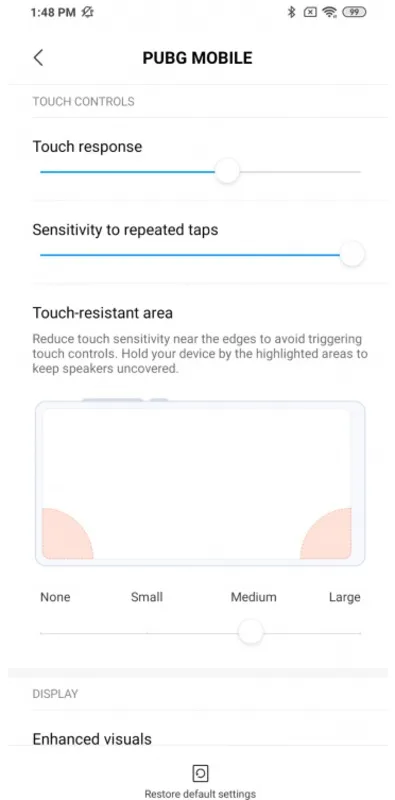
Includes useful touch sensitivity and notification controls
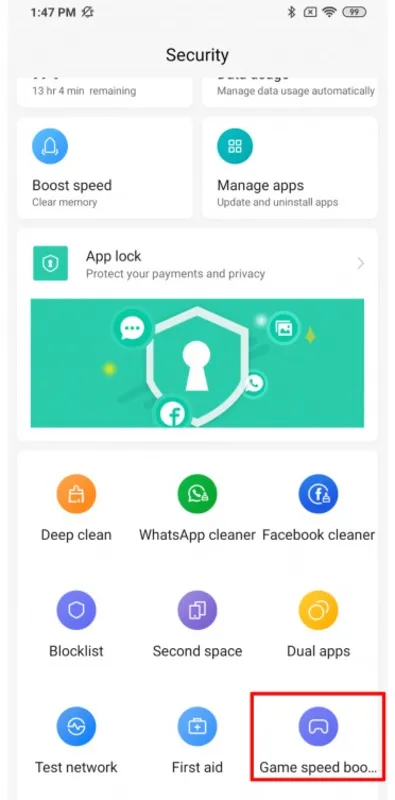
Integrated directly into HyperOS Security
Cons
Restricted to supported Xiaomi, Redmi, and POCO devices
Feature availability and rollout timing vary by model and region
FAQs:
How does the performance mode work?
The utility works by prioritizing system resources and clearing background tasks to ensure the processor focuses entirely on the active game. This reduces latency and prevents sudden frame rate drops during intense gameplay.
Is Game Turbo compatible with all games?
Yes, Game Turbo is designed to recognize and optimize almost any title installed on your device, from casual puzzles to heavy 3D shooters. It automatically detects new installations and adds them to the optimization list for quick access.
Can I record my gameplay using this tool?
Absolutely, this solution includes a built-in screen recording feature that captures high-quality video and internal audio without impacting the device’s speed. It allows players to save their best moments and share them with friends or on social media platforms easily.
Conclusion:
If you use a smartphone and tablet made by Xiaomi and plan to use your devices for gaming a lot, the Game Turbo app is pretty much a must-have to get the most performance for games. It's easy to use, offers plenty of features, and is quite configurable to just how you want it. Give this one a try now if you haven't yet.