
Facebook Meta
Tools
2026-11-09
21.90MB
2.4
Android
295
Screenshots

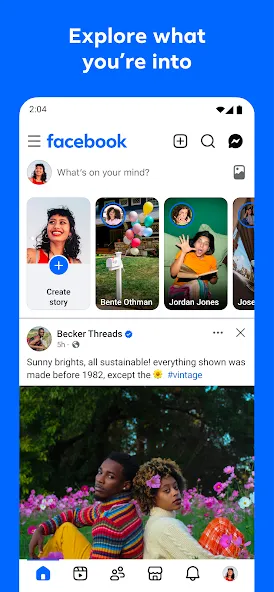
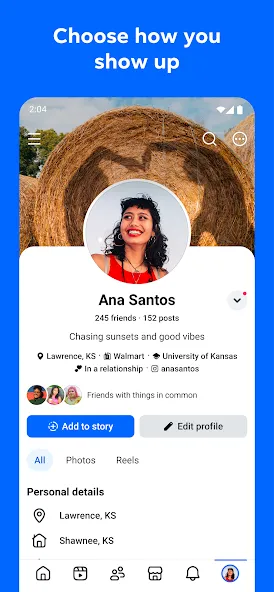

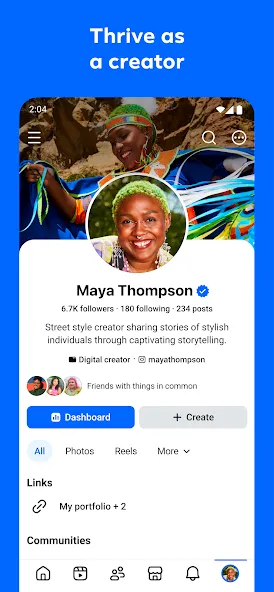
Introduction
Facebook Meta is a social networking application designed for Android users. It features a clean, straightforward layout that allows users to get started quickly, standing out for its intuitive functions and ease of use. To access the platform, users must first register an account by setting up a username and password. The app enables users to search for and connect with friends based on specific criteria. It offers robust security measures to protect user privacy, along with data backup and caching capabilities. With excellent compatibility, the app allows users to share content and host live streams with friends. Furthermore, it includes powerful customization features, providing a personalized experience tailored to each individual user.
Features:
Connect with Friends
Find and connect with all your friends and family. Use the search function to look up people you know and see if they are registered on the platform. If they are, simply send a friend request to establish a connection. A standard account can have up to 5,000 friends, with no limit on the number of friend requests you can send or receive.
Share Your World
Share whatever you like on your own profile or on the profiles of your friends. You can post long-form text, photos, videos, and more—you can even go live. If you enjoy something a friend has posted, you can share it to your own profile for others to see. You can also comment on other people’s posts and invite others to comment on yours. Sharing content is a core feature of this social media platform.
Customize Your Experience
A wide range of customization options allows you to tailor the experience to your own needs. As you would expect, you can personalize your profile picture, cover photo, and all your public information. Furthermore, you can adjust how the app functions via the Settings & Privacy menu. You can control who is able to see your posts, send you messages, or submit friend requests. In short, you have full control over who sees what you share—you decide how you use your social media.
Discover Communities You’ll Love
Explore various communities where you can meet and interact with like-minded users. You’ll find communities of all kinds—from groups dedicated to memes or politics to fan communities centered around specific movies or books.
Highlights:
Personalize your feed to see more of what you love and less of what doesn’t interest you
Watch Reels that reflect your personal interests
Join groups to learn tips and insights from those with relevant experience
Get inspired by creators or stay connected with friends
Add new friends and choose how closely you want to stay connected with them
Send private messages—share posts that only your closest friends would understand, or pass along trending Reels
Chat with friends via video or voice calls
Use generative AI to create custom stickers and images that will surprise your friends
FAQS:
How is my feed personalized?
The platform’s algorithm analyzes your interactions—such as the posts you like, comment on, or share, as well as the user profiles you visit—to understand your preferences. It then prioritizes content from these sources and topics, ensuring that your feed remains highly relevant to your interests.
Can I shop on Facebook Meta?
Absolutely. You can browse, buy, and sell a wide variety of local items. It’s a great way to discover products, connect with sellers, and even find unique pieces that align with your personal hobbies.
What kind of content can I share on Facebook Meta?
You can share a diverse range of content, including text updates, photos, videos (such as short-form Reels), links, and even live streams. The platform also supports the sharing of creative content—like images reimagined through artificial intelligence—allowing you to showcase your unique personality.
Advantages and disadvantages:
Pros
Convenient desktop access
Reliable real-time notifications
Easy and familiar interface
Cons
Higher memory usage
Conclusion:
By curating feeds centered around topics of interest to users, Facebook Meta enhances community interaction, making it easy for individuals to follow discussions and share their own thoughts. Designed to connect people who share common interests, it serves as a valuable tool for anyone looking to engage more deeply within a community.





-
Latest Updates
-
Featured Apps