
DraStic DS Emulator
Tools
2026-09-15
10.42MB
r2.6.0.4a
Android
524
Screenshots
Introduction
DraStic DS Emulator is a powerful gaming emulator that allows users to play Nintendo DS games on Android phones. It supports loading your own NDS files and boasts exceptional performance, ensuring smooth gameplay even on low-end Android devices. Additionally, it enhances visual clarity, providing a superior gaming experience. The app supports external controllers, allowing for smoother and more responsive gameplay. It also features a quick-save function, enabling users to save their progress—and resume playing—at any time and from anywhere.
Features:
Enhanced 3D rendering
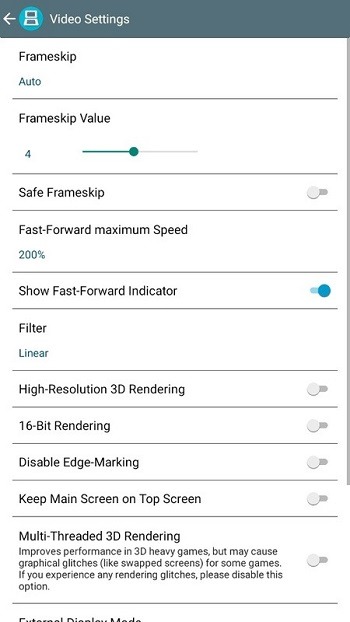
DraStic DS Emulator can upscale 3D graphics up to 2x to make visuals clearer on modern screens while keeping gameplay responsive. This option helps older titles look cleaner without altering how they play. You can enable it per game to balance clarity and performance.
Flexible dual screen layouts
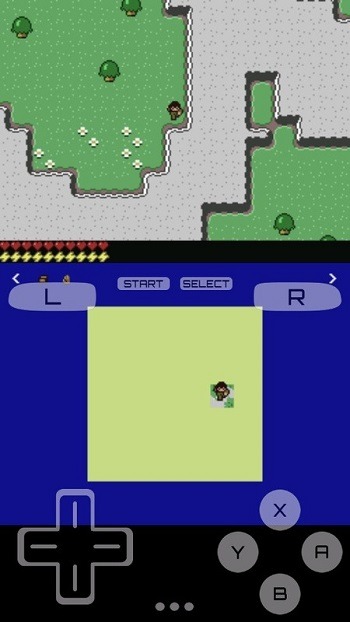
Beyond visuals, you can freely resize and reposition the two DS screens for comfortable viewing. Portrait or landscape layouts are supported, so the interface fits how you hold your phone or tablet. Custom ratios help keep text readable and action focused.
Controller support and precise touch
For input, you can use add on controllers, built in physical buttons, or Bluetooth gamepads. Touch and stylus style input remains accurate for games that rely on tapping or drawing. Button mapping lets you match controls to your grip and play style.
Save states and quick resume
When you need a break, save states let you capture your progress at any moment. You can resume instantly without returning to an in game save point. This works well for short sessions and keeps your place secure.
Cheats and speed control
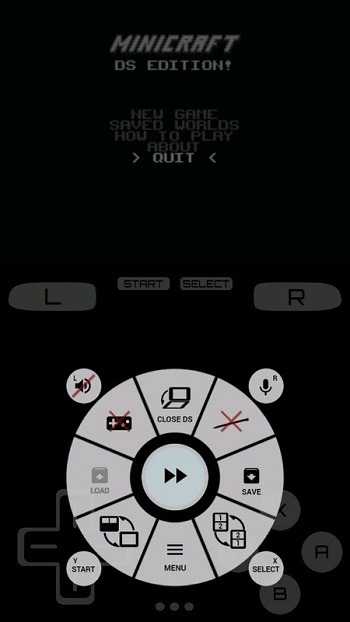
To manage pacing, fast forward mode speeds up emulation during slow scenes or grinding. A built in cheat database provides enhancement codes per game to tune difficulty or unlock extras. Use these tools as needed to tailor your experience.
Highlights:
High-end 3D graphics for a realistic gaming experience.
Compatible with most Nintendo DS games and homebrew applications.
Customizable on-screen gamepad and support for external controllers such as the MOGA Pro or Nyko PlayPad Pro.
Save states allow you to save your progress at any time during gameplay and resume from that point later on.
Fast forward mode lets you speed up certain games’ slow sections without sacrificing emulation quality accuracy.
Cheat codes can unlock hidden features or gain an advantage over other players online (where applicable).
Pros and Cons:
Pros
Six window modes
Controller customization
Variety of audio and visual settings
Google Drive support
Cons
Lacks multiplayer support
Great performance depends on the device's specs
FAQs:
What is DraStic DS Emulator used for?
DraStic DS Emulator is used to run Nintendo DS games on Android devices. It lets users load their own legally backed-up NDS files, adjust screen layouts, use save states, and play with touch controls or supported gamepads.
Does DraStic DS Emulator include Nintendo DS games?
No, DraStic DS Emulator does not include game files. Users need their own legally obtained ROM backups. This keeps the app focused on emulation, while the game files remain the user’s responsibility.
Can DraStic DS Emulator run smoothly on low-end Android phones?
It can run well on many mid-range and some low-end Android phones, but results depend on the device’s processor, RAM, and game settings. Reducing graphics scaling or using simpler layouts can help improve performance.
What features make DraStic DS Emulator useful for mobile play?
The app offers quick save states, customizable dual-screen layouts, virtual controls, stylus support, controller support, fast-forward, cheats, and graphics settings. These features make DS games easier to play on a touchscreen.
Does DraStic DS Emulator support online multiplayer?
DraStic DS Emulator usually does not support Nintendo DS WiFi or online multiplayer features. It is better suited for single-player games, local game progress, and offline play on Android.
Conclusion:
Download DraStic DS Emulator's APK to play every game in the Nintendo DS catalog on your Android device. This emulator is perfectly optimized, so you can play virtually any of its video games on mid-range and low-end Android devices. It's a powerful, fast, highly compatible, totally free emulator.




-
Latest Updates
-
Featured Apps






