Wifi Password
Tools
2026-11-05
6.72MB
3.10.3
Android
441
Screenshots

Introduction
Wifi Password is an application designed for the Android operating system that helps users recover network connections. Featuring a clean and intuitive interface, the app is easy to navigate and offers a comprehensive, powerful suite of tools—including the ability to retrieve lost passwords and scan QR codes—to provide effective connectivity solutions. Users can employ the app to unlock Wi-Fi networks and reveal passwords, which can then be copied, pasted, or shared via email. With excellent compatibility, it supports a wide range of Android devices and platforms. The app eliminates the need to memorize complex passwords, allowing for quick and seamless network access. Furthermore, it has a small file size and ensures a fast download experience.
Features:
Find and Connect to Free or Shared Wi-Fi
Locate free and user-shared hotspots nearby and connect with a single tap—no need to fumble with passwords in crowded places. The app filters results to show only open or community-shared networks.
Security Checks Before You Connect
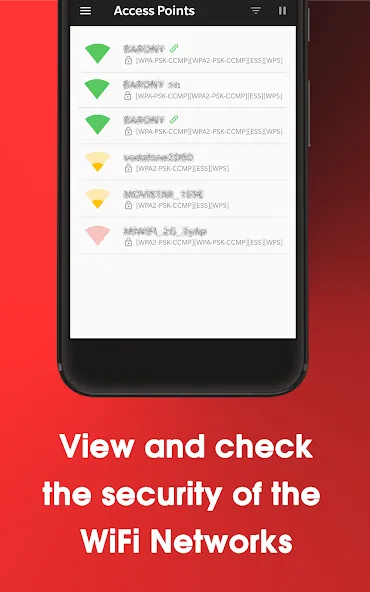
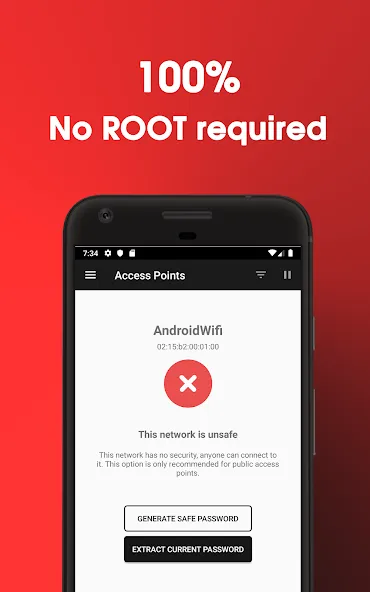
The app performs quick tests on encryption, ARP, and DNS to help you steer clear of risky networks. You can review key security indicators before deciding whether to connect, allowing you to browse with greater peace of mind in unfamiliar environments.
Wi-Fi Password Display and QR Code Sharing
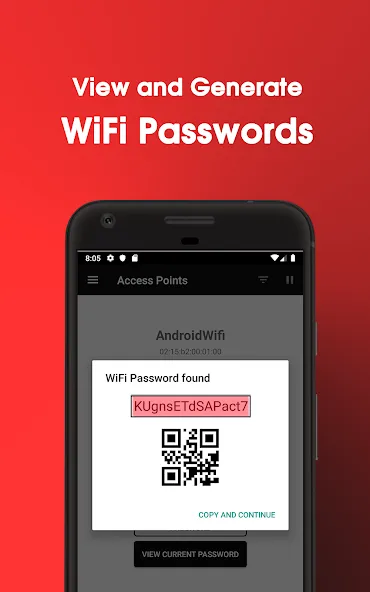
View the Wi-Fi credentials already saved on your device (where permitted by the Android system). You can also share passwords via QR code, allowing others to connect instantly by scanning—a convenient way to let friends join without revealing the password in plain text.
An All-in-One Toolkit for Everyday Wi-Fi Tasks
Access features like Wi-Fi maps, network lists, signal strength meters, speed tests, and a view of currently connected devices. These tools make it easy to choose the best hotspot and monitor performance, so you spend less time guessing and more time online.
Personal Hotspots and Credential Sharing
Create a personal hotspot to share your mobile data whenever needed. You can also share Wi-Fi connection details without disclosing the actual password—perfect for use in cafés, during meetings, or when hosting guests at home.
Community-Driven with a Focus on Privacy
The app displays only free, open, or user-shared networks. By design, shared passwords are not made public on any server. Furthermore, the app does not crack or hack into protected networks.
Highlights:
Identify nearby access points
Graph channel signal strength
Graph access point signal strength over time
Analyze WiFi networks to rate channels
HT/VHT detection – 40/80/160 MHz (requires Android OS 6+)
Access point view: full or compact
Estimated distance to access points
Export access point details
Dark or light themes available
Pause/resume scanning
Available filters: WiFi band, signal strength, security, and SSID
Permissions:
Access approximate location only when running in the foreground
This app can access your approximate location from location services while in use. Location services must be enabled on your device for the app to access your location.
Access precise location only when running in the foreground
This app can access your precise location from location services while in use. Location services must be enabled on your device for the app to access your location. This may increase battery consumption.
View network connections
Allows the app to view information about network connections, such as which networks exist and are currently connected.
View Wi-Fi connections
Allows the app to view information about Wi-Fi networks, such as whether Wi-Fi is enabled and the names of connected Wi-Fi networks.
Run foreground services
Allows the app to use foreground services.
Run at startup
Allows the app to launch as soon as the system has finished booting. This may increase startup time and, by remaining active, could reduce the overall performance of your phone.
Use biometric hardware
Allows the app to use biometric hardware for authentication.
Use fingerprint hardware
Allows the app to use fingerprint hardware for authentication.
Prevent phone from sleeping
Allows the app to prevent the phone from entering sleep mode.
Advantages and disadvantages:
Pros
Simple, Easy-to-Navigate Interface
Quick Connections
Easy Sharing Options
WiFi Security Feature
Cons
Annoying Ad Inserts
Conclusion:
Whether for personal use or for helping friends and family, Wifi Password is a comprehensive tool that grants you access to free WiFi anywhere in the world. Perfectly blending connectivity with security, this app is a practical choice for anyone who needs to get online.





-
Latest Updates
-
Featured Apps