WhatsGo Pro
Tools
2026-10-26
9.10MB
21
Android
379
Screenshots
Introduction
WhatsGo Pro is a data migration application designed for the Android operating system. Featuring a user-friendly interface, it allows users to get started quickly and easily transfer data from an old phone to a new one. The application offers exceptionally fast transfer speeds, enabling data to be moved and saved in a very short amount of time. It also ensures high levels of security, keeping your data safe and preventing loss. Furthermore, it supports cross-platform data transfer and boasts excellent compatibility. With its small footprint and low memory usage, the app runs smoothly and reliably. It supports a wide range of Android devices and remains functional even on older versions of the Android operating system.
Features:
Status Photo and Video Saver
Save status photos and videos from your chosen status folder. Use the in-app folder picker, follow the provided guide to grant folder access, and then select the items you wish to save. Please ensure you have the owner's permission before saving or sharing any content.
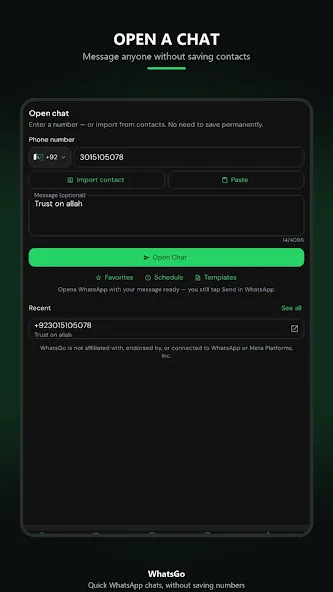
Direct Chat Without Saving Contacts
Enter a phone number, select the country code, and add an optional message. Open a conversation in WhatsApp without needing to add the number to your phone's contact list—perfect for one-off interactions with customers, delivery partners, businesses, or support teams.
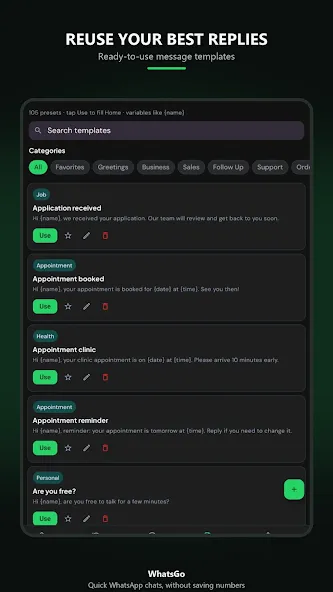
Create and Reuse Message Templates
Draft text message templates for common responses and frequently asked questions. When starting a chat, you can use these saved templates directly, eliminating the need to retype the same messages.
More Ways to Organize Your Messages
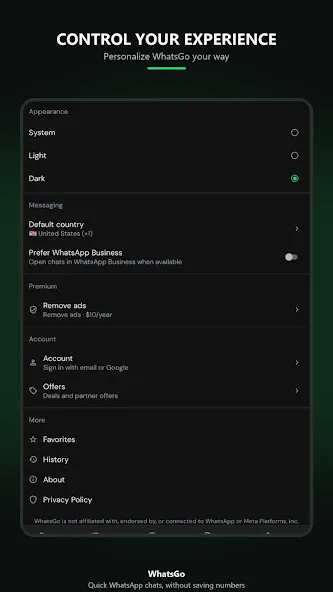
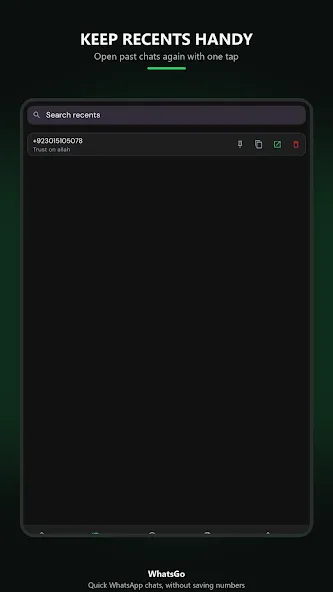
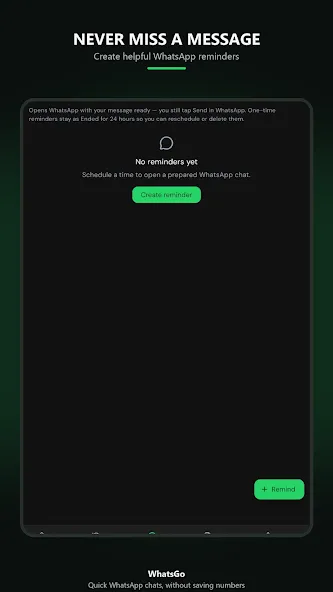
Add frequently used numbers to your favorites, quickly access recent chats, set message reminders, customize themes and default settings, and sign in to sync your selected settings, templates, and favorites across multiple devices.
Highlights:
Complete Mobile Data Transfer
Quickly transfer essential files—including messages, call logs, photos, videos, music, and documents—directly to your new iPhone.
Comprehensive WhatsApp Migration
Seamlessly transfer all your WhatsApp and WhatsApp Business conversations—including images, videos, voice notes, stickers, and attachments—without any data loss.
Flexible and Convenient Transfer Methods
Use an OTG cable for a fast and stable transfer of WhatsApp messages between devices, or transfer media files like photos, videos, and audio via a local Wi-Fi connection.
High-Speed Data Transfer
With an average transfer speed of up to 35MB/s, you can complete your data transfer in the shortest possible time.
Cross-Platform Compatibility
Migrate data directly from Android devices to an iPhone without needing to reset your iOS device. All data is transferred securely and completely.
Supports All Major Brands
Compatible with a wide range of Android brands, including Samsung, Huawei, OPPO, vivo, Xiaomi, Redmi, Pixel, Wiko, and more.
FAQS:
Can I recover deleted WhatsApp messages using WhatsGo Pro?
Yes, WhatsGo Pro includes a feature for recovering deleted WhatsApp messages.
How does WhatsGo Pro back up WhatsApp messages?
WhatsGo Pro uses the existing backup files on your device to create a backup of your WhatsApp messages.
Can I use WhatsGo Pro to transfer WhatsApp messages between devices?
Yes, WhatsGo Pro offers the ability to transfer WhatsApp messages between different devices.
Does WhatsGo Pro support restoring WhatsApp messages to a new device?
Absolutely! WhatsGo Pro can help you easily restore your WhatsApp messages to a new device.
Advantages and disadvantages:
Pros
Simple to use
Fully featured
Highly secure
Cons
Contains ads
Conclusion:
That covers everything you need to know about the WhatsGo Pro APK; please feel free to download and use the app with complete peace of mind. Whenever you decide to upgrade or switch devices, you can use WhatsGo Pro to easily transfer your WhatsApp data between Android and iOS. It ensures a secure and efficient migration, so you’ll never have to say goodbye to your old data again!
-
Latest Updates
-
Featured Apps