88 VPN
Tools
2026-10-25
19.60MB
2.0.1
Android
180
Screenshots
Introduction
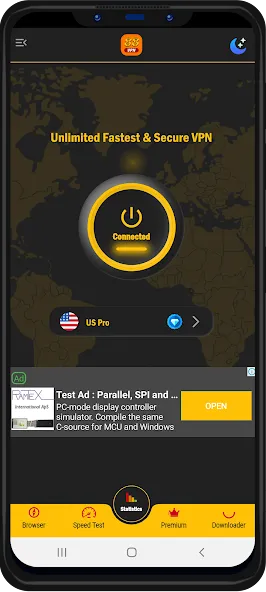
88 VPN is a VPN tool designed for Android devices. It offers free access to VPN nodes, allowing you to use the service without any financial cost. Your data is encrypted, helping to mask your online identity, and the tool can unlock websites that are otherwise inaccessible due to geographical restrictions. Featuring a user-friendly interface, the app ensures a fast browsing experience and provides a stable connection for streaming content or downloading files. It is simple to use, offering seamless VPN connectivity. A free plan is available, and the built-in browser provides quick access to thousands of websites.
Features
Free VPN Hotspot without spending: With 88 VPN, you can use a VPN without cost. It’s great for those who need help always but don’t want to pay for a top VPN.
Secure VPN Proxy: The app ensures that your data is encrypted and your online identity is masked. This means you can surf the web without worrying about hackers or ISPs snooping on your activities.
Unblock Websites: Have you ever felt frustrated because you could not get to a website because of rules about where you live? 88 VPN lets you get around those blocks. It gives you the freedom to explore the internet without limits.
User-Friendly Interface: The app is designed with simplicity in mind. You don’t need to be a tech wizard to navigate through its features. A few taps and you’re ready to go!
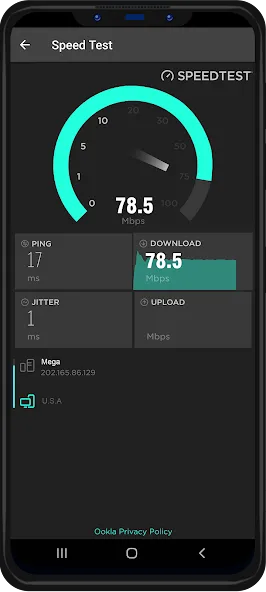
Fast Connection: Slow internet can ruin online activities, particularly when streaming or downloading things. 88 VPN provides a quick and steady connection, making sure a smooth experience online.
Modes/Functionality
One-Tap Connection: Seamlessly connect to the VPN with a single touch.
Smart Region Selection: Automatically connect to the best server based on your location.
Streaming Mode: Optimize the connection for smooth streaming of videos and content.
Advantages and disadvantages
Pros
Free plan for occasional VPN use
Integrated browser includes bookmarks and site shortcuts
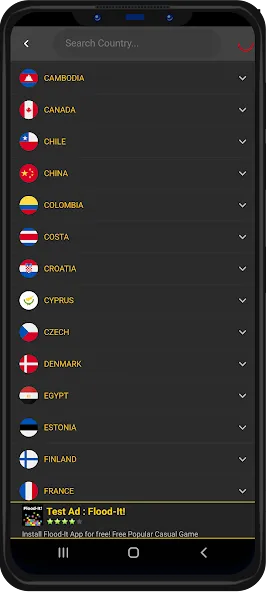
Hundreds of servers for changing virtual location
One-tap connection keeps setup simple
Cons
Some servers can take a long time to connect
Users report failed connections and uneven gaming performance
FAQS
Can my internet service provider (ISP) see what I download when I use a VPN?
No. When you use a VPN, your internet service provider (ISP) cannot see what content you are downloading. While your ISP may be able to detect that you are using a VPN, they cannot see your specific online activities. A VPN encrypts your internet traffic and routes it through its own servers; this means your ISP only sees indecipherable data being sent to the VPN’s servers. A VPN ensures that your downloads and the websites you visit remain hidden from prying eyes.
How should I choose a VPN app?
It is best to choose a VPN that has undergone independent audits or has been verified through legal proceedings to truly enforce a "no-logs" policy. Additionally, ensure that the VPN uses robust encryption standards, offers an extensive server network (with servers located near you), provides apps for all your devices, and includes a money-back guarantee so you can try it out risk-free.
Can I download a VPN for free?
Yes, you can download a VPN for free. However, free VPN services must cover their operating costs in other ways—such as by showing you advertisements or collecting and selling your data—which defeats the very purpose of using a VPN. It is recommended to opt for a paid, premium service; such services typically adhere to a strict "no-logs" policy and offer a money-back guarantee, allowing you to test them risk-free.
Summarize
88 VPN is designed specifically for Android users, offering fast and convenient privacy protection. It seamlessly integrates one-tap VPN connectivity with a built-in private browser. With a free tier, hundreds of international proxy servers, and tools for accessing region-restricted content, it stands out as a more compelling option than basic, single-function VPNs.
-
Latest Updates
-
Featured Apps