
PrettyUp
Entertainment
2026-09-03
226.09MB
7.7.1.1
Android 5.0+
235
Screenshots
Introduction
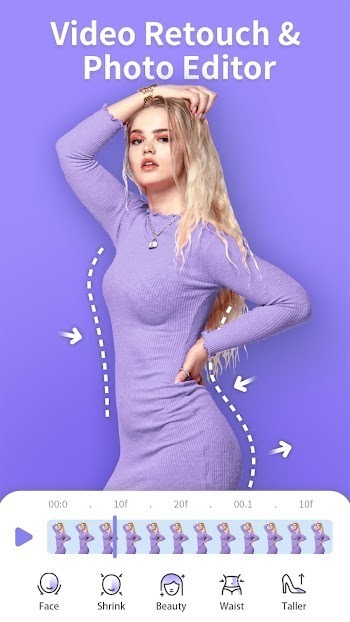
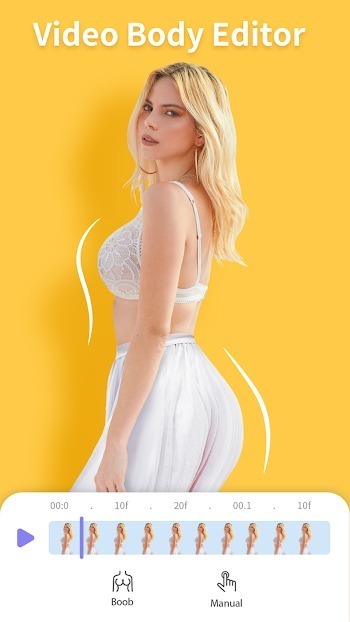
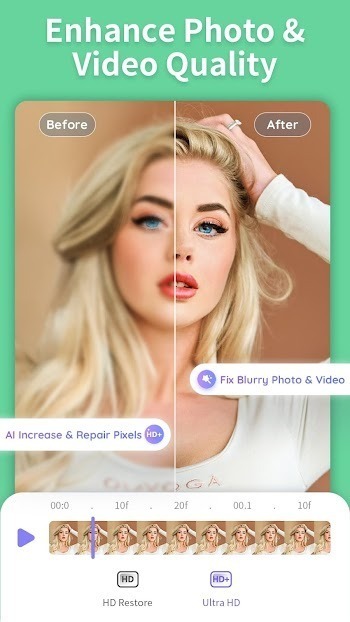
PrettyUp is a powerful face and body editing application. It offers video shaping and background protection features, allowing users to better define abs or sculpt buttocks, reducing distortion. It also provides facial retouching and makeup options. Users can customize details using preset makeup looks or by using a makeup brush. The app also includes built-in AI tools to help users remove objects or people, improve photo and video clarity, and easily try different hairstyles and change hair color. Furthermore, the app allows for multi-face editing and precise control, making it easy for users to select the subjects they want to edit for a better user experience.
Features
Video body shaping with background protection
Slim waist and legs with adjustable strength controls.
Tone shoulders and arms for balanced proportions.
Adjust head size and refine body ratio when needed.
Define abs or shape hips while Background Protect reduces warping.
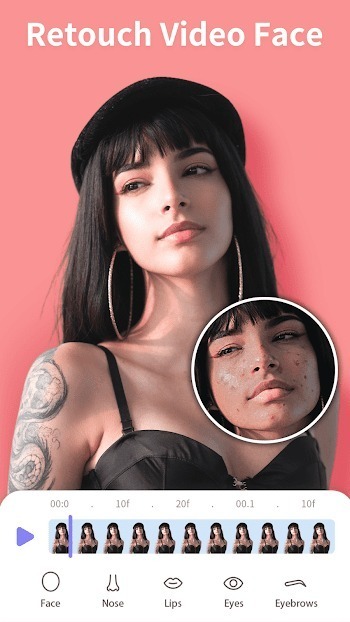
Face retouch and makeup options
Smooth skin and remove spots or eye bags.
Reshape facial features such as eyes or nose with fine sliders.
Whiten teeth and set a natural or warm skin tone.
Apply preset makeup looks or customize details with a makeup pen.
AI tools for quick fixes
Remove unwanted objects or people from scenes.
Enhance photos or videos to high definition with AI.
Try hairstyles and change hair color virtually.
Apply one-tap AI makeup or swap flawed expressions.
Use AI Flashlight options to match lighting needs.
Multi face editing and precise control
PrettyUp can detect multiple faces and bodies in one shot so you can choose who to edit. You can adjust left and right sides separately and use the segment editor to retouch different parts of a clip. Before you download PrettyUp, note that these controls work for both photos and videos, and camera distortion correction helps restore natural proportions.
Tips
Start by selecting a video you want to edit and familiarize yourself with the tools available at the bottom of the screen.
Use the face editing tools to reshape and customize facial features to achieve a perfect look.
Experiment with different filters to add a creative touch and make your selfies more beautiful.
Take advantage of the body editing options to adjust your figure and make yourself look stunning in videos.
Don't be afraid to explore the advanced features for more in-depth editing and customization.
Pros and Cons
Pros
User-Friendly: The interface of PrettyUp APK is designed for ease of use, making advanced editing accessible even to beginners. This user-friendliness ensures that anyone can achieve professional-looking results without a steep learning curve.
Versatile Editing: Offering a comprehensive suite of tools for both photo and video, the app allows extensive customization. Whether you're looking to refine facial features, reshape your body, or apply artistic makeup effects, PrettyUp APK covers all bases.
Realistic Results: Powered by advanced AI technology, the app ensures that all enhancements look natural. Users can expect modifications that don’t appear overdone, which is crucial for maintaining authenticity in their photos and videos.
Cons
Ads and In-App Purchases: One significant drawback of PrettyUp APK is the presence of ads and various in-app purchases. These can interrupt the user experience and might necessitate spending to unlock full functionality.
Learning Curve: Despite being user-friendly, some of the more advanced features in PrettyUp APK may require a bit of practice to master. Users new to photo and video editing might need some time to fully leverage the app’s capabilities, especially when using sophisticated AI-driven tools.
FAQs
What is PrettyUp?
PrettyUp is a mobile editing app built for Android users that helps you retouch photos and videos with face and body tools, real-time previews, and natural results.
Does PrettyUp work on all Android phones?
PrettyUp is optimized for a wide range of Android devices, offering smooth performance even on mid-range phones without draining your battery or slowing you down.
Can I edit both photos and videos in PrettyUp?
Yes, PrettyUp supports both photo and video editing. You can retouch facial features, reshape body parts, adjust color, and apply filters on either format.
Is PrettyUp free to use or does it require payment?
PrettyUp has a free version that includes major editing tools and saves files without watermarks. Some extra features may be unlocked with a paid upgrade.
What kind of edits can I do in PrettyUp?
You can reshape facial features, slim your waist, smooth skin, stretch legs, adjust color tones, and apply dynamic filters—all directly from your phone.
Conclusion
In summary, PrettyUp APK stands out as a powerful choice among beauty editing apps. With its user-friendly interface, versatile editing tools, and realistic results, it offers everything you need to enhance your photos and videos effortlessly. Whether you’re a seasoned editor or a beginner, this app can elevate your visual content to professional levels.
-
Latest Updates
-
Featured Apps









