
VMOS PRO
Tools
2026-08-22
40.30MB
3.1.4
Android
583
Screenshots
Introduction
VMOS PRO is a virtual machine application for Android devices. It allows users to recreate a virtual Android system on their device. This newly created virtual system is independent of the original system. Any operations performed within it will not affect the original system, thus ensuring the security of the user's mobile device. This application provides users with various customization options, allowing them to set the width and height according to their needs. Multiple Android versions are available for users to choose from, allowing them to select the version that best suits their requirements.
Features:
Dual accounts and multi instance
VMOS Pro lets you run another copy of apps inside a separate Android system. You can keep a second account for social apps or games without conflicts. Therefore, you can switch between work and personal profiles in one place.
Cloud phone for 24 hour online tasks
VMOS Pro offers a cloud phone that stays online all day. You can keep games, automation, or tools active while your physical phone is offline. Moreover, adjustable graphics help low spec devices handle tasks smoothly.
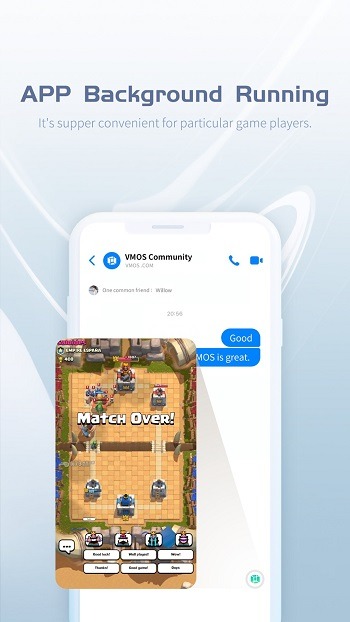
Persistent running in the background
Apps inside VMOS Pro continue working while you use other apps on the front screen. You can also let tasks run with the screen off to save power and data. This helps with downloads, queues, and time based activities.
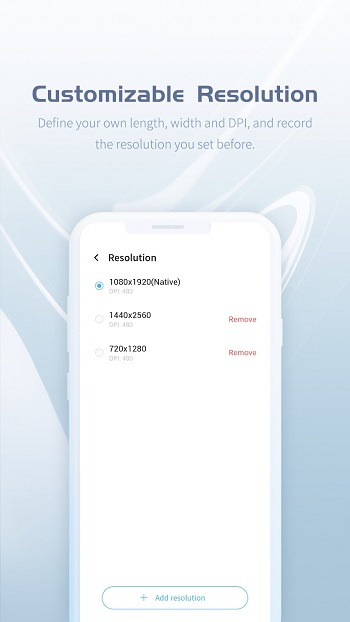
Custom resolution and DPI
VMOS Pro allows you to set width, height, and DPI to match your goals. You can save presets to switch between clarity and performance. In addition, custom profiles help fit different games and tools.
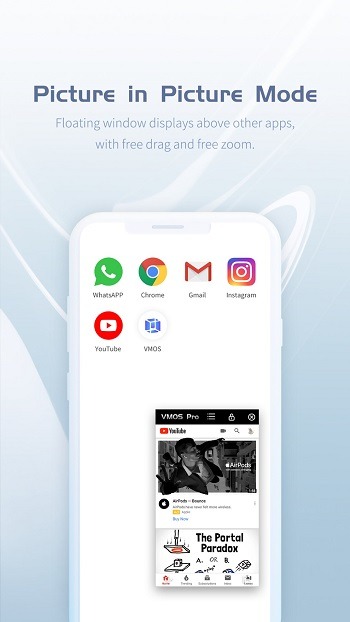
Floating window and quick controls
You can open the virtual phone in a floating window and operate it alongside your main system. A floating ball lets you switch, move, and return fast. Therefore, you can multitask without leaving your current screen.
ROM platform and developer options
VMOS Pro provides multiple Android versions such as 9.0, 7.1, 5.1, and 4.4 to match app needs. Some ROMs include Google services and the Xposed framework for advanced use cases. File transfer and cloning make moving data between systems straightforward.
Highlights:
Simultaneous Systems: Allows simultaneous operation of two independent Android systems on one device.
Privacy and Security: Keeps virtual system separate from real system for privacy and security.
Seamless Switching: Switch between real and virtual systems seamlessly.
No Data Access: Applications in a virtual system cannot access real system data.
Malware Protection: Protects against malware, spyware, and risky apps.
Location Privacy: Real device information, such as location, is kept private.
Easy Multitasking: Runs as a floating window for easy multitasking.
Uninterrupted Use: Use any app or game in the virtual system without disruptions.
Broad Compatibility: Compatible with most Android devices and versions.
Smooth Performance: Smooth performance and operation.
Pros and Cons:
Pros
Fully isolated virtual Android system
Supports app cloning and multi-account management
User-friendly root activation
Floating window and multitasking features
Highly customizable virtual environment settings
Cons
Requires a high-performance device for smooth operation
Limited compatibility with older or low-spec phones
Resource-heavy, which can impact battery life
FAQs:
What is VMOS Pro?
VMOS Pro is a mobile app that creates a virtual Android system on your device, allowing you to run two independent environments on the same phone.
Is VMOS Pro safe to use for rooting apps?
Yes, VMOS Pro allows rooting inside the virtual system without affecting your actual device, keeping your main system safe and warranty intact.
What devices are compatible with VMOS Pro?
VMOS Pro needs an Android phone with at least 2GB of RAM, 32GB of storage, and Android 5.1 or higher to function smoothly.
Can I run games and apps in the background with VMOS Pro?
Absolutely! VMOS Pro supports background running for games and apps without interrupting the main system, ensuring nonstop multitasking.
Does VMOS Pro slow down your main device?
If your phone has high specs, VMOS Pro runs smoothly without major lag, but older or lower-spec devices might struggle with performance.
Conclusion:
The app’s value is easy to understand. It gives users a separate Android space with more freedom than most clone apps, and that makes it genuinely useful for testing, isolation, and account management. At the same time, it asks a lot from the host device, so the best experience belongs to users with capable hardware and a clear reason to need a virtual machine on mobile in the first place.









