
UgPhone
Tools
2026-08-26
119.76MB
1.3.9.8
Android
429
Screenshots
Introduction
UgPhone is a utility for Android devices that helps users host games and apps in the cloud, keeping you online 24/7. It also supports running multiple games simultaneously. Connecting to global data centers provides users with an extremely stable network and very low latency, ensuring smooth gameplay. All app activities are performed in the cloud, allowing for a very smooth experience even on low-end Android devices. It also consumes minimal phone memory, significantly reducing power consumption and enabling 24/7 operation.
Features:
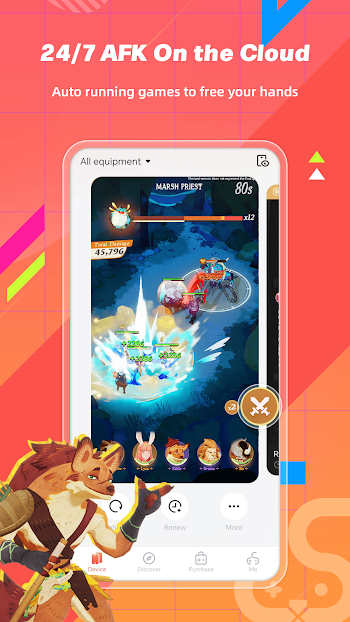
24/7 cloud hosting for AFK play
UgPhone keeps your games and apps online around the clock. You can close the local app or even power off the phone while tasks continue in the cloud. This setup supports AFK farming and background grinding without worrying about charging cycles. Progress carries on even when you are away from the screen.
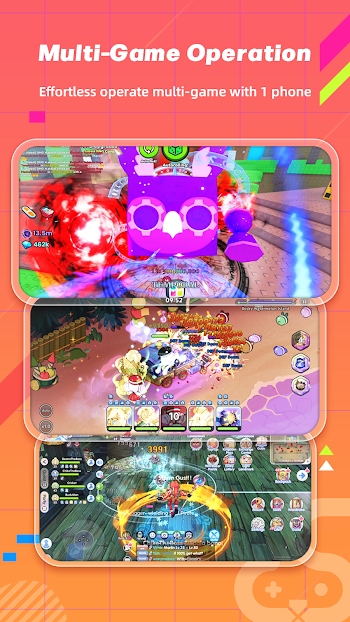
Multi-instance with synchronized control
You can launch multiple cloud phone instances and manage several game accounts at once. UgPhone also supports synchronized control, so mirrored actions can run across selected instances. This improves routine tasks like daily check-ins or resource collection. Switching between instances is quick, which helps during events or time-limited activities.
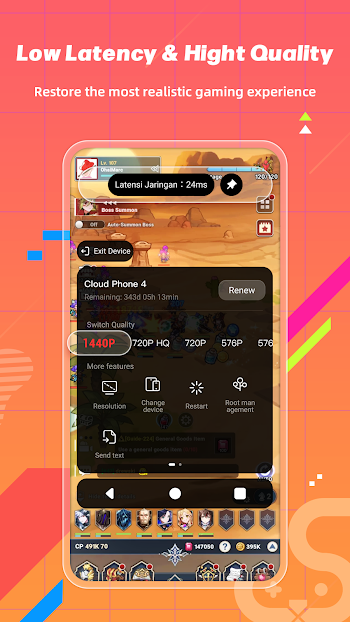
Global nodes for stable, low latency access
UgPhone connects through global data centers to improve connection quality across major regions. By selecting a suitable node, you can reduce delay and keep sessions stable during long runs. This also helps when traveling or playing at different times of day. Gameplay remains responsive while the cloud handles the heavy work.
Native Android system isolated from your device
UgPhone provides a complete Android system in the cloud, separate from your local phone. Apps run on remote hardware, so local storage and processing stay free. This isolation helps reduce heat and battery load on the device you hold. It also allows you to start or resume sessions from different phones or tablets without manual transfers.
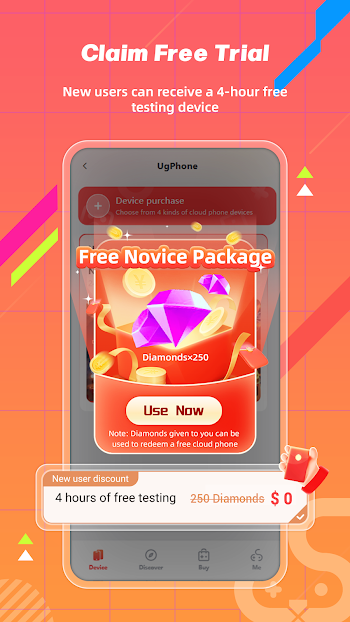
Free trial for new users
UgPhone offers a trial period so you can test cloud phone features before subscribing. During the trial, you can explore performance, multi-instance workflow, and network conditions. This makes it easier to decide if the service fits your daily schedule and game routine. You can then choose a plan based on how many instances or how much uptime you need.
Highlights:
Customisation Galore:
UgPhone is known for its wide customisation possibilities, letting customers personalise their devices. Custom themes, wallpapers, icon sets, and fonts are endless. UgPhone lets you customise every part of your handset, whether you choose minimalism or colourful colours.
Enhanced Performance:
The UgPhone's hardware and software are optimised for maximum performance. UgPhone's powerful CPU and RAM provide efficient multitasking and app and game navigation. Optimised software algorithms extend battery life, keeping your gadget charged all day.
Easy-to-use interface:
The simple UI makes UgPhone easy to use. Users of all ages can easily use their smartphone thanks to streamlined menus, smooth animations, and ergonomic design. No matter your tech level, UgPhone's straightforward UI makes using it easy.
Assistants with AI:
UgPhone's AI-powered virtual assistants boost productivity and convenience. These assistants are available to schedule appointments, create reminders, and answer questions to simplify your daily routine and give essential insights. UgPhone's assistants get more personalised and efficient using machine learning.
Pros and Cons:
Pros
Runs games without draining local battery heavily.
Good for AFK farming and long grinding sessions.
Supports multiple cloud phones and game accounts.
Offers several regions and performance plan tiers.
Works across Android, iOS, Windows, and web.
Cons
Performance depends on network and server choice.
Paid plans may be needed after trial use.
Some plans or regions can be sold out.
FAQs:
What is UgPhone used for?
UgPhone is used to run a cloud-based Android environment that lets you access apps and games from around the world, manage multiple accounts, and perform tasks without using your phone's local resources.
Can I run multiple games at the same time with UgPhone?
Yes, you can run multiple games simultaneously on different devices using just one UgPhone account. It supports multi-account operations and synchronized actions.
Is UgPhone safe for storing data?
UgPhone operates using cloud storage, which keeps your data safe from local device risks. However, like any cloud service, it’s smart to be mindful of privacy settings and backups.
Do I need a powerful phone to use UgPhone?
Not at all. Because everything runs in the cloud, even budget Android phones can handle UgPhone smoothly. Your internet connection matters more than your hardware.
How is UgPhone different from other virtualization apps?
UgPhone focuses on mobile performance, supports global app access, and allows simultaneous multi-device use—all without draining your device’s power or storage.
Conclusion:
Enjoy gaming anytime with UgPhone's 24/7 online gaming feature. Customize your gaming schedule to fit your needs, and have peace of mind knowing you won't have power, disconnection, or resource issues. UgPhone has worldwide network nodes and databases, with servers across major countries, ensuring a high-quality gaming experience with no delays. Plus, UgPhone supports multi-account operation, allowing you to run multiple games on different devices for improved efficiency without switching accounts.









