
TXD Tool
Tools
2026-08-18
10.63MB
1.7.1
Android
211
Screenshots
Introduction
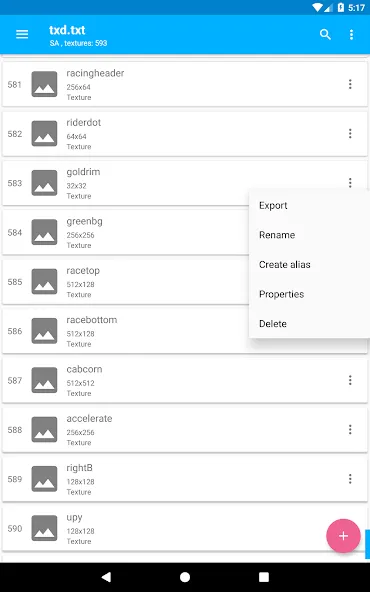
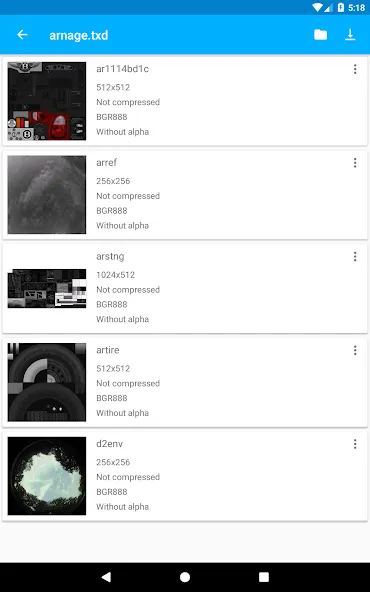
TXD Tool is a graphics processing tool designed for Android devices, specifically tailored for TXD-format graphics files. It enables users to import, replace, export, and compress textures, facilitating the editing and management of texture files for GTA games. Users can import standard image files and convert them into textures within TXD archives. The app features an intuitive, user-friendly interface and employs data transmission encryption to ensure that shared information remains secure and protected against leaks.
Features:
Complete texture management
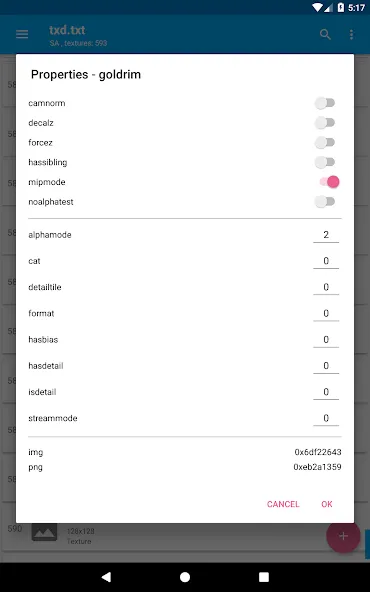
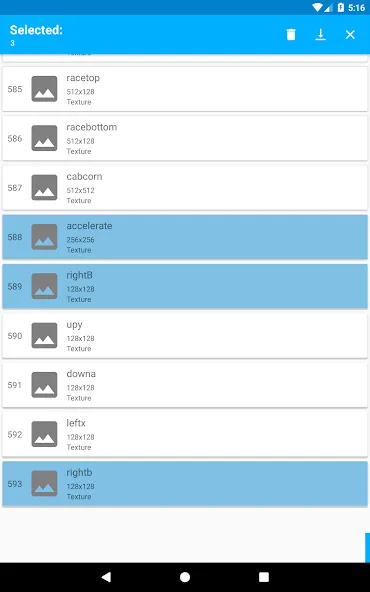
TXD Tool covers routine archive work from one place. You can import textures, import with automatic rewrite, export, delete, and rename items inside a TXD. It also lets you edit properties and create aliases, which helps when organizing replacements. These actions support a typical modding cycle for GTA Vice City and GTA San Andreas projects.
Broad format support
The app works with all texture formats used by the two supported GTA titles. You can bring in images from common formats or import directly from existing .txd files. This makes it easier to move assets between projects and keep file compatibility stable across different sources.
Advanced processing and optimization
TXD Tool can generate mipmaps to improve in game texture handling across distances. It also supports RLE compression to optimize textures for size and performance targets. With these processing options, you can tune assets before exporting them back into the archive.
Flexible output control
You can adjust compression quality and choose export format settings to match project needs. This helps when testing different balance points between visual quality and file size. As you iterate on textures, these controls provide predictable results across multiple builds or variants.
Interface and VC or SA workflow focus
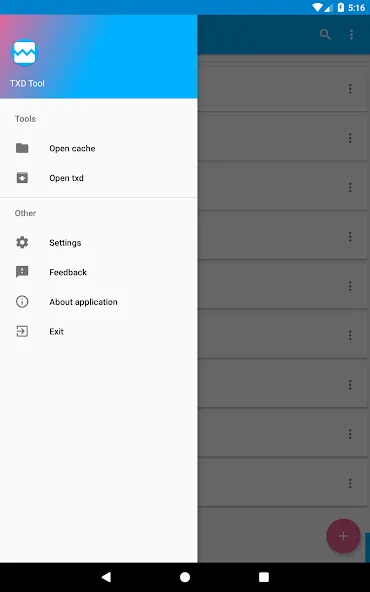
The interface supports multiple themes to make long sessions more comfortable. More importantly, TXD Tool is designed around the modding workflows of GTA Vice City and GTA San Andreas. The games must be installed on the device, and you should already know how to install mods for these titles. With those basics in place, the app fits into a straightforward mobile editing process.
Highlights:
New missions and tasks
there are many more new missions and tasks that you can add to your game making more changes to its appearance and play style. You can simply bring and add new missions to the game where you will never be in lack of them. This allows you to modify tasks and make things more attractive and great in terms of unlocking their potential.
Character changes and designing
users can also simply make changes to the design and character level of the game. You can add new characters by making changes to the whole structure and body type of any character with the new addition of accessoires. Everything remains in your control where you design their appearance and outlook as per your choice so they appear more interesting at least for you.
Enhance graphics and visuals
txd tool lets you enhance the graphics and impressive visuals of the game as you would like to make. Enjoy the most entertaining aspect of the game with new features and enhanced graphics detailing every other thing that you may like. There are hundreds of features for new additions which will also bring the change to the graphics system as you want.
Pros and Cons:
Pros:
Easy to use and intuitive interface.
Ability to send large files quickly without any size limit restrictions.
Secure data transfer encryption ensures that all shared information is kept confidential.
Supports multiple file types, including images, videos, documents etc.
It can be used on both Android and iOS devices.
Automatically compresses the sent files before transfer.
Cons:
Limited features compared to other competing apps.
Unreliable customer service and support system.
A problematic user interface for novice users makes it difficult to use the app effectively.
Lack of updates or new versions released regularly, leading to potential bugs and security issues over time.
FAQs:
What is TXD Tool used for on Android?
It is used to edit and manage TXD texture files for GTA Vice City and GTA San Andreas, including importing, replacing, exporting, and compressing textures.
Which GTA games work with TXD Tool?
It supports the Android versions of GTA Vice City and GTA San Andreas that use TXD texture archives.
Can TXD Tool import normal image files?
Yes, it can import common image formats and convert them into textures inside TXD archives.
Does TXD Tool require modding knowledge?
Yes, users should understand how GTA mods and file replacement work before using it.
What are the minimum device requirements for TXD Tool?
A device with around 1 GB RAM and a multi-core CPU is recommended for stable texture editing.
Conclusion:
TXD Tool leverages content generated by Android Studio alongside code from open-source projects, adhering to relevant licenses. This ensures a reliable foundation for users who wish to explore texture creation without deep technical knowledge. The user-friendly interface and functionality make it accessible for both novice and experienced developers, facilitating a seamless integration of custom graphics into their projects.









