Streamlabs
Entertainment
2026-10-30
86.36MB
3.22.0
Android
495
Screenshots
Introduction
Streamlabs is a powerful live-streaming tool. It is compatible with a wide range of streaming software, allowing users to connect to multiple platforms simultaneously. The app features built-in capture capabilities, enabling users to stream mobile games directly from their mobile devices. It also offers extensive customization options, letting users design their own stream themes, graphics, and logos to create a unique, personalized streaming space. With this app, users can go live right from their phones and deliver high-quality content to their audience.
Features:
Connect and multistream
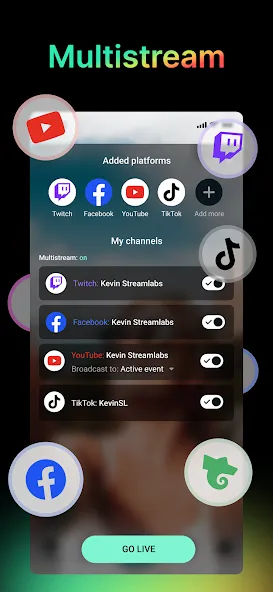
Streamlabs connects your channels to popular platforms or any custom RTMP destination. To access current options, use Streamlabs latest version. With Streamlabs Ultra, you can broadcast to several platforms at the same time. This helps reach viewers where they already watch without changing your workflow.
Mobile game streaming
You can stream mobile games directly from your device with in app capture. It works with titles such as PUBG Mobile, Call of Duty Mobile, Among Us, and more. Controls stay simple so you start quickly, share gameplay, and talk to your audience while playing.
IRL streaming and camera control
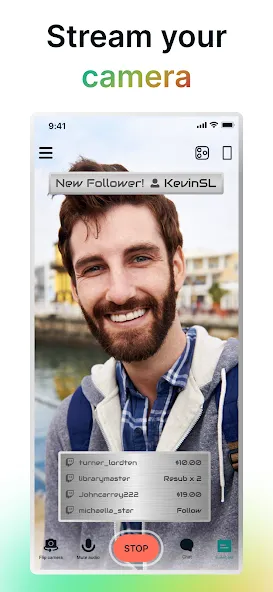
Streamlabs lets you swap between front and rear cameras while live. This suits travel vlogs, music sessions, podcast recordings, or casual chats. Video quality settings help you match your connection. You keep your community with you whether at home or outside.
Customization, alerts, and tips
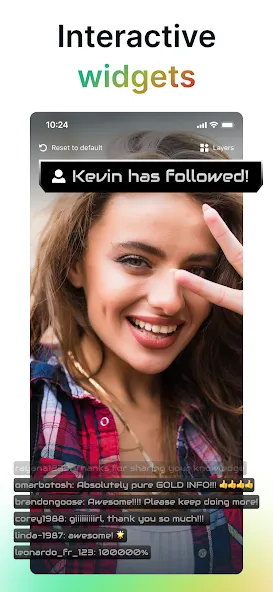
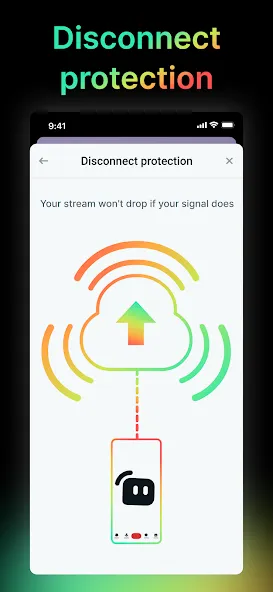
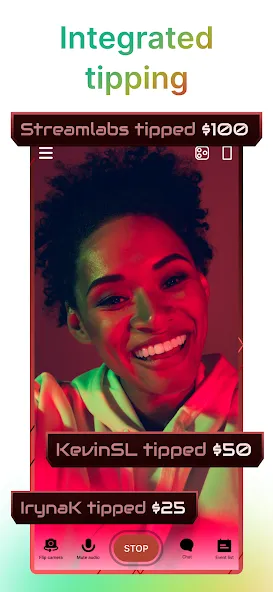
You can personalize the stream with themes, logos, images, and text. Add Alert Box, Chat Box, Event List, and Goals to display activity and messages. Set up a tip page to receive support from viewers, and show on screen tip alerts. Streamlabs Ultra offers disconnect protection.
Highlights:
STREAM OR MULTISTREAM TO ANY PLATFORM
Connect your channels to live stream to the most popular platforms or your custom RTMP destination. With an Ultra subscription you can broadcast video to multiple platforms at the same time, maximizing your growth potential.
LIVE STREAM GAMES
Share your mobile game skills! Whether it’s Monopoly Go, PUBG Mobile, Call of Duty Mobile, Among Us, Clash Royale, Rocket League Sideswipe, Pokemon GO, World of Tanks, or any other mobile game, the app makes it easy to go live and share gameplay with your fans.
IRL STREAM
Swap between front and rear cameras to stream high quality video to your community. Whether you’re a travel vlogger, musician, podcaster, or just chatting, the app lets you take your audience with you on the go.
PERSONALIZE YOUR STREAM
Customize your stream’s look with themes in a few easy taps. You can also add your logo, images, and text to your stream.
ADD ALERTS & WIDGETS
Interact with your viewers and drive audience engagement with Alert Box, Chat Box, Event List, Goals, and more.
Pros and Cons:
Pros
Custom scenes with overlays, alerts, chat, and goals
Supports camera and mobile game broadcasts
Horizontal and vertical streaming layouts
Built-in engagement and viewership analytics
Cons
Multistreaming and Disconnect Protection require Ultra
Reported connection and preview failures
Some widgets and layers can malfunction
Streams may lag or stutter
FAQs:
Q: Can I use Streamlabs with other streaming software?
A: Yes, It is compatible with other streaming software, but for the best experience, we recommend using it with Streamlabs OBS.
Q: Is Streamlabs free to use?
A: Yes, It is free to download and use. However, premium features are available for purchase to enhance your streaming experience.
Q: Can I use Streamlabs to stream to multiple platforms simultaneously?
A: Yes, It allows you to stream to multiple platforms at once, making it easy to reach a wider audience.
Conclusion:
Streamlabs offers a powerful set of tools for both new and experienced streamers, combining customizability and ease of use in a mobile-friendly package. The app’s versatile streaming options, in-app analytics, and real-time alerts enhance the live-streaming experience.




-
Latest Updates
-
Featured Apps