
Sticker.ly
Tools
2026-08-26
100.13MB
3.30.0
Android
391
Screenshots
Introduction
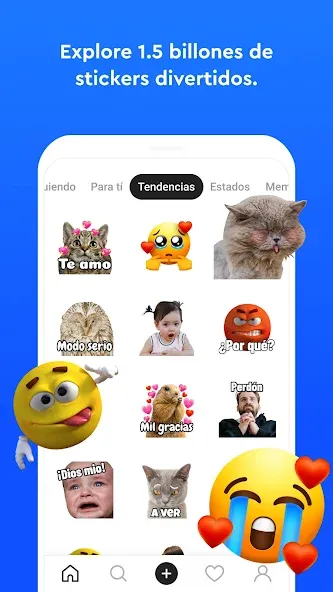
Sticker.ly is a sticker app for Android that allows users to design their own custom sticker packs. Users can create stickers by selecting images from their photo albums and adding text elements to make them more creative and fun. For those who prefer a hassle-free experience, the app offers an auto-crop feature that helps precisely adjust the stickers. Sharing is also incredibly convenient; simply add your created sticker packs to WhatsApp to easily share them with friends.
Features
Create Custom Sticker Packs: Design your very own sticker packs, giving them personalized names and putting your creativity to work.
Simple Image Utilization: Effortlessly select images from your gallery to create numerous stickers in seconds.
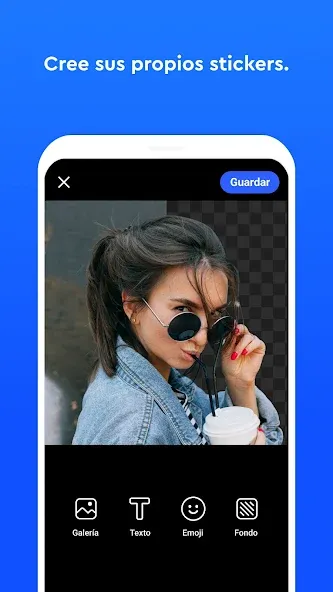
Facial Recognition Technology: Utilize advanced cropping tools to automatically highlight faces in your images for quick sticker creation.
Text Editing: Enhance your stickers with custom text to convey emotions or messages.
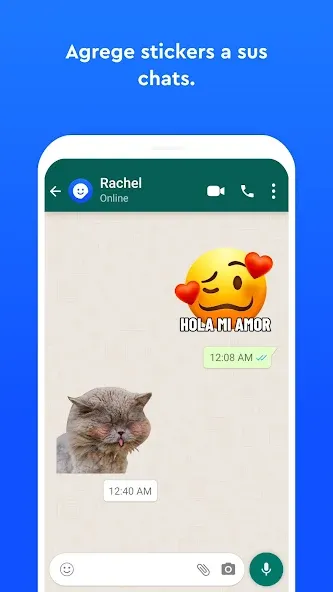
Instant WhatsApp Integration: Easily add your completed sticker packs to WhatsApp with just a tap for immediate use in conversations.
Function
Image Selection: Choose any image from your gallery to turn into a custom sticker.
Crop and Edit: Use manual or automatic cropping options to perfect your sticker design.
Add Text: Incorporate text elements into your stickers for added flair and creativity.
Share and Save: Once your sticker packs are ready, easily share them with friends for their own use.
Usage
First, enter the image you want to turn into a sticker into Sticker.ly for Android. You can use photos, memes, or illustrations. Next, make edits to the image as you wish. Use the sticker editor available in the app to design your sticker. You can remove the photo background and add text there. Be creative freely!
When you’re done, it’s time for you to share your stickers. Export the sticker to Whatsapp. You can also share the sticker pack link via a link and a unique code. Anyone with the link will be able to use your sticker on their Whatsapp.
Pros and Cons
Pros
User-friendly interface for quick sticker creation.
Advanced facial recognition cropping feature.
Fast integration with WhatsApp.
No limitations on the number of stickers or packs you can create.
Ability to share sticker packs with friends for collaborative fun.
Cons
Some users may desire additional editing features for stickers.
Limited functionality without internet access for certain features.
Conclusion
Overall, Sticker.ly is one of the best options available on Android to create custom WhatsApp stickers. On top of all that, this app is backed by Snow, Inc, the developers of the other great apps such as the photo editor B612.









