
Router Chef
Tools
2026-08-13
17.82MB
2.2.19
Android
420
Screenshots
Introduction
Router Chef is a utility for Android devices that helps users collect and analyze router information and parameters. With this app, users can change the router's network name, password, security level, and the maximum number of connected devices. Users can customize these parameters to their needs. The app also allows users to adjust network speed and Wi-Fi strength. All these operations are very simple; users can complete them with just a few clicks.
Features:
SHOW ROUTER SETTINGS
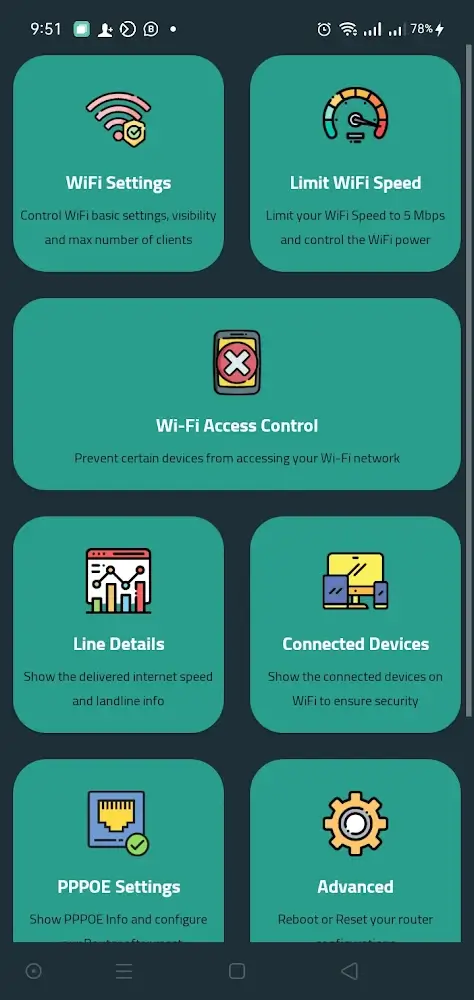
Before Router Chef can connect to the router, the user must provide the application with some information. The router’s IP address, username, and password will all be required. Internet service providers usually provide this information; entering it in the appropriate fields will allow you to connect to the app in no time. When you log in, you will see a home screen with many WiFi and router configuration options. You can quickly access the desired features by touching the corresponding icons.
CONTROL PARAMETERS
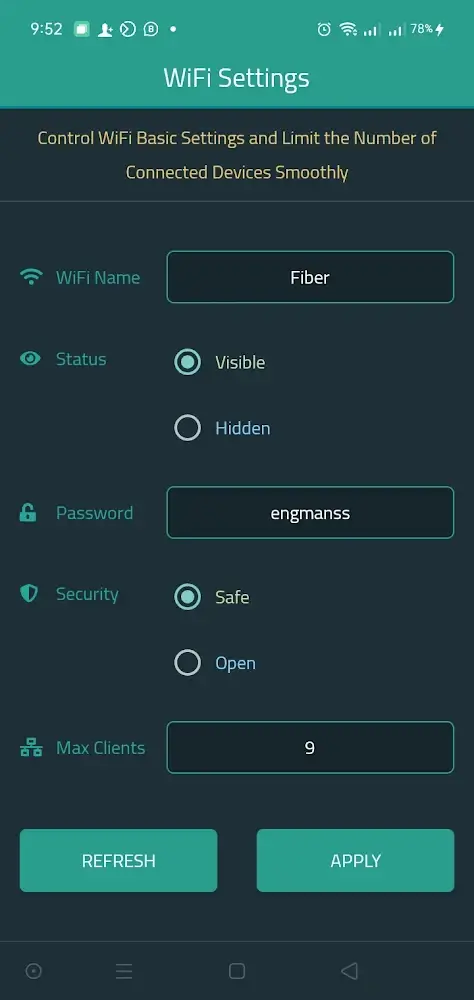
If the user navigates to the router’s “WiFi settings” menu, they can change some of the device’s default settings. You can change the network’s name and whether it is active the password and security level, and the maximum number of devices that can connect to that network. Each of the aforementioned parameters can be adjusted according to the user’s specific requirements.
SHOW RELEVANT INFORMATION
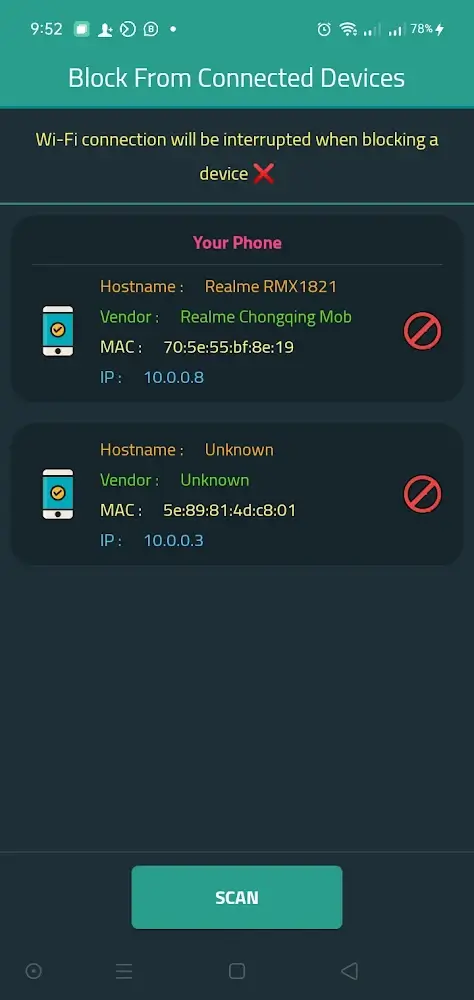
Router Chef is a helpful tool for collecting rich data about many types of router statistics and providing simple configurations. You will be able to get better results and make more appropriate adjustments if you use these parameters. Furthermore, both devices connected to the router before and now are graphically displayed on the screen in real-time. Three addresses must be considered when distinguishing devices: host, Mac, and Internet Protocol addresses. Since addresses are uniquely associated with devices, you can easily manage everything connected to your router by seeing who has which address.
SPEED LIMIT
Changing the baud rate of WiFi can be done to save data for later use. In this app, changing the WiFi speed interacts with the on-screen controls that show the current speed and allow you to enter new parameters. This app also allows users to change the strength of their WiFi connection from 0 to 100. Resetting your router to factory settings is a simple process that can be completed with the push of a button.
ALLOWS THE USE OF MULTIPLE ROUTER TYPES
You probably know that a bunch of new routers are being released, and each brand offers a different range of models. Therefore, Router Chef can fulfill many functional requirements by allowing users to connect to various router models. This app currently supports the following router models: DN8245V, DG8045, HG630V2, HG633, HG531V1, ZTEH188A, ZTEH168N, and others. The routers will be continuously updated in the future to accommodate more users.
Function:
Show Wi-Fi Settings
Change Wi-Fi SSID or Password
Control Wi-Fi max number of connected devices
Limit Wi-Fi speed to 6 Mbps
Control the Wi-Fi signal strength
Show the active connected devices on Wi-Fi
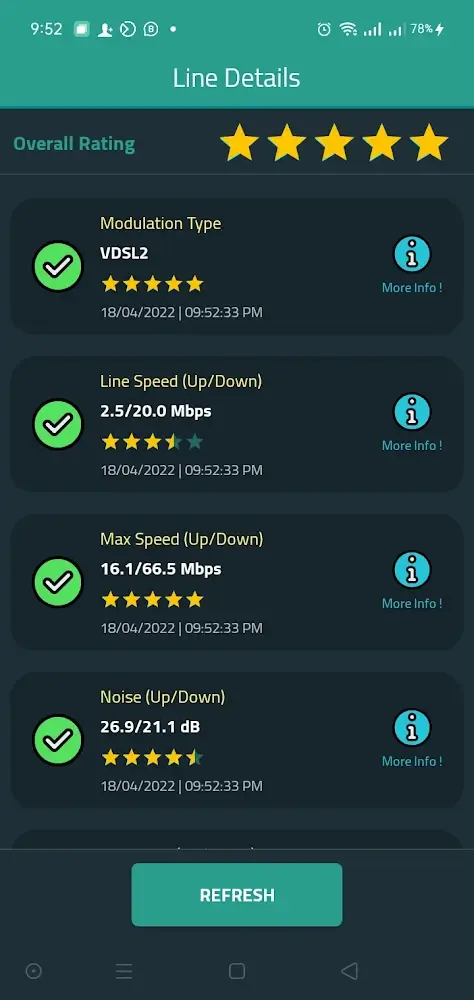
Show the DSL Line Info
Configure your Router with the ISP account after the factory reset
Reboot and reset the Router to factory settings
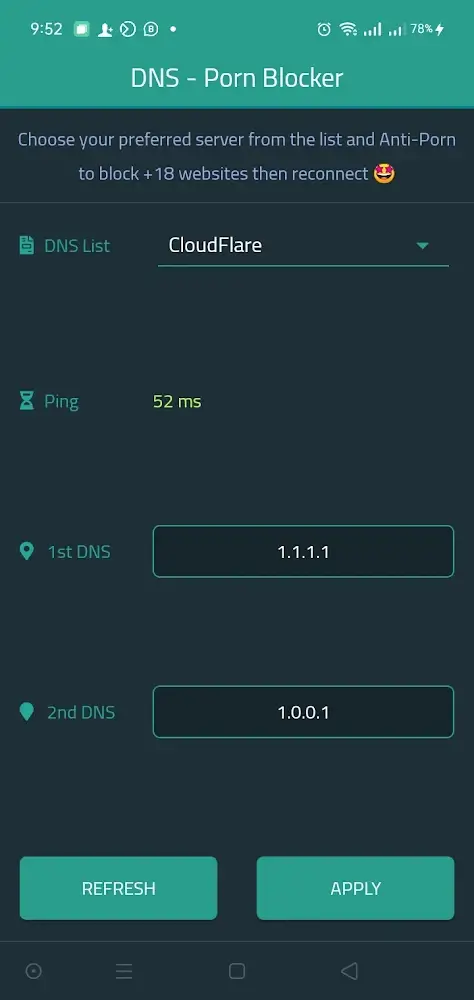
Change DNS with anti-porn DNS options
Show daily internet usage or from a specific date
Access to the Router configuration page
Tips and Tricks:
The first action to set up management on the router and wifi network is to connect with the application by entering all the information.
Users can completely check the transmission, set up security with some information related to wifi with just one touch.
The devices connected to the wifi can be easily displayed, and if the number exceeds the user’s expectation, they should reset the security.
Users can reboot the router anytime they want if it has problems and considers using a reset router because the settings may disappear.
In using wifi, users will undoubtedly consider setting the appropriate speed when using wifi with the choice of a specific number or unlimited.
FAQs:
Can I use it without any technical knowledge?
Absolutely! It is designed to be user-friendly, with intuitive controls and pre-configured recipes. Users of all technical backgrounds can enjoy optimizing their networks without delving into complex settings.
Does it consume a lot of device resources?
No, it is optimized to run efficiently. It focuses on providing a smooth user experience without placing a heavy burden on your device.
Conclusion:
Prioritize online safety with DNS settings alterations, adding anti-porn DNS filters for more secure browsing. Keep an eye on your internet consumption with daily usage reports or examine data usage over specific periods. The tool also grants direct access to the router's configuration page for advanced modifications.









