Pixel Studio PRO: editor
Tools
2026-10-22
46.08MB
megapari-v256.0.
Android 5.0 and up
159
Screenshots
Introduction
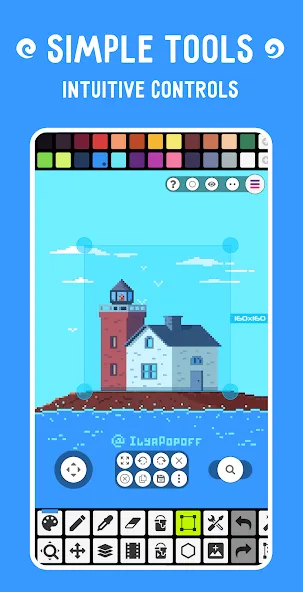
Pixel Studio PRO is an image editor designed for the Android operating system. It features a user-friendly interface that allows for quick and easy navigation, with all tools intuitively laid out. The software enables the creation of high-quality pixel art and offers excellent compatibility, allowing you to share your artwork on social media or with friends and family. You can also create animations using a frame-based approach. The app includes robust customization options, such as adjustable color palettes and the ability to switch between portrait and landscape orientations. Additionally, it supports automatic saving and backups.
Features:
Seamless Cross-Device Setup
Simply log in to sync your projects across devices using Google Drive. This flexibility allows you to continue your work on a phone, tablet, or computer without losing any progress.
User Interface Navigation
The interface layout is clean and intuitive. Tools are positioned on the left, colors on the right, and layers at the bottom. The top toolbar houses menus for saving, exporting, and adjusting settings. Despite the extensive feature set, everything remains easily accessible within a clear, uncluttered workspace.
Portrait and Landscape Modes
Portrait mode is ideal for quick sketching or creating small sprites. Landscape mode offers more horizontal space, making it better suited for animation or wide-format scenes. Switching between the two is seamless, allowing artists to choose the orientation that best fits their project.
Drawing Essentials
The pixel tool allows for single-pixel placement, perfect for fine details. The brush tool smooths out lines, speeding up the sketching process. Shape tools enable the quick creation of circles, squares, and straight lines. Using these tools in combination ensures efficient and precise drawing.
Layers, Zooming, and Precise Control
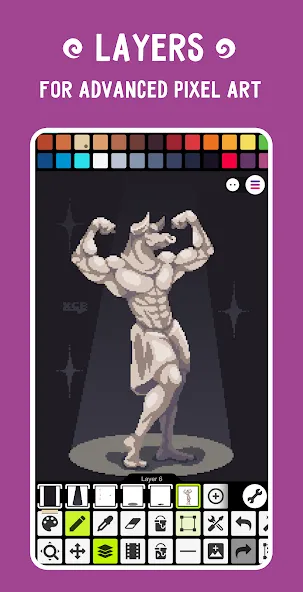
Layers allow artists to separate elements such as outlines, shading, and backgrounds. The zoom function enables precise editing of minute details. These controls make it easy to manage complex artwork, even on smaller screens.
Creating Frame-by-Frame Animation
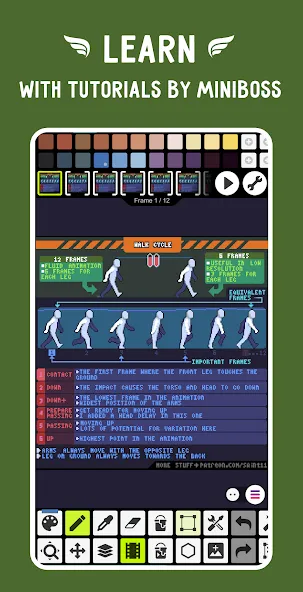
Animation is straightforward: each frame appears on a timeline, where artists can draw subtle changes from one frame to the next. You can preview your animation to check its fluidity, helping you refine the motion before finalizing your work.
Using Onion Skinning for Smoother Motion
The "onion skinning" technique displays faint outlines of preceding and succeeding frames. This helps with aligning movements, resulting in smoother animation—a feature especially useful for walk cycles or character actions.
Highlights:
It's super simple, intuitive and user friendly
It's cross-platform, use it on mobile and desktop with Google Drive sync
Use layers for advanced pixel art
Create frame-by-frame animations
Save animations to GIF or sprite sheets
Extend animations with music and export videos to MP4
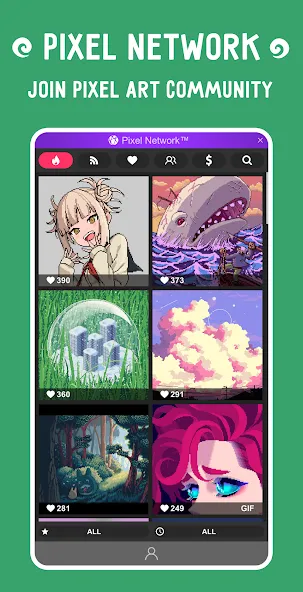
Share arts with friends and Pixel Network™ community
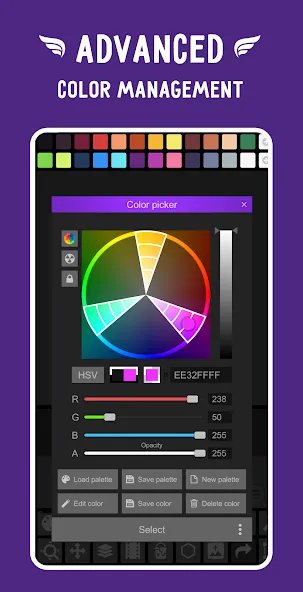
Create custom palettes, use built-in or download palettes from Lospec
Advanced color picker with RGBA and HSV modes
Simple zoom and move with gestures and joysticks
Use Portrait mode for mobile and Landscape for tablets and PC
Customizable toolbar and a lot of other settings
We support Samsung S-Pen, HUAWEI M-pencil and Xiaomi Smart Pen!
We support all popular formats: PNG, JPG, GIF, BMP, TGA, PSP (Pixel Studio Project), PSD (Adobe Photoshop), EXR
Autosave and backup - don't lose your work!
Discover a ton of other useful tools and features!
User comments:
I’ve tried out several pixel art editors, and this one is the best I’ve found so far. It includes many features that are missing from more expensive alternatives—even those costing over $20. I’m particularly fond of the dithering tool, which makes it easy to adjust color density and create beautiful shading and gradients. The software is available on all platforms, and they’ve recently introduced a cross-platform purchase option, meaning you only need to buy it once to use it across all your computers.
The drawing interface is highly intuitive and fantastic for creating artwork. It features helpful guides that explain the function of each tool, and the layer system is excellent.
While it offers a robust feature set for advanced developers and artists, it’s also a great choice for anyone looking to get started with pixel art or animation. It comes as a desktop application with a great set of keyboard shortcuts.
Advantages and disadvantages:
Pros
Layered editing with extensive pixel-specific drawing and scaling tools
Frame-by-frame animation with Onion Skin, GIF, sprite-sheet, and MP4 output
Detailed palette controls and broad file-format support
Compatible with several major Android stylus families
Cons
Pinch zoom can shift the canvas unexpectedly
Conclusion:
Pixel Studio PRO: editor is the ideal platform for showcasing your personal style and artistic taste. Utilize a full suite of features and tools to transform your pixel-art images and more. The interface is clean yet packed with functionality. Download Pixel Studio PRO: editor and create vibrant, colorful imagery. Explore a variety of free themes to craft your own pixel art.
-
Latest Updates
-
Featured Apps