PDF Creator: PDF Converter
Tools
2026-09-27
21.64MB
11.0
Android
594
Screenshots


Introduction
PDF Creator: PDF Converter is a PDF tool designed for Android devices that works offline—no internet connection required. It features a simple, intuitive interface that allows users to get started quickly, while offering fast processing speeds. The app supports image enhancement and restoration, allows for flexible editing before file generation, and offers a wide range of professional-grade PDF processing capabilities. It helps users securely manage study materials and produces watermark-free files that can be easily shared with partners.
Function
No internet connection required
Smooth and easy to use interface
Takes up only a few seconds
Select images from camera/gallery
Image enhancement features
Crop images before creating a PDF
View PDF files
Delete PDF files
Features
Extract images from PDF
Split PDF
Merge PDF
Convert text files to PDF
Manage your PDF files
Remove pages from PDF
Reorder PDF pages
Share the created PDFs with your friends
Easily manage the PDFs created by our app
Highlights
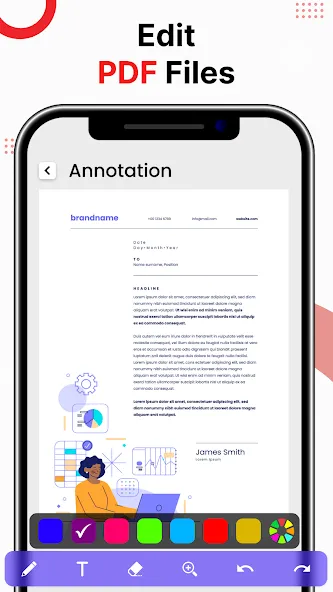
Comprehensive Document Editing: PDF Maker/Reader: Photo to PDF helps you export perfect documents. Fine-tune to perfection. Adjust margins to perfection. Compress images to save space. Improve document quality. Easy to do with simple operations.
Flexible Image Manipulation: The application supports editing images in PDF files as needed. A picture is worth a thousand words. You can easily adjust the size and rotate the image to suit your eyes. Users can adjust the layout to suit their needs.
Professional Document Creation: Documents exported from the app will ensure professionalism. Raise the bar with high image quality, reasonable layout, and watermark-free. All high-quality documents will help you confidently send to partners.
User comments
I've tried a lot of apps so far... but when i got to this one... i was like...that's what i was looking for... it literary has everything you need... try it for sure you won't regret it... it has a lot of options... lots of thanks to creators of this app
It secures all my school documents Because usually our teacher send the pictures of our h.w or class work on WhatsApp group and then l just don't want to do the work at the time in which teacher had send the work . And till many days it just happened like lots of work gathers and I can just don't find any pictures and then my mind gots mess so now what I do is I just go to this app .Find the pictures and just make the PDF and complete my notes or work or h.w , class work and all. So it's brillia
Actually, this app is wonderful. You can hardly find any one like it. It's easy to navigate, it's easy to use and it gives you exactly what you expect. It's a great app.
Summarize
Experience exceptional accessibility with the app's ability to read and listen to PDF files hands-free, making it perfect for use while driving. Easily open, share, print, or delete files directly from the app to streamline your workflow. Engage in efficient documentation management with PDF - Creator Converter Reader, a tool designed to stay organized and productive.
-
Latest Updates
-
Featured Apps