Partial Screen
Tools
2026-09-27
2.97MB
1.18.0
Android
560
Screenshots
Introduction
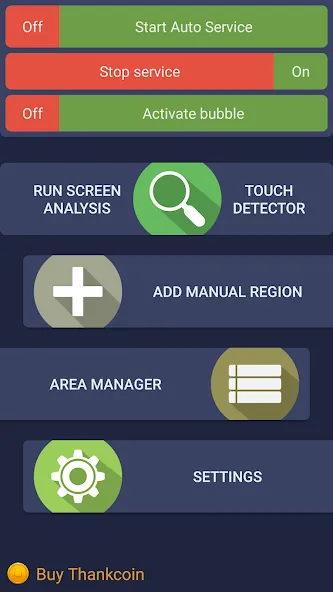
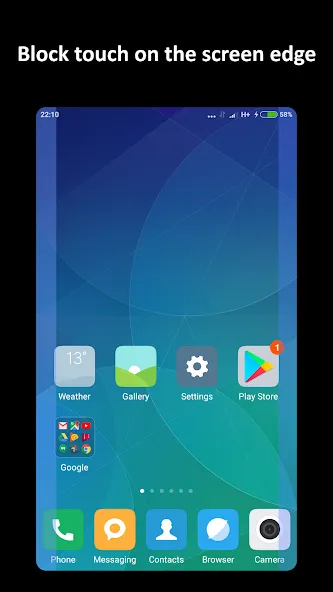
Partial Screen is a utility tool for Android devices designed to automatically detect and alert you to areas of the screen prone to accidental touches. It scans the display and allows you to create "blocked zones" to prevent unintended inputs in specific areas. You can freely customize the color and size of these zones and lock them in place—including "bubble" modes. The app supports automatic startup upon booting and allows for adjustable transparency settings. It is easy to use, automatically identifies active touch zones, works seamlessly, and helps ensure smoother touch responsiveness.
Features
Automatic detection of ghost touches
Partial Screen can scan the display to locate zones with unwanted activity. During the analysis it intercepts touches for a short period, then groups areas that show repeated self touches. You should not touch the screen until the scan finishes, which helps the detection stay accurate. After the process completes, the identified zones are ready to block taps, swipes, and long presses.
Manual region creation
You can add custom block areas of any size and position for precise control. This is useful when a crack or specific spot causes ghost touches. Place a region directly over the problem area, then adjust its boundaries so it covers the faulty part and nothing else. Once saved, the manual zone quietly ignores inputs inside its borders.
Area manager and controls
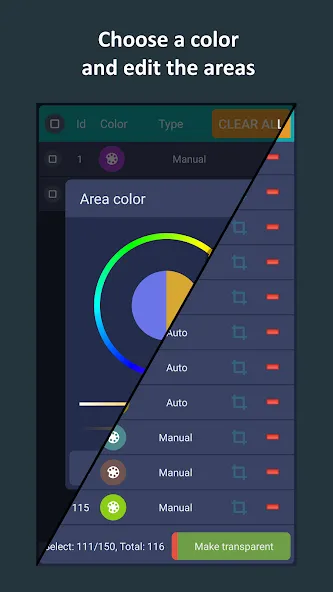
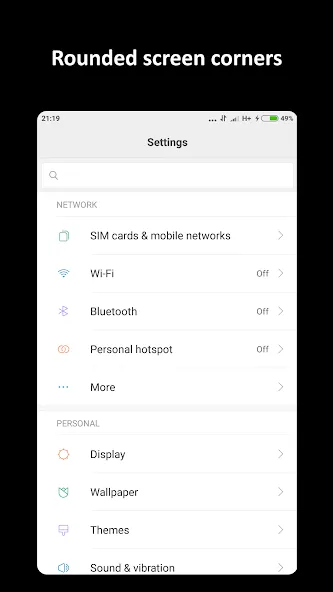
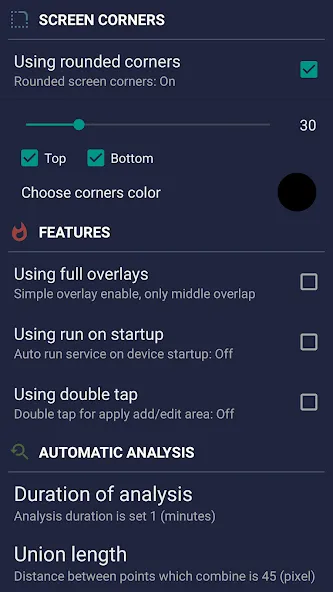
The area manager lets you toggle individual zones on or off and adjust their color, size, and placement. Separate switches are available for blocks created by the auto scan and those made manually, so you can manage each path independently. For visual consistency, Partial Screen also provides a rounded corners overlay with selectable color and radius, which sits above the interface and gives edges a clean look.
Bubble mode screen lock
A movable bubble indicator sits on the display for quick access. When needed, you can double tap the bubble to lock the entire screen temporarily. This is handy during moments when ghost touches spike or you want to prevent any input for a short time. After the interruption passes, unlock and continue using the phone normally.
Subscriber extras and platform note
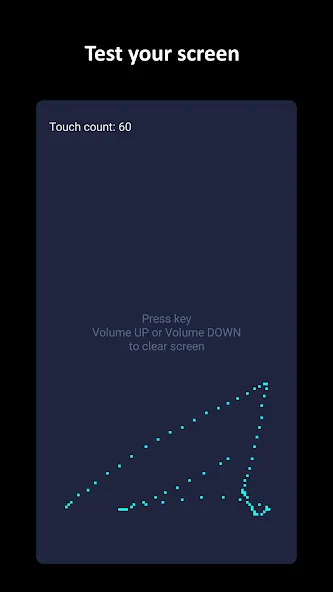
Subscribers can edit areas, enable auto start on boot, adjust zone transparency, and create fifty percent more zones. There is also a touch detector, preloadable profiles, and a full overlap mode designed for deeper coverage. The full overlap mode is not supported on Android 8.0 and newer, so plan profiles with that limitation in mind. All extras build on the same core behavior to keep accidental inputs out of the way.
How to Use
Open the app, then grant Draw over other apps when prompted so zones can appear above the screen.
Select Automatic detection and start the analysis. Do not touch the display until the scan completes and the detected areas appear.
If you prefer precise control, choose Manual regions. Add a lock zone, size it to the faulty spot, and place it exactly where ghost touches occur.
Next, open the area manager to toggle zones on or off. Adjust color and placement to match the problem areas, and use separate switches for auto and manual blocks.
When a quick pause is needed, move the bubble indicator to a convenient spot and double tap it to lock the full screen. Unlock when you are ready to resume.
Advantages and disadvantages
Pros
Automatically identifies areas producing phantom touches
Manual zones allow precise size and placement adjustments
Automatic and manual blockers can work together
Movable bubble can disable the entire screen
Cons
Blocked zones also prevent intended input
Some users report zones shifting from their chosen positions
User comments
Amazing result. My smartphone had become almost impossible to use for surfing the net because of random 'ghost' touches. Anything that had a search bar, be it a browser page, email page, youtube etc had become unuseable. On running this app, an area at the top of the screen where the search bar would be was detected and solved the problem instantly. I've no idea how it works but work it did. Phone is now totally stable and useable again. You guys rock. Thanks.
Phenomenal. I have an old redmi note 7 itting around doing nothing because the screen is broken. I refused to use it because it would activate itself randomly. It turns out that, through running an automatic scan, only three small spots in the phone made it unusable. With this app, I can now even write app reviews on this phone :) thank you
I had a huge problem with my screen. My screen started to touch itself automatically in a line across the screen and it went wild. Apps were opening and outgoing calls was crazy. And i had no solution until i searched on play store. This app managed to solve my problem.
Summarize
Partial Screen offers a practical solution for managing touch interactions on mobile device screens, although it may not be ideal for those needing absolute touch blocking. However, for most users experiencing occasional unintended touches, the convenience and ease of use of this utility make it a worthwhile tool to have.
-
Latest Updates
-
Featured Apps