
Macrorify
Tools
2026-08-13
27.17MB
1.6.0.2
Android
255
Screenshots

Introduction
Macrorify is a macro automation software with powerful macro capabilities. Users can operate the software by clicking, double-clicking, long-pressing, or swiping. They can also drag, blend, and shrink macros with their fingers, supporting up to ten fingers at a time. The software helps users detect images and text and respond correctly based on system instructions. Recording and playback functions allow users to change and adjust speed and intervals to avoid repetitive actions during gameplay. It automatically turns off comments when macros are not in use to save battery. Macrorify is a very practical tool for work, easy to set up, and allows for customizable macros, effectively helping users handle daily tasks. It also features flexible effects for testing games.
Function:
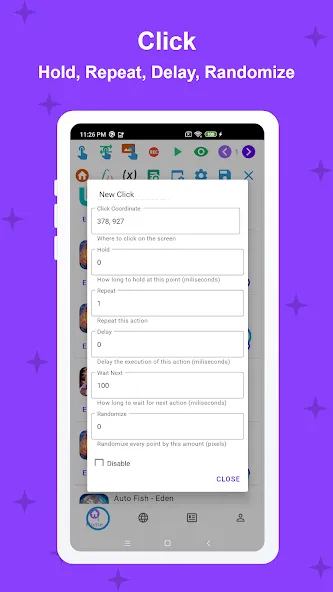
Advanced Recording: Capture and replay touch sequences with the option to edit, rearrange, adjust speed, and introduce randomness, ensuring your tasks feel as human-like as possible.
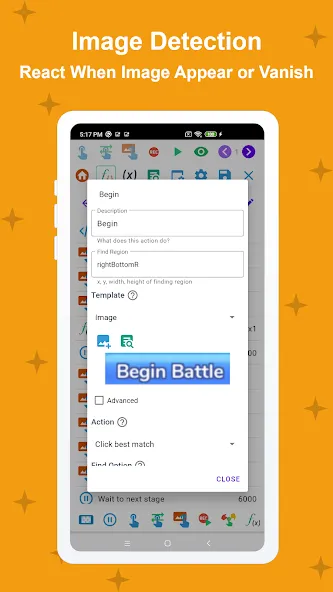
Dynamic Image Detection: React promptly to visual changes on your screen, which is particularly useful to trigger actions based on image appearance or disappearance.
Accurate Text Recognition: Transform how you handle on-screen text, using it to trigger specific actions.
User-Friendly Interface: An intuitive UI makes it simple to design both straightforward and intricate automations.
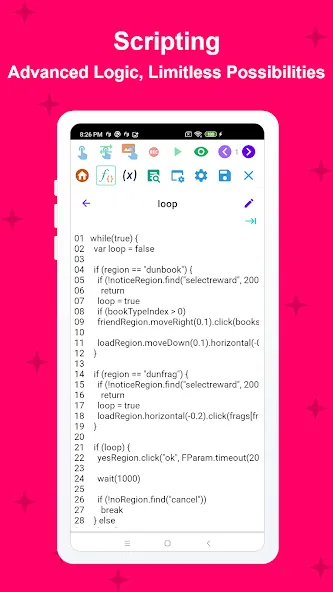
Scripting Option: Delve into scripting with EMScript, an accessible language that opens up endless macro-creation possibilities for those looking to advance their skills.
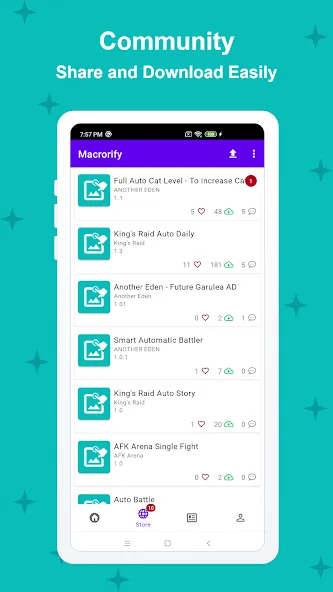
Macro Store: The built-in marketplace is a convenient place to download macros created by others or to share your own for rewards.
Battery Preservation: Auto screen turn-off feature to conserve power.
Macro Management: Options to pause, resume, and adjust macro operation areas to meet your needs.
Testing Tools: Tools are available to conduct comprehensive tests on specific actions and ensure flawless execution.
Highlights:
Auto Clicker
Intuitive UI
Macro Store
Record and Replay
EMScript
Compatibility
FAQs:
Do I need to root my Android device to use this app?
No, it works on most devices without rooting. For Android 6 and below, a native service running on a PC may be required.
Can it detect images and text automatically?
Yes, it uses advanced image detection and text recognition to perform actions based on visual elements on the screen.
Can I record and edit my touch gestures?
Absolutely! You can record, replay, edit, and mix touch gestures at different speeds or intervals.
Is it compatible with emulators?
Yes, it works on Android emulators as well as physical devices running KitKat and above.
Can I create complex macros using this app?
Yes, multiple triggers and conditional logic can be combined, and advanced users can use EMScript to create highly customized macros.
Advantages and disadvantages:
Pros
Image Detection and Text Recognition powerful features
Save effort and time in performing tasks
Automatically performance mobile actions
Editing capability
Cons
Doesn't allow sharing of created macros
Conclusion:
Macrorify is an advanced, user-friendly macro recorder and auto-clicker for Android devices. With its unique combination of image detection, text recognition, and flexible recording and replay features, it delivers unmatched automation capabilities without requiring device rooting.
Whether you are a casual user or an advanced macro enthusiast, it simplifies repetitive tasks, saves time, and enhances productivity with its intuitive interface and powerful features.









