ibisPaint X
Tools
2026-11-09
58.67MB
13.1.10
Android 6.0
278
Screenshots
Introduction
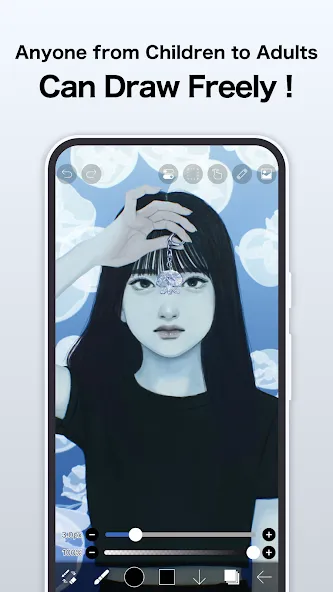
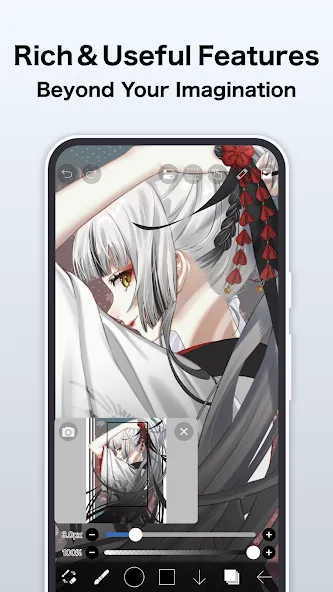
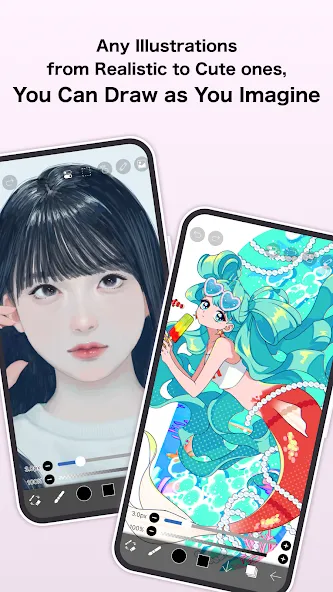
ibisPaint X is a powerful drawing application. It features a clean, intuitive interface that allows users to get started quickly. The app supports an unlimited number of layers, which users can adjust and configure based on their expertise to create stunning artwork. It offers an extensive collection of brushes, textures, and fonts, making it well-suited for styles ranging from sketches to anime. With a wide array of customizable settings and features, users can fine-tune elements like brush strokes and filters to suit their personal creative vision. Once you have crafted your perfect image, you can easily share your work on social media platforms or with your friends.
Features:
Brushes for every idea: Pick from a massive collection of brushes—pens, pencils, oils, airbrushes, textures, stamps, and more—with smooth strokes and handy stabilization to keep lines clean.
Layers with real control: Build complex art with unlimited layers, blend modes, clipping masks, and quick actions like duplicate, flip, rotate, import, and rename.
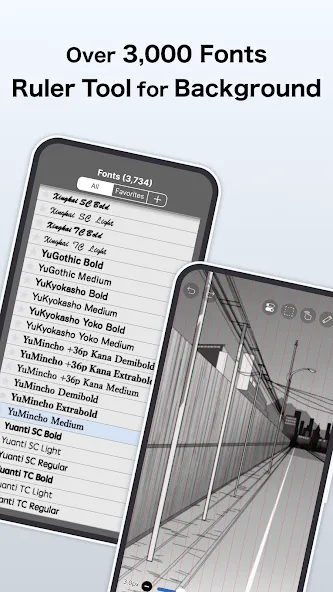
Rulers and guides that help: Use symmetry, radial, and perspective rulers to nail tricky shapes, perfect curves, and balanced designs.
Materials, tones, and fonts: Browse thousands of materials, screentones, and fonts to style manga panels, posters, or illustrations without hunting elsewhere.
Filters and fine-tuning: Add mood with filters, then adjust color and contrast to get the exact look you want.
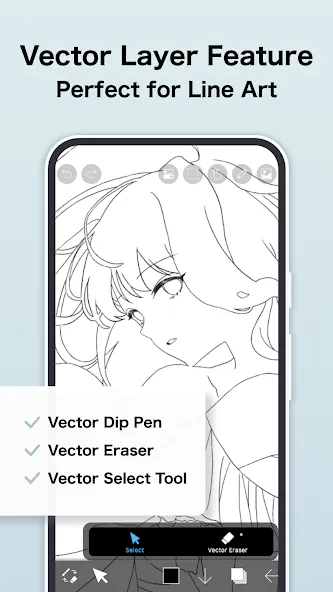
Vector tool and animation: Draw crisp, scalable lines with the Vector tool and bring scenes to life with simple animation features.
Time-lapse recording: Capture your entire process as a video—great for sharing, teaching, or just seeing how your art comes together.
Learn from the community: Watch process videos from other creators, pick up techniques, and get inspired right inside the app.
Premium perks (optional): Unlock extras like 20GB cloud storage, Premium Materials, Canvas Papers, and Fonts, advanced color tools (Tone Curve, Gradation Map, Levels, Adjustment Layers), Surrounding Fill/Eraser, AI Disturbance, artwork folders, importing custom brush patterns, no ads, and watermark-free videos.
Built for comfort: Fast, responsive drawing that feels natural, whether you’re sketching quick ideas or building a full Art & Design project.
Highlights:
Smooth sketching at up to 60 frames per second.
Dip pens, felt tip pens, digital pens, air brushes, fan brushes, flat brushes, pencils, oil brushes, charcoal brushes, crayons, and stamps are among the over 11000 brushes available.
Brush parameters include thickness at the start and finish, opacity at the start and end, and brush angle at the start and end.
Brush thickness and opacity may be adjusted fast using quick sliders.
Brush previews in real time.
There is no limit to how many levels you may add.
Layer opacity, alpha blending, adding, removing, and multiplying are all properties that may be modified for each layer independently.
Clipping is a useful function for clipping photos, videos, and other media.
Layer duplication, picture library import, horizontal inversion, vertical inversion, layer rotation, layer shifting, and zooming in/out are all available.
A feature that allows you to name your layers in order to differentiate them.
FAQs:
What is ibisPaint X?
Designed specifically for drawing—rather than quick photo editing—it turns your Android phone or tablet into a powerful illustration studio.
Can I use it for free?
Yes, you can, though some advanced features require payment.
Is it safe to download ibisPaint X?
As long as you download it from a trusted source—like this website—it is safe and secure.
Advantages and disadvantages:
Pros
Huge selection of brushes, fonts, materials, and filters
Strong manga tools, including screentones and specialized rulers
Layer, animation, vector, and process-recording support
Community videos can help artists learn techniques
Cons
Frequent ads interrupt the free version
Conclusion:
ibisPaint X app lets you fully unleash your passion for painting—after all, you are the creator of the artwork. It offers a variety of tools to help you produce vibrant, colorful paintings. You can share your creations online, allowing others to admire and discover your work. Download the modified version ofibisPaint X and start creating your own art!




-
Latest Updates
-
Featured Apps